TRA receipts, straight from Odoo.
Issue TRA fiscal receipts from your Odoo invoices and Point of Sale through a Virtual Fiscal Device. No EFD machine, no typing every sale twice, and a Z report that finally matches your books.
VFD
"Most days it almost matches." That's the problem.
A separate EFD machine means every sale is entered twice, and every evening someone tries to make the Z report agree with the invoices.
With an EFD machine
- Every sale typed into the system, then again into the EFD
- Machines that break or run out of paper mid-day
- Z reports reconciled against invoices by hand
- Missed or mistyped receipts found weeks later
With TRA VFD in Odoo
- Each sale recorded once; the receipt comes from that record
- No fiscal hardware to buy, repair or refill
- Z reports fetched daily, from the same receipts
- Every receipt's status visible, failures retried automatically
From invoice to verified receipt, in Odoo.
These are real screens from the module, running on Odoo 19 with demo data.
Confirm the invoice. Click Post Receipt.
The Post Receipt button sits on every confirmed customer invoice, next to Send and Print.
- Or select many invoices: Action > Post Receipt
- Or switch on Send Invoices Automatically
- Invoices in USD are converted to TZS first
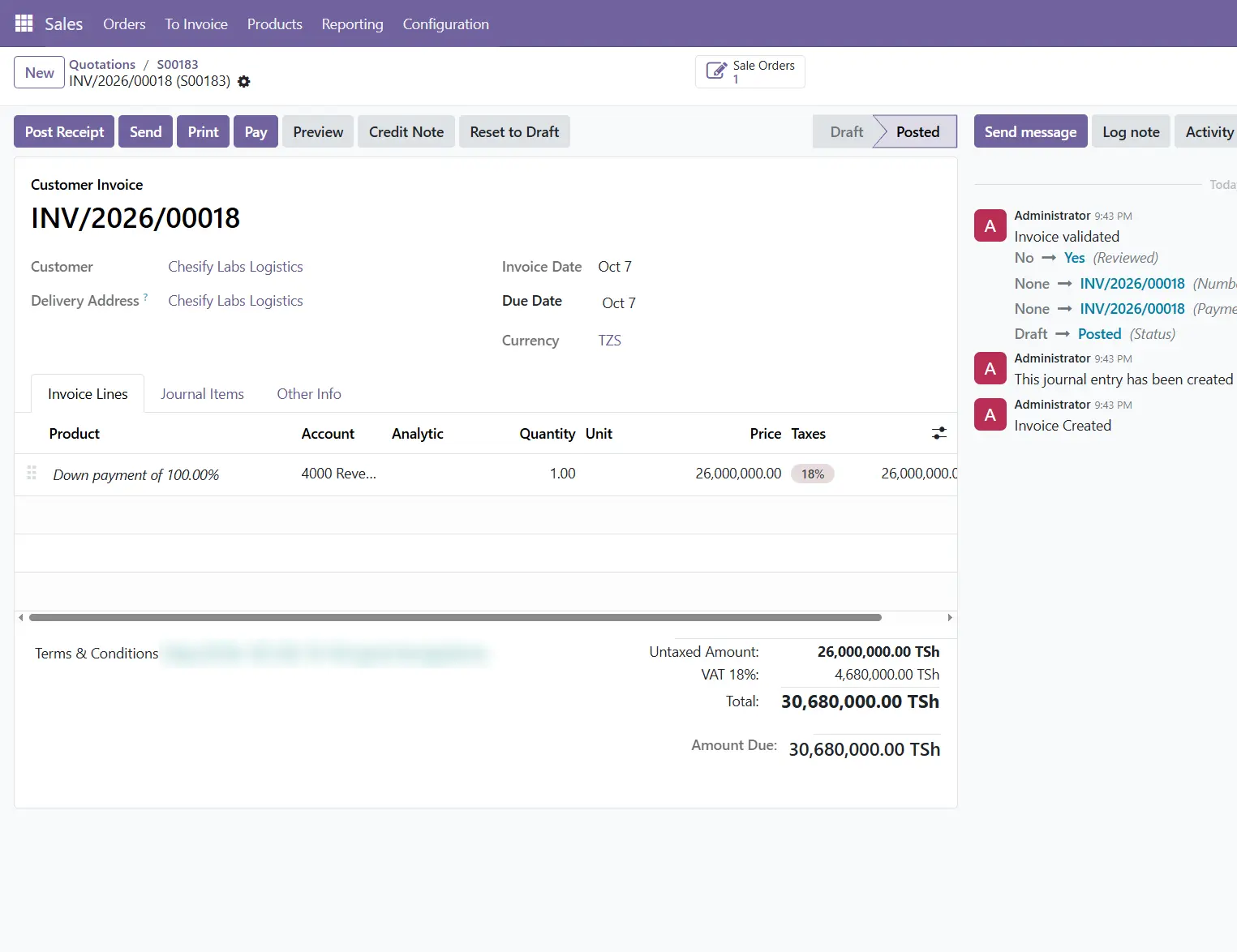
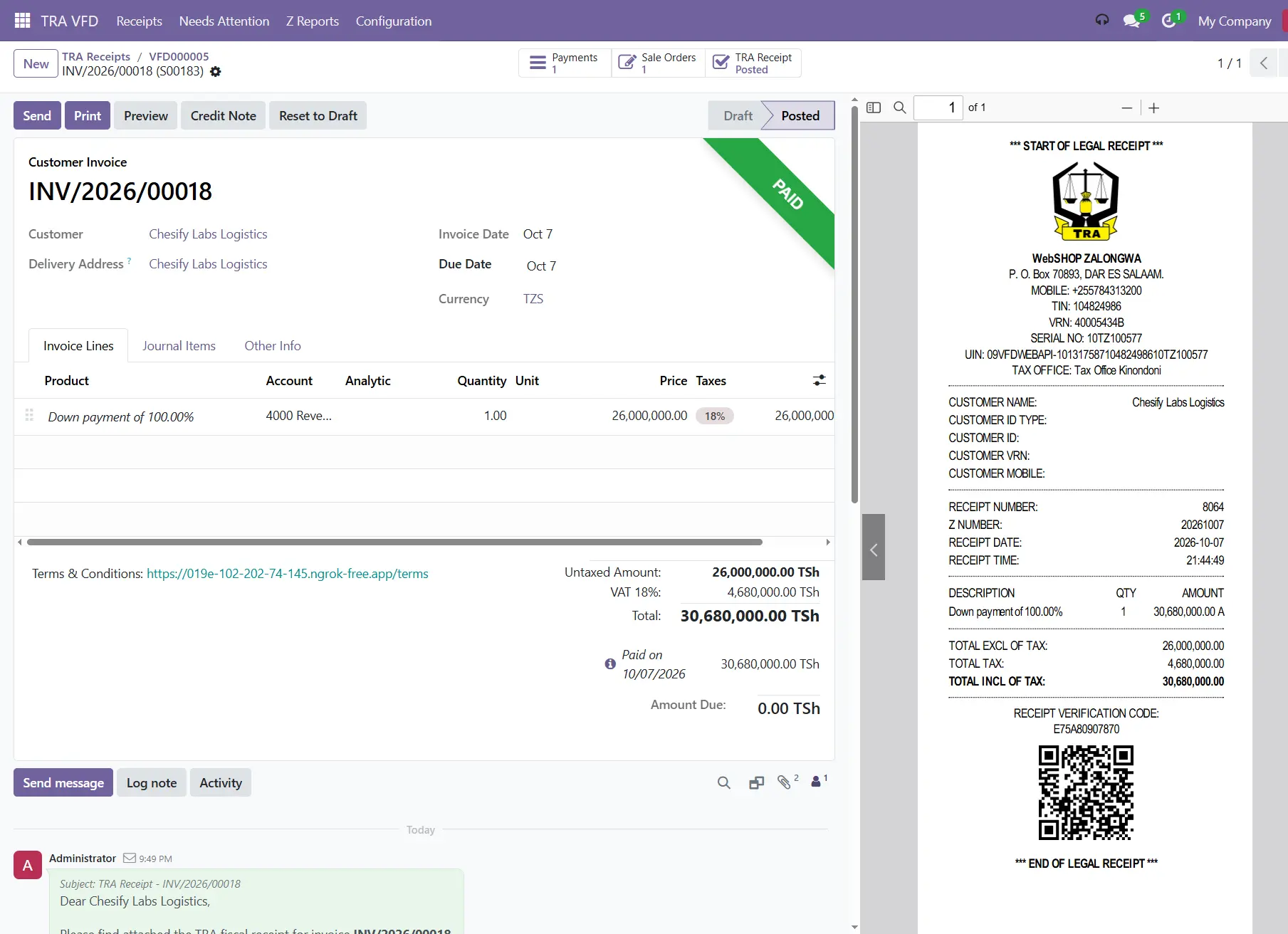
TRA answers in seconds.
Odoo creates a TRA receipt record and fills in what TRA returns.
- TRA receipt number and verification code
- Z number and verification link
- Status moves In Queue → Submitted → Posted
- Send to Customer, Print and Verify on TRA, one click each
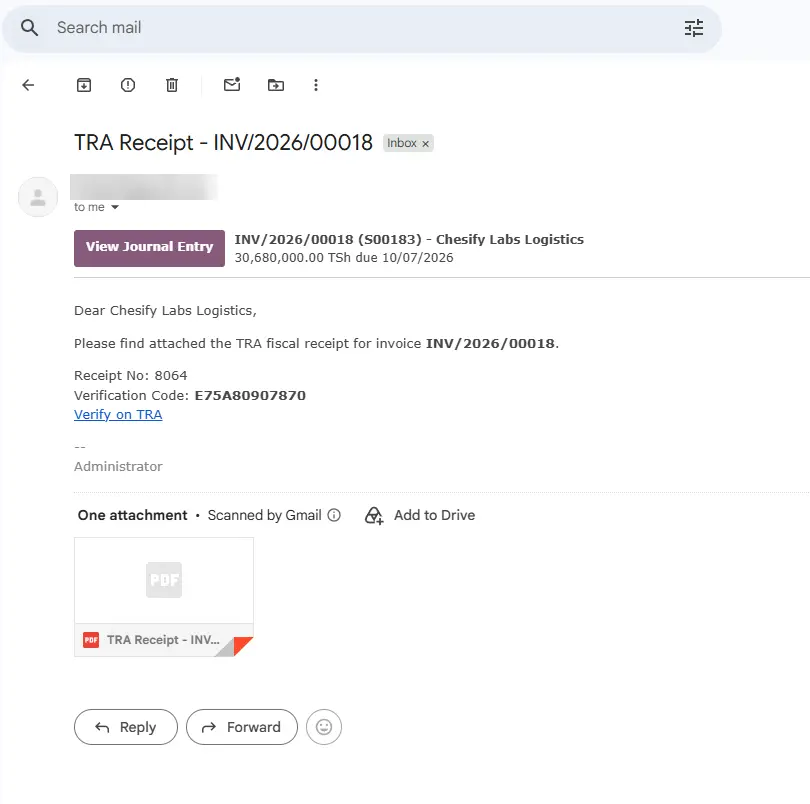
The customer gets it by email.
The receipt goes out from the invoice itself, and the message stays in the invoice history.
- TRA receipt PDF attached
- Receipt number and verification code in the email
- A "Verify on TRA" link
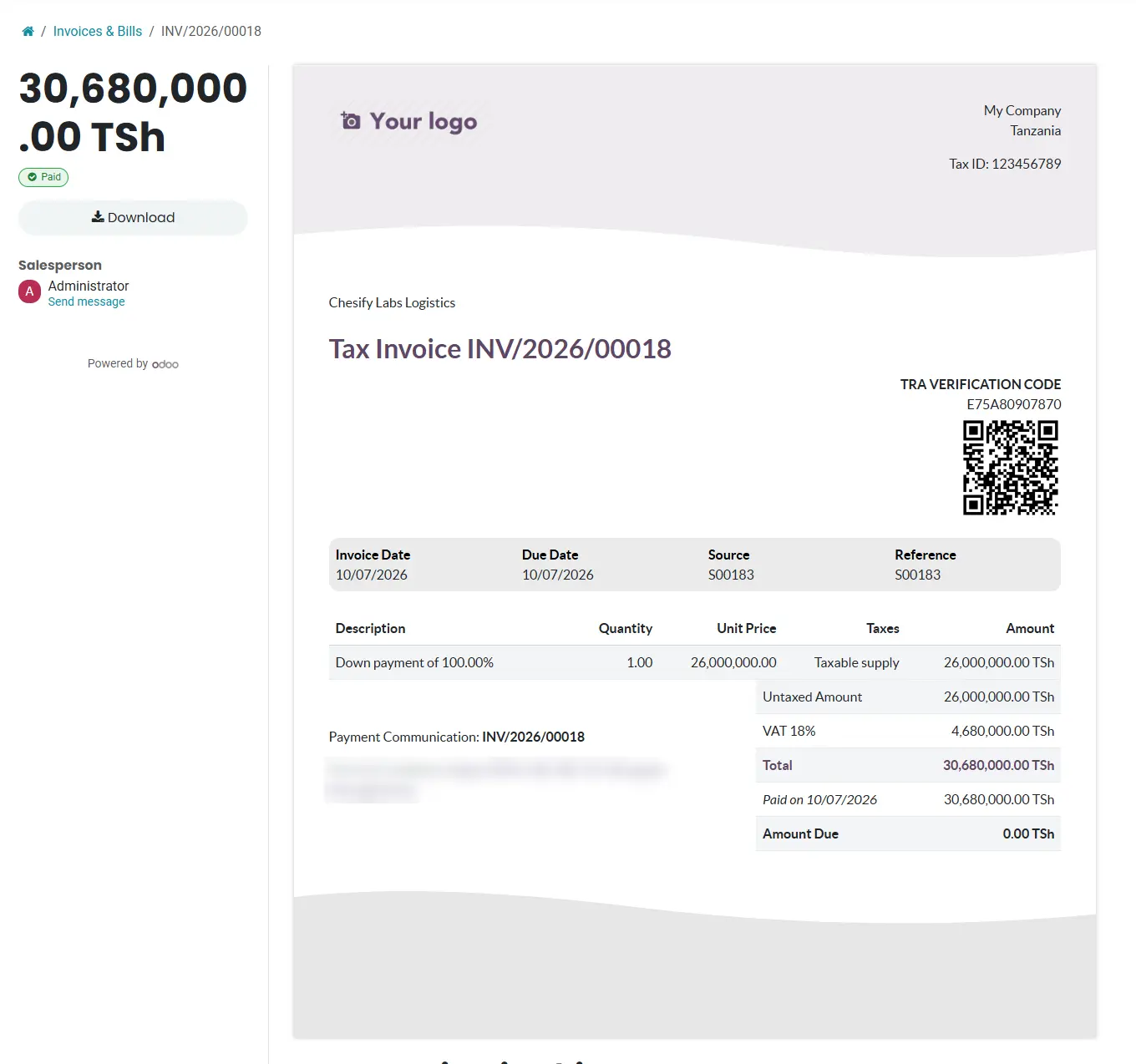
A Tax Invoice with the QR code built in.
When the customer opens the invoice online, the TRA verification code and QR code are on it, and a paid invoice is titled Tax Invoice.
- Customers can scan and verify on their phone
- The same details print on your invoice PDF
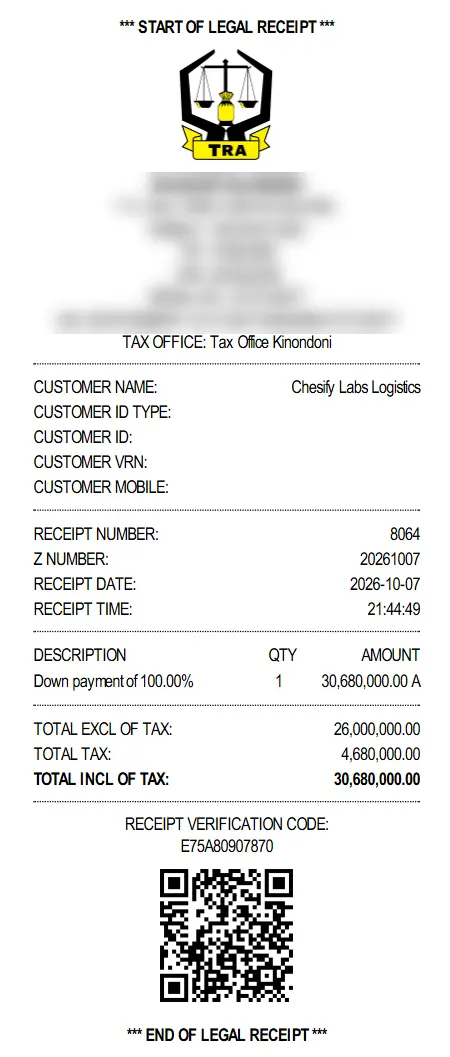
The legal receipt, in the TRA layout.
Sized for 80 mm thermal printers and ready to hand over at the counter.
Know exactly where every receipt stands.
The hard part of compliance isn't the receipts that work. It's knowing about the ones that didn't.

The legal receipt prints at the till.
POS support installs automatically, only if you use Odoo Point of Sale.
- Every paid order is sent to TRA, and the TRA receipt prints instead of the normal ticket
- Products with a tax not set up for TRA are blocked before the customer pays
- If TRA can't be reached, the sale still goes through and can be posted again with one tap
- Invoices created from POS orders are never sent twice
Daily Z reports, fetched for you.
Automatically every day, or right away with Fetch Now.
- Daily totals, VAT and net amounts by tax band
- Totals by payment method
- The receipts each report includes
The details that keep you compliant.
Customer IDs, optional
TIN, VRN, NIDA, passport, driving licence or voter's number, with format checks. Walk-in customers need none.
Multi-company
Each company in Odoo has its own device and its own settings.
Locked down
VFD credentials are visible only to accounting managers, and ordinary users can't delete fiscal receipts.
Webhooks, signed
Your VFD provider can push confirmations back to Odoo. Every request is signed and checked.
USD invoices welcome
Foreign-currency invoices are converted to TZS before they're sent.
Everything on record
Statuses, emails and responses stay on the invoice and the receipt, with filters such as "Not Sent to TRA".
Live in four steps.
Once you have your VFD provider's details, setup takes minutes. We do it with you.
Enter credentials
From your VFD provider, on the guided setup screen.
Fetch registration
Click Connect & Fetch Registration to load your TRA details.
Map your taxes
Link each sales tax to its TRA tax code.
Go to Production
Switch from Test once your test receipts look right.
About TRA VFD for Odoo.
Do I still need an EFD machine?+
No. Receipts are issued online through a Virtual Fiscal Device, from the invoices and sales you record in Odoo. You'll need an account with a VFD provider.
What happens if the internet goes down?+
Invoices that can't reach TRA keep their status and are retried automatically every 30 minutes. At the POS, the sale still goes through and the cashier can post the receipt again with one tap once the connection is back.
Do I need Odoo Point of Sale?+
No. The module works with invoices alone. POS support is added only if you already use Odoo Point of Sale.
Can my customers verify their receipts?+
Yes. Every receipt carries the TRA verification code and a QR code, and the email includes a "Verify on TRA" link.
Which Odoo version does it need?+
TRA VFD is built for Odoo 19. If you're on an older version, we can plan the upgrade with you.
See it post a receipt from your own invoice.
We'll show you TRA VFD working on your Odoo, and take you from VFD credentials to your first live receipt.