
A mine in Lubumbashi needs 26 tonnes of steel grinding balls. Ruashi Metals Trading phones a transporter in Dar es Salaam: how much, and when can it be there?
In most transport offices the answer comes from a rate in someone's head, a truck found by phone, and a trip followed in WhatsApp groups. The invoice goes out weeks later, built in Excel from the receipts the driver brought back.
This post follows that same job through the Chesify Transport Management System, one screen at a time, from the first call to the final invoice. Every record you see comes from our demo company, GSK Logistics.
1. The morning view: the Transport Dashboard
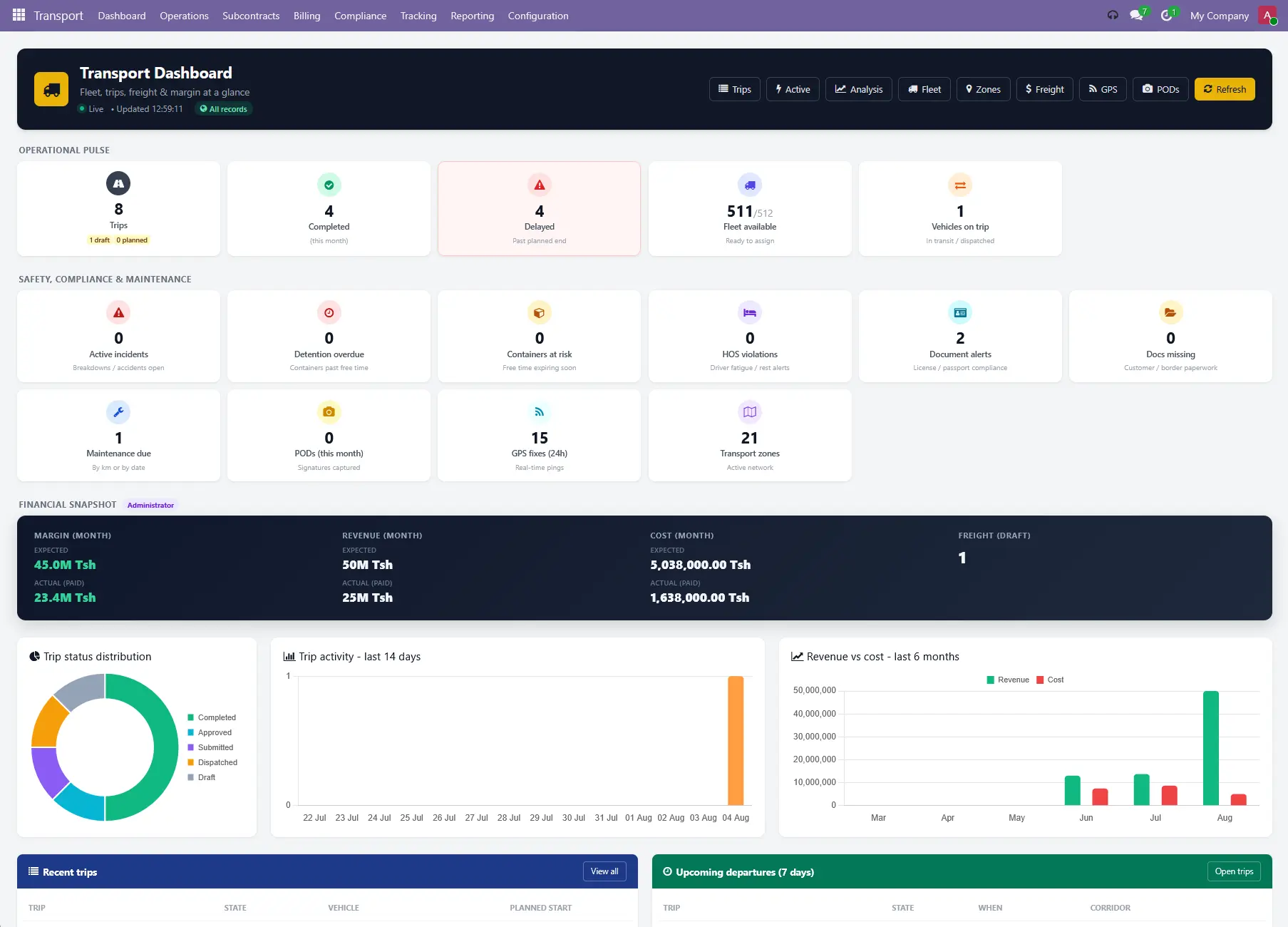
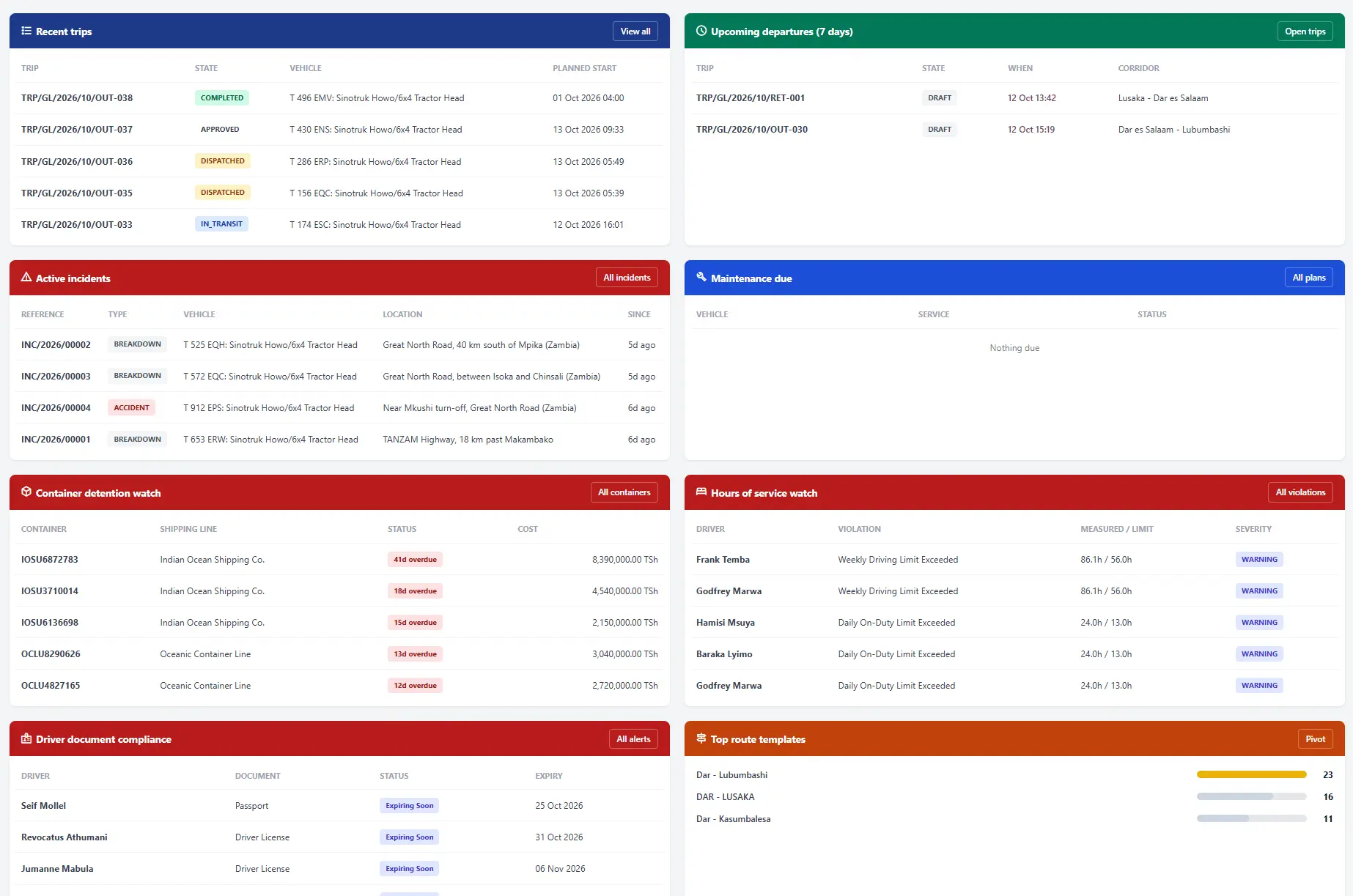
The day starts at Transport > Dashboard. It answers a dispatcher's first three questions before a single trip is opened: what is moving, what is late, and what needs my approval.
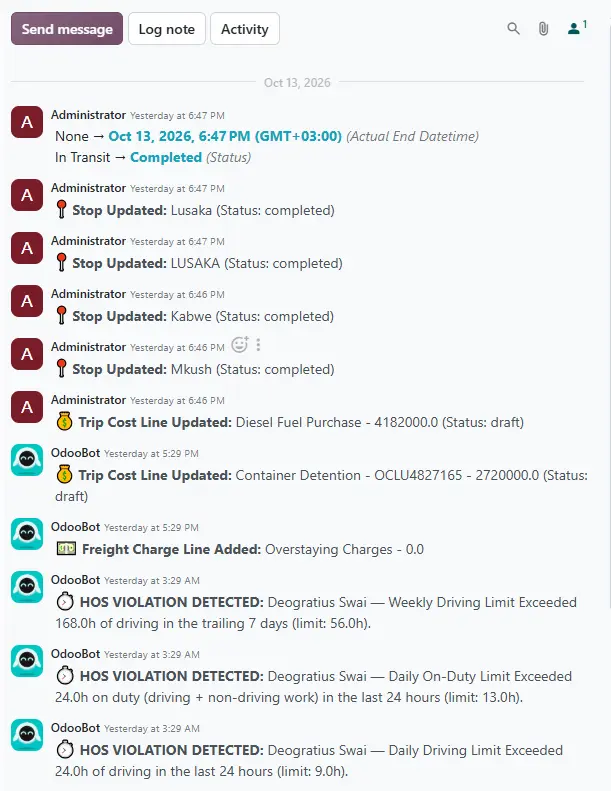
The top row, Operational Pulse, counts trips by stage, trips completed this month, trips past their planned end, trips waiting for your approval and the trucks free to assign. The second row covers safety and paperwork: open breakdowns, containers past their free time, hours-of-service alerts, driver document alerts, missing trip documents, maintenance due and proof-of-delivery signatures captured this month.
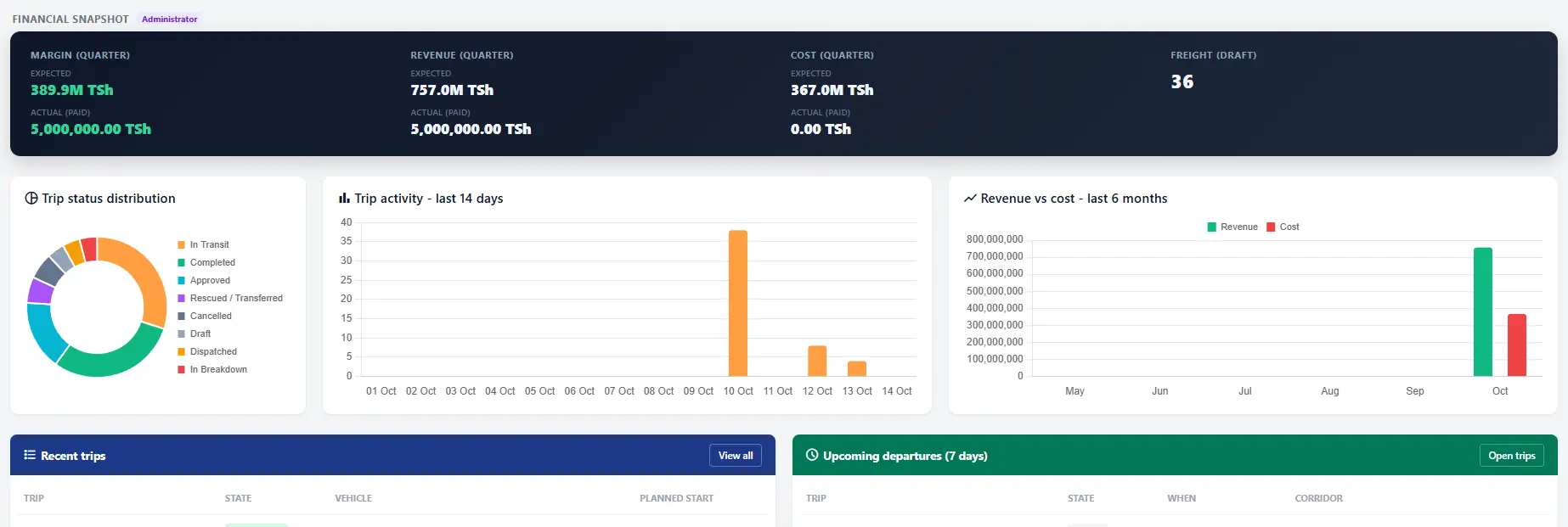
Administrators also see a Financial Snapshot: expected and paid revenue, cost and margin for the quarter. Below it, three charts show trip status, trip activity over the last 14 days and revenue against cost over six months.
The lower half is a set of watch lists: recent trips, departures in the next seven days, active incidents, maintenance due, containers close to detention, hours-of-service breaches, driver documents about to expire, the busiest corridors and the latest freight charges. Every row opens its record.
2. The customer asks: Transport Orders
Ruashi's request becomes a transport order under Transport > Operations > Transport Orders. One order is one customer shipment. That is different from a trip: a trip is one truck's journey, and it can carry several customers' orders.
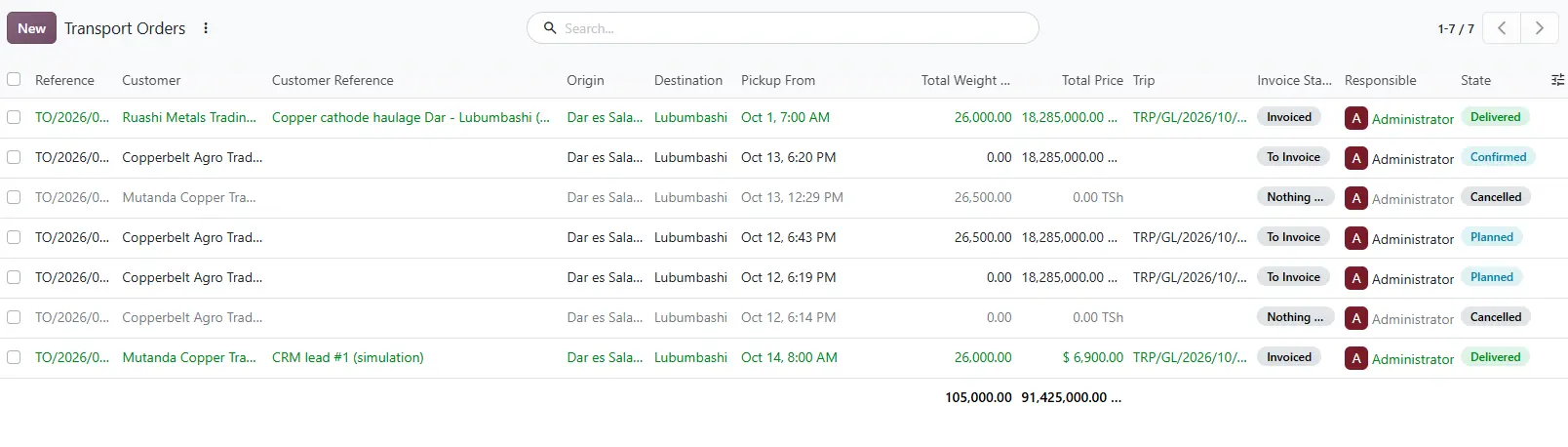
The order holds the customer, the corridor (Dar - Lubumbashi), the pickup and delivery dates and the goods: here one line of steel grinding balls in 1-tonne bulk bags, 26,000 kg and 12 m³. Compute Price applies the freight tariff, which can charge flat, per kilometre, per tonne, per pallet or per cubic metre. For this order it comes to TZS 18,285,000.
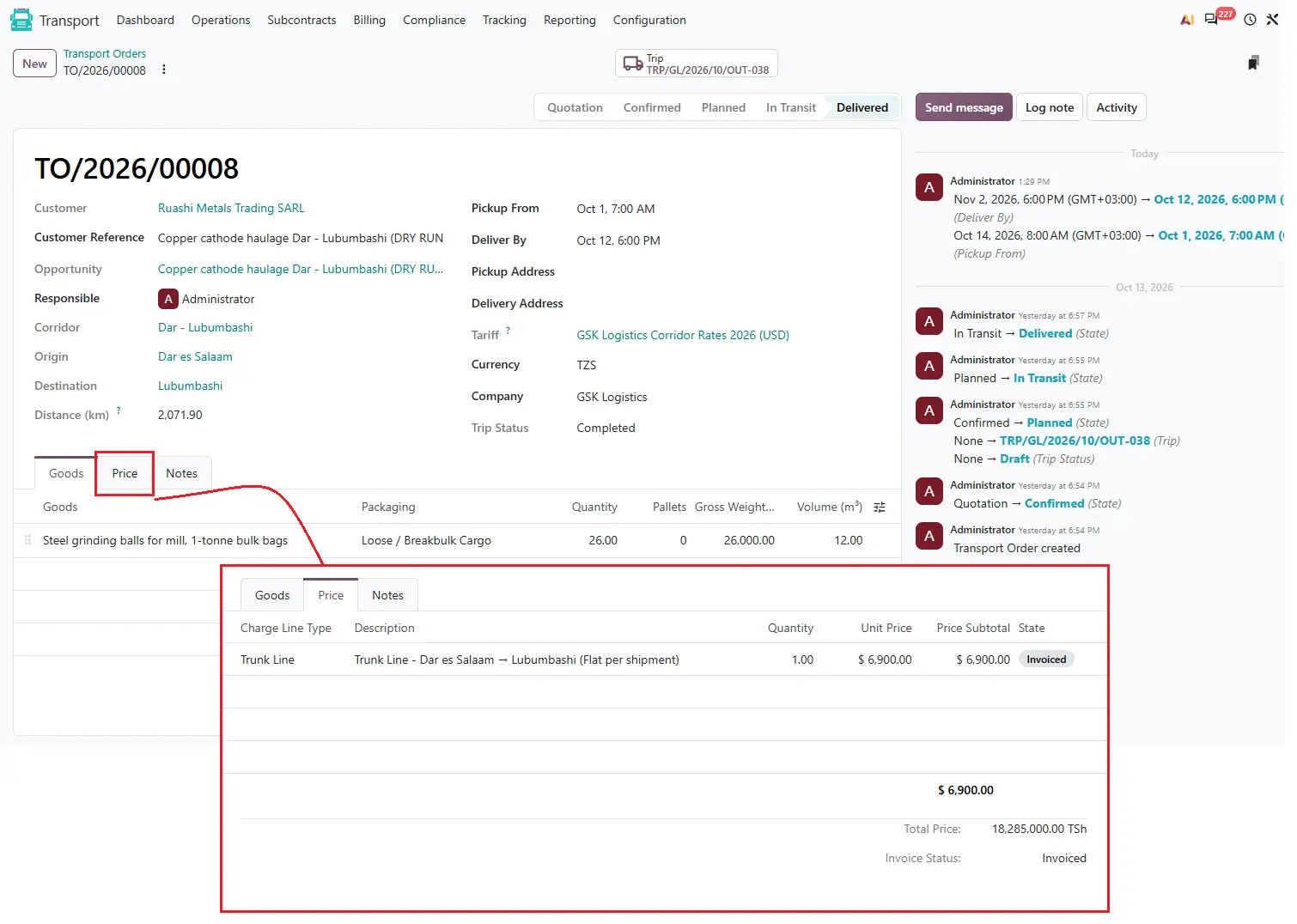
The order moves from Quotation to Confirmed when the customer agrees. Confirmed orders are ready to go on a truck.
3. Finding a truck: Plan Trip and the Dispatch Board
Plan Trip on the order opens a small planner. Pick the truck, trailer and driver, and the system builds the trip: the stops along the corridor, the load plan and the freight line all come across from the order. Several confirmed orders on the same corridor can share one truck, and each customer is still invoiced for their own cargo.
The dispatcher checks the plan on Transport > Operations > Dispatch Board, a calendar of every trip, so a truck that is already booked is seen before it is double-booked.
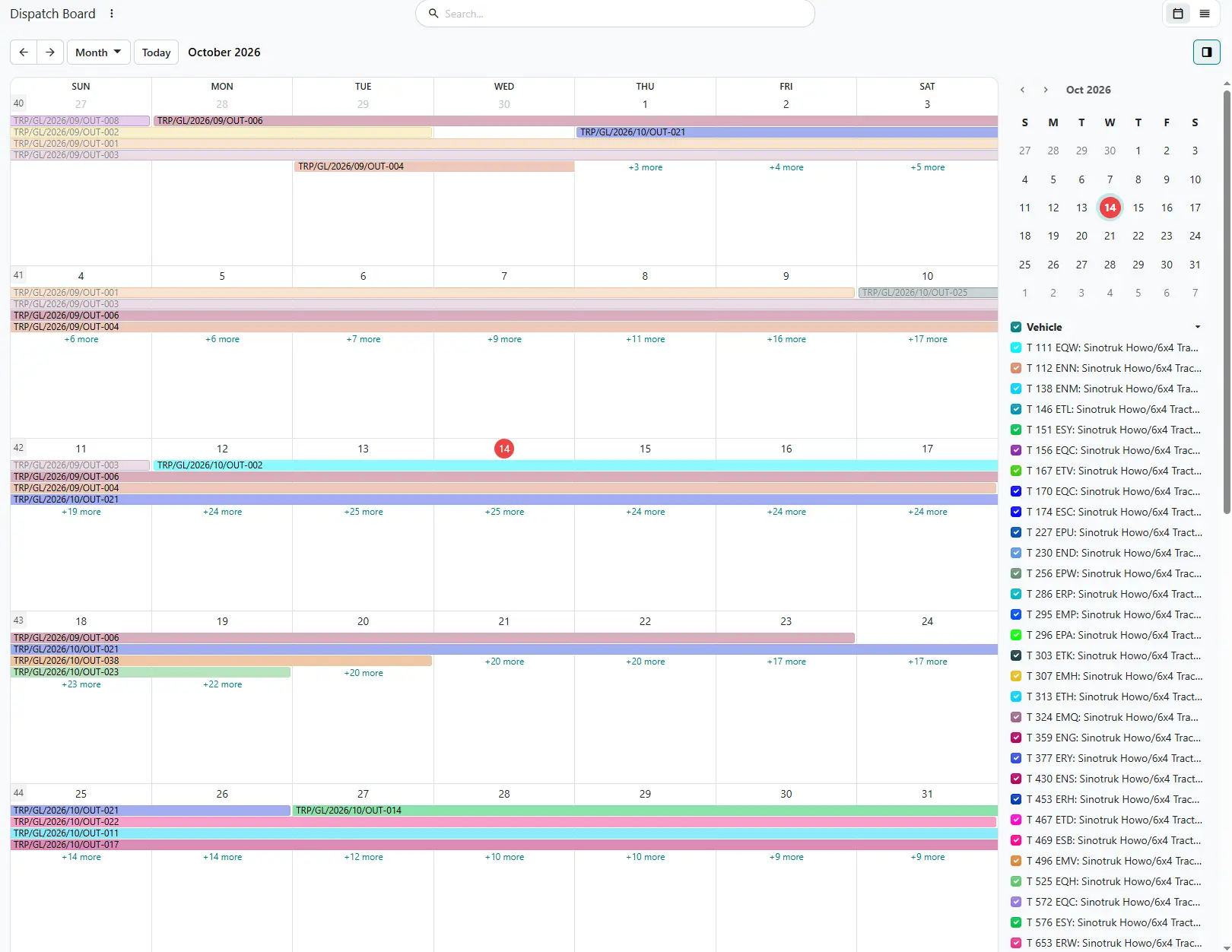
4. The journey: Trips
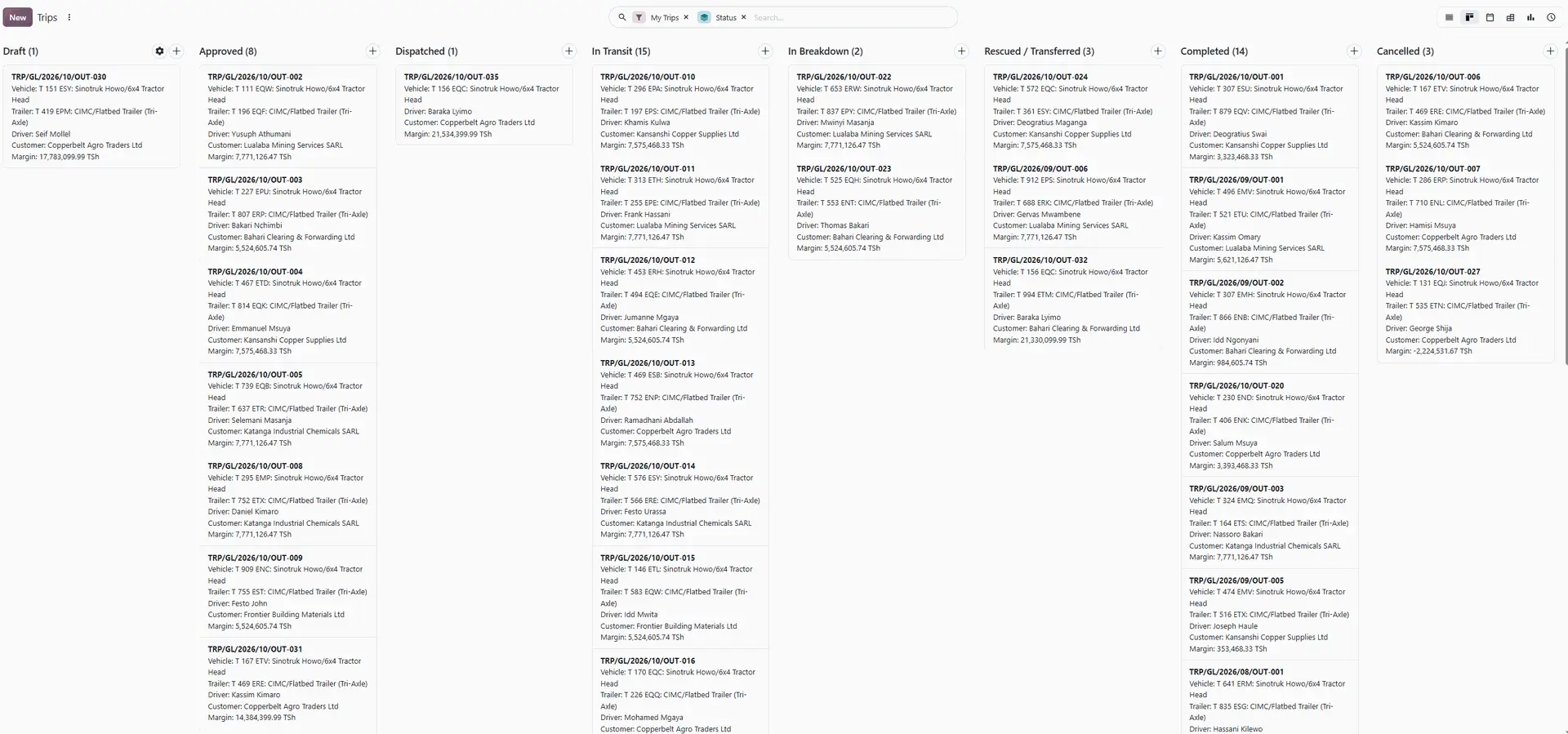
The trip is the heart of the system. Transport > Operations > Trips shows every trip as a list, a kanban board by stage, a calendar, a pivot table or a graph.
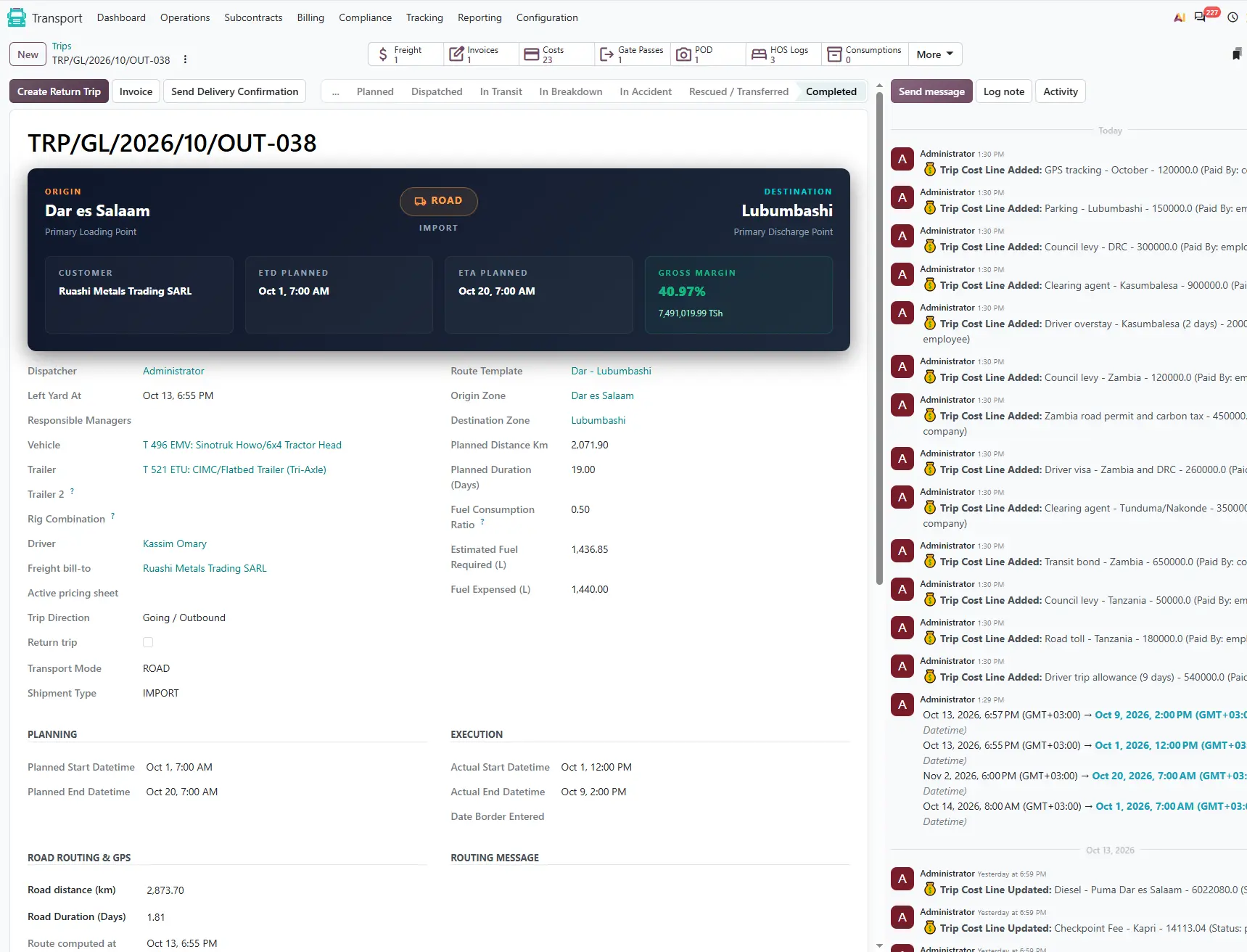
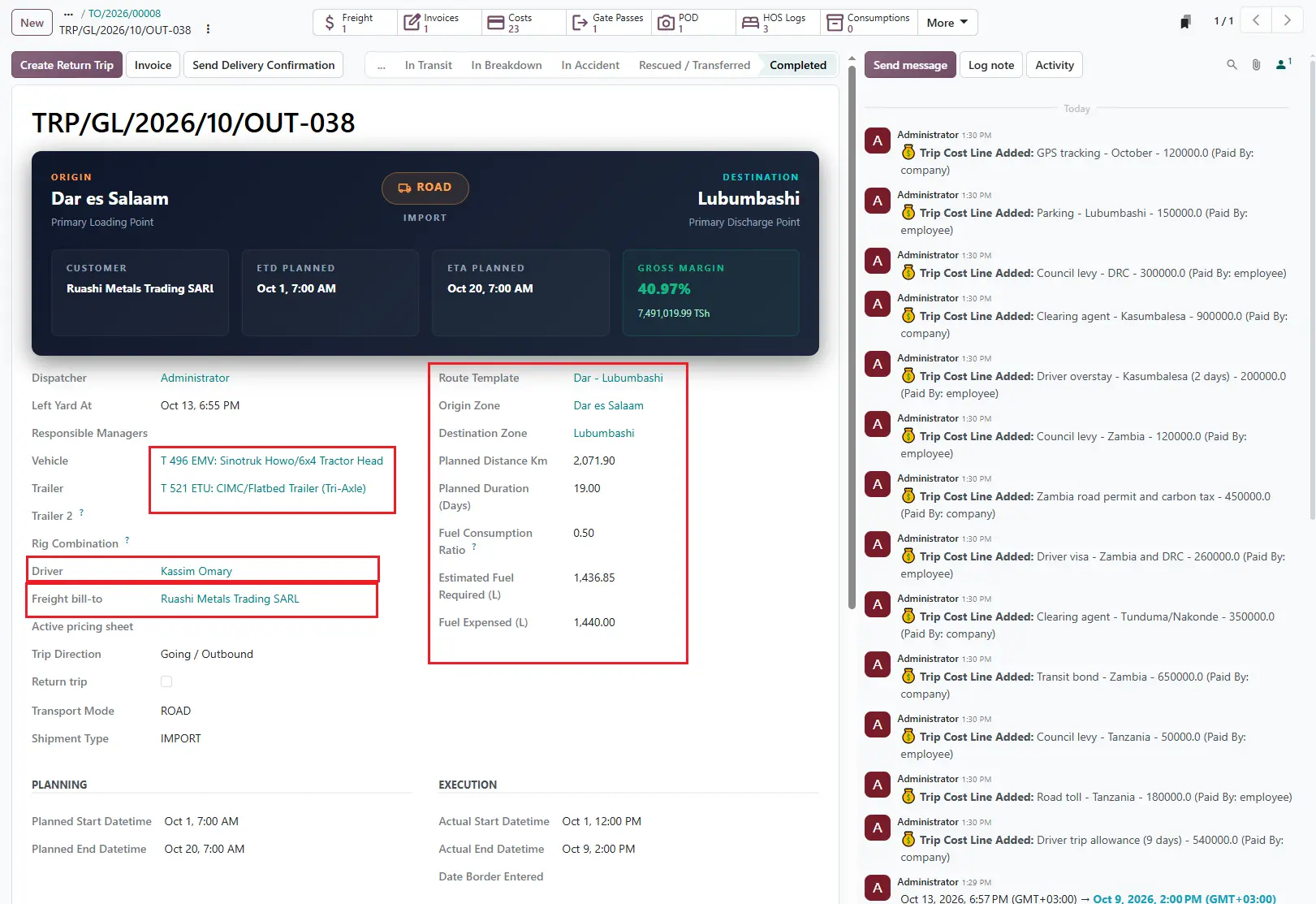
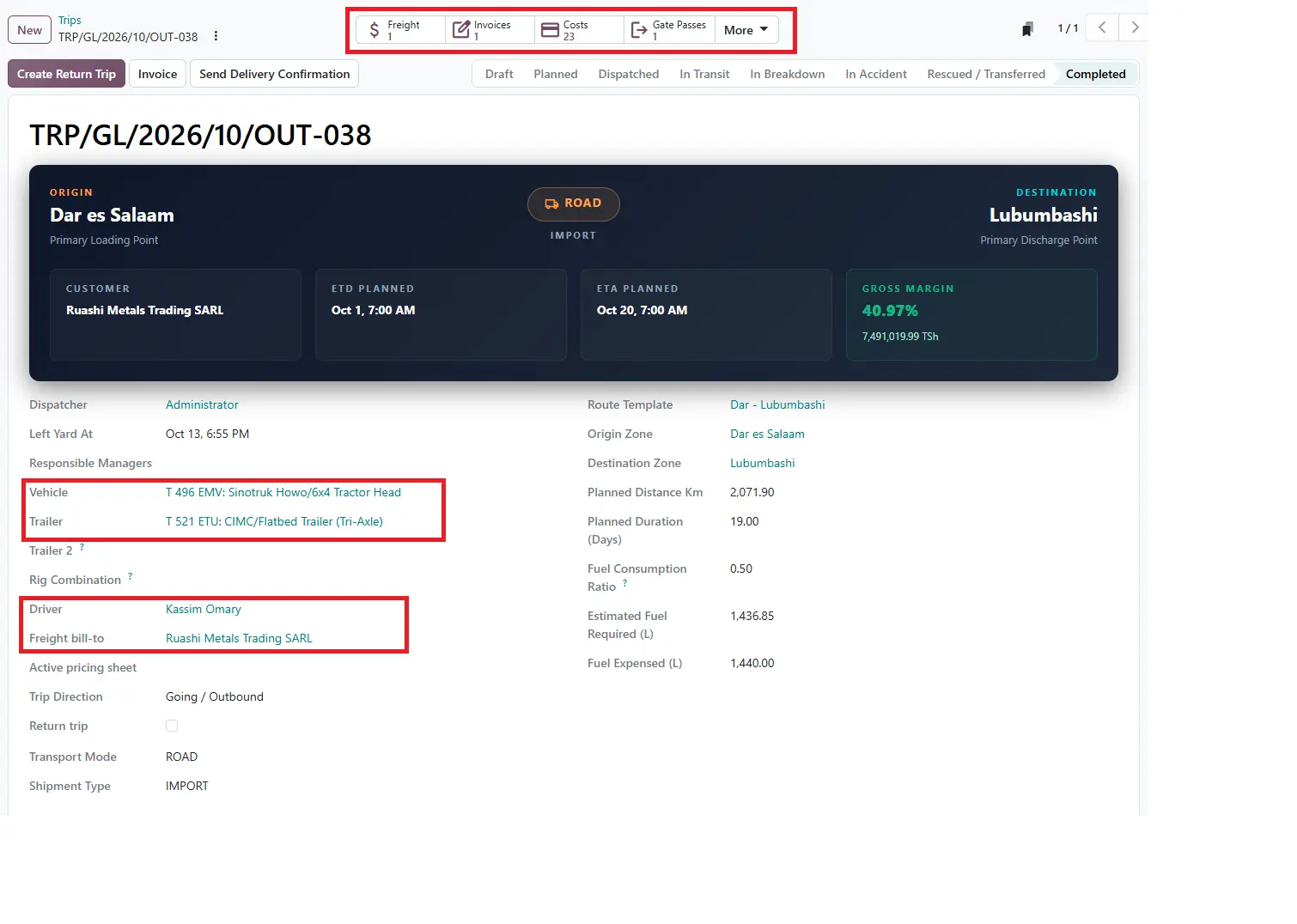
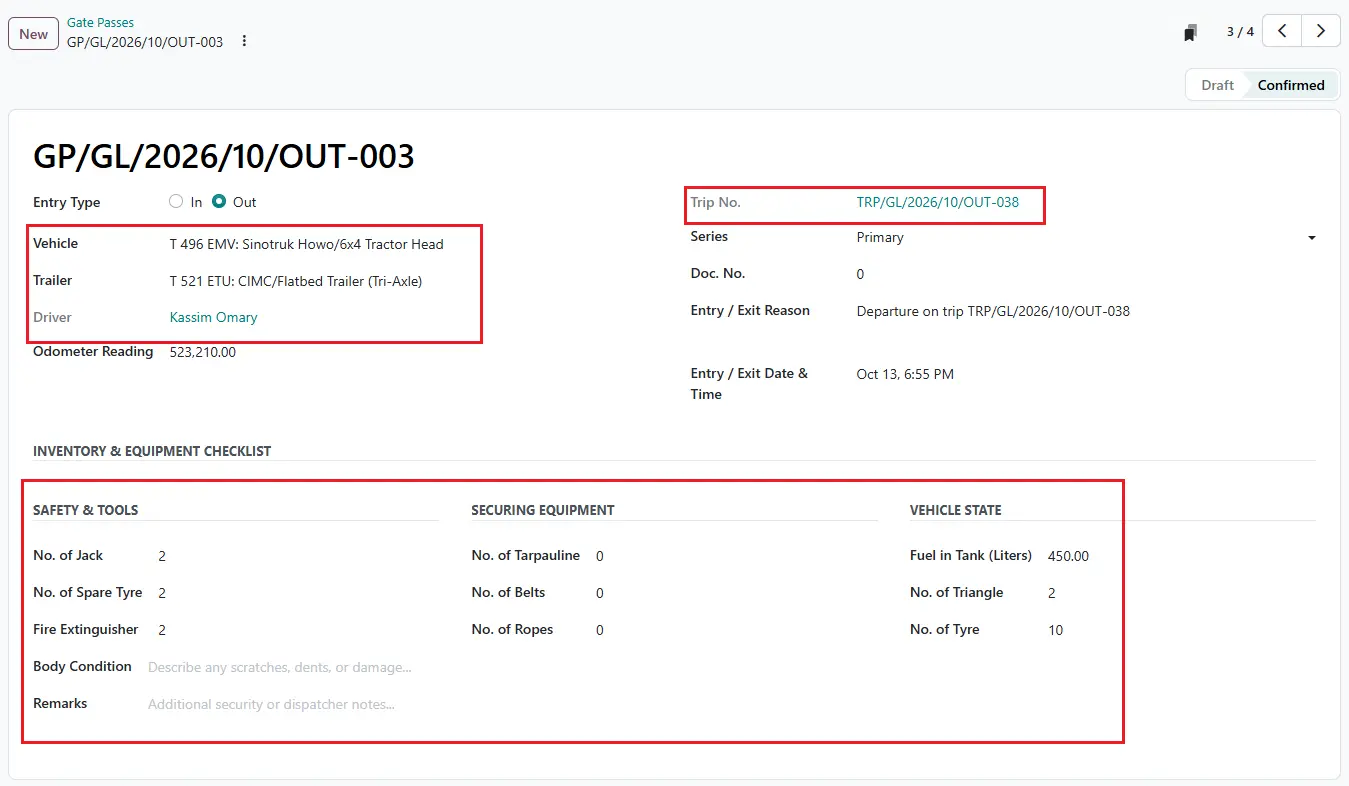
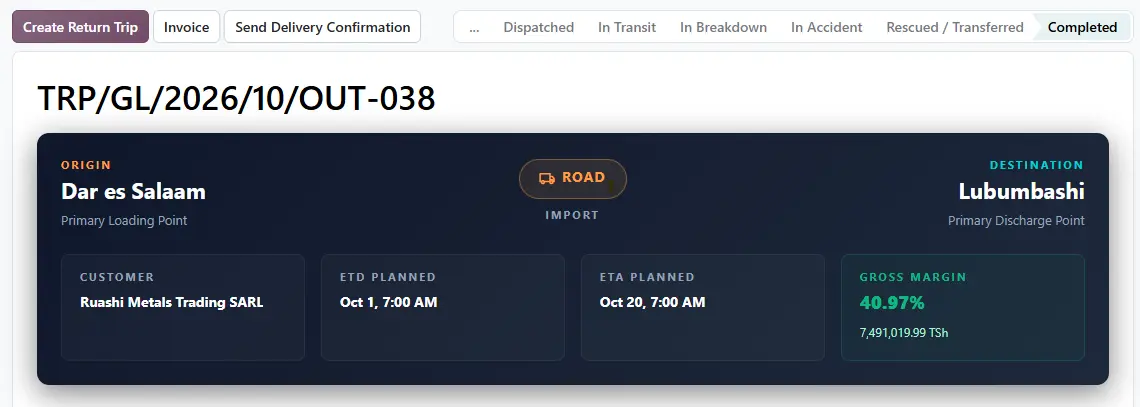
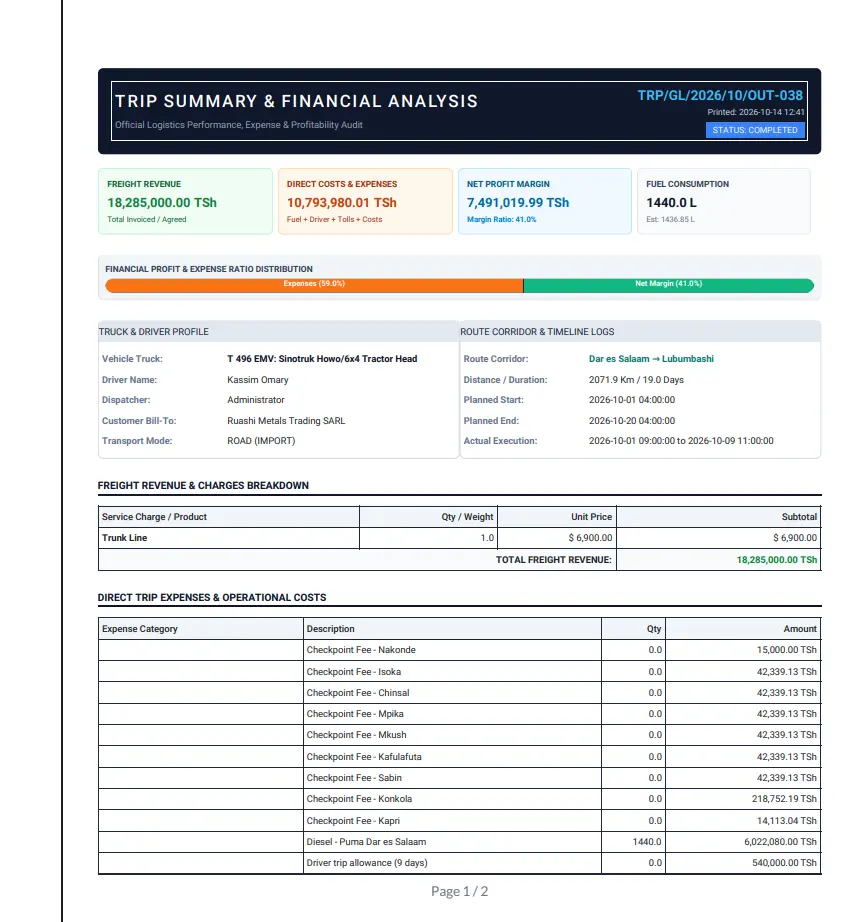
Trip TRP/GL/2026/10/OUT-038 carries truck T 496 EMV, trailer T 521 ETU and driver Kassim Omary on the Dar - Lubumbashi corridor: 2,072 km, planned at 19 days including the return.
A trip climbs a ladder of stages: Draft, Planned, Submitted, Approved, Dispatched, In Transit and Completed. The dispatcher clicks Submit to Manager, and the transport manager reviews the plan and costs and clicks Approve. That one step stops trucks leaving on an unapproved fuel budget.
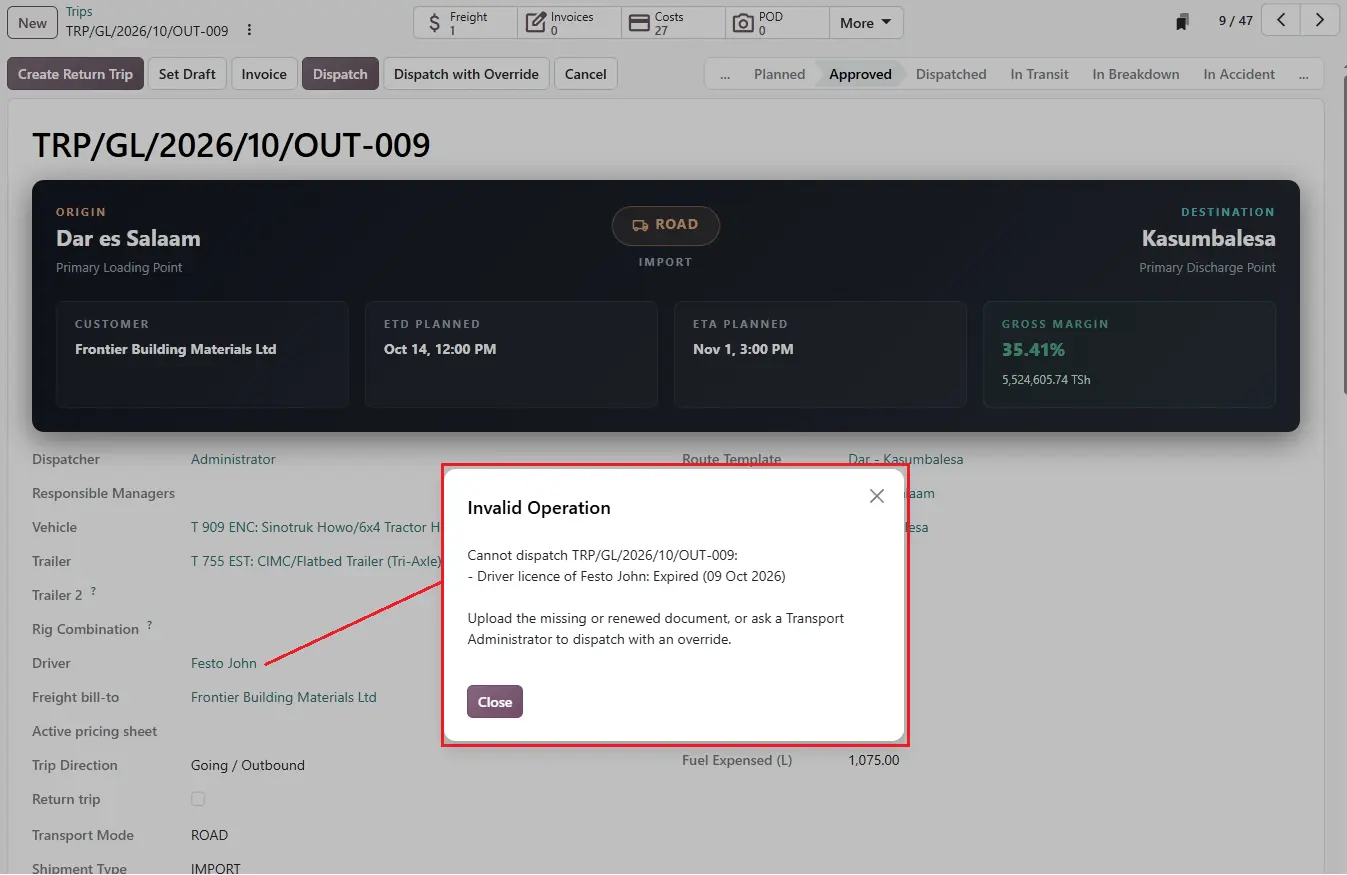
Before Dispatch, the system checks the driver's licence and passport. If either is missing or expired, dispatch is blocked. An administrator can still send the truck with Dispatch with Override, but must type the reason, and it is recorded on the trip.
Leaving the yard. The guard confirms an Out gate pass at the gate. With the gate setting on, confirming it moves the trip to In Transit and records when the truck left.
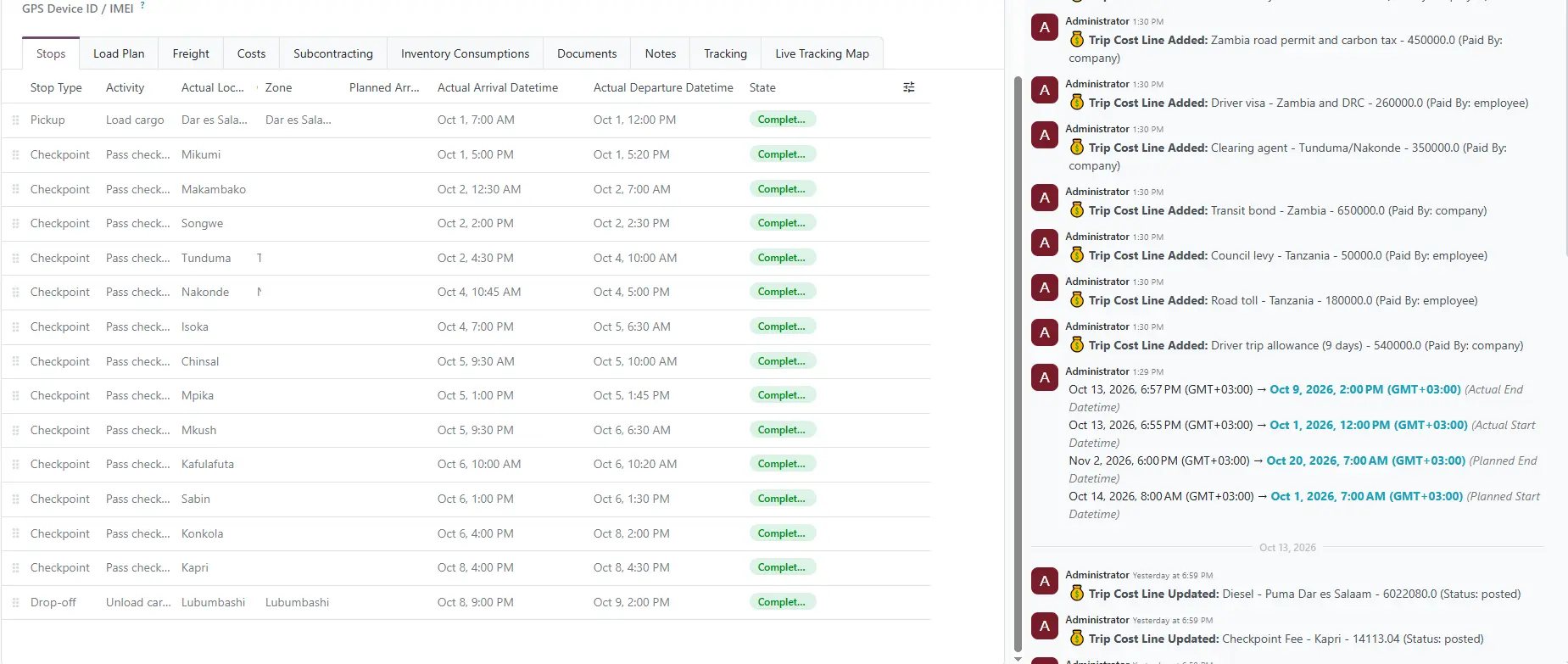
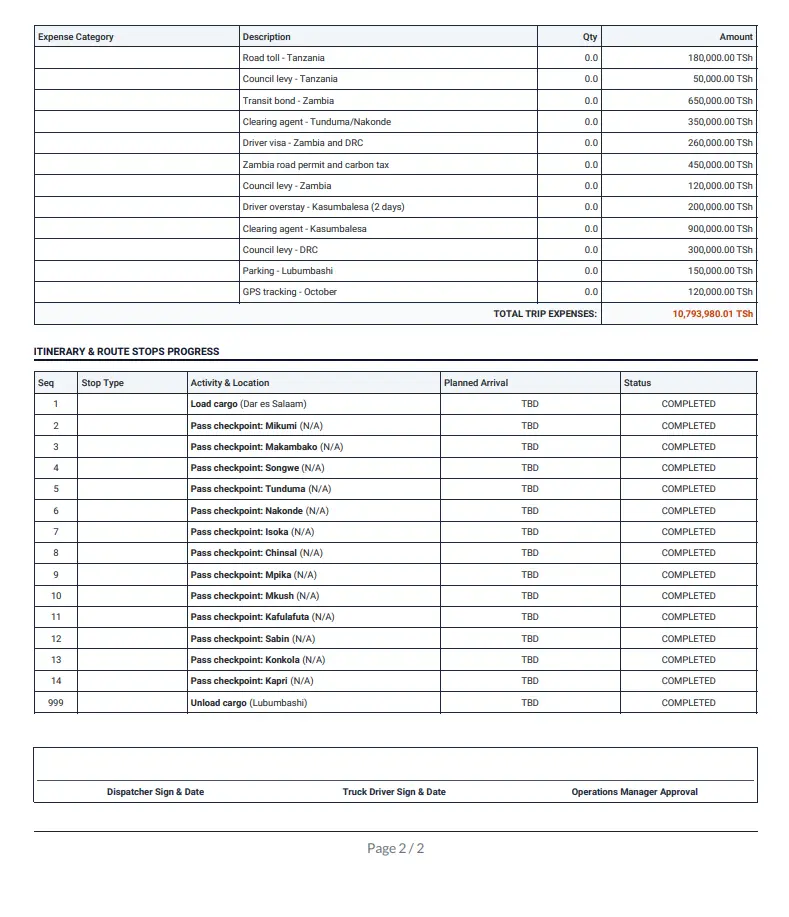
On the road. The Stops tab lists every point on the corridor: loading in Dar es Salaam, then Mikumi, Makambako, Songwe, the Tunduma and Nakonde border, Isoka, Chinsali, Mpika, Mkushi, Kafulafuta, Sabina, Konkola, Kapri and finally Lubumbashi. Each stop records when the truck arrived and left, and the system works out how long it waited there and how long it drove from the previous stop.
That waiting column tells the real story of a corridor. On OUT-038 the truck spent 41.5 hours at Tunduma and 46 hours at Konkola before the DRC border. Those two waits are almost half of the eight days between leaving Dar es Salaam and arriving in Lubumbashi, and now they are recorded on every trip, not just remembered.
With a GPS tracker or the driver's phone connected, stops are stamped automatically as the truck enters and leaves each one, and the Live Tracking Map tab shows where the truck is now.
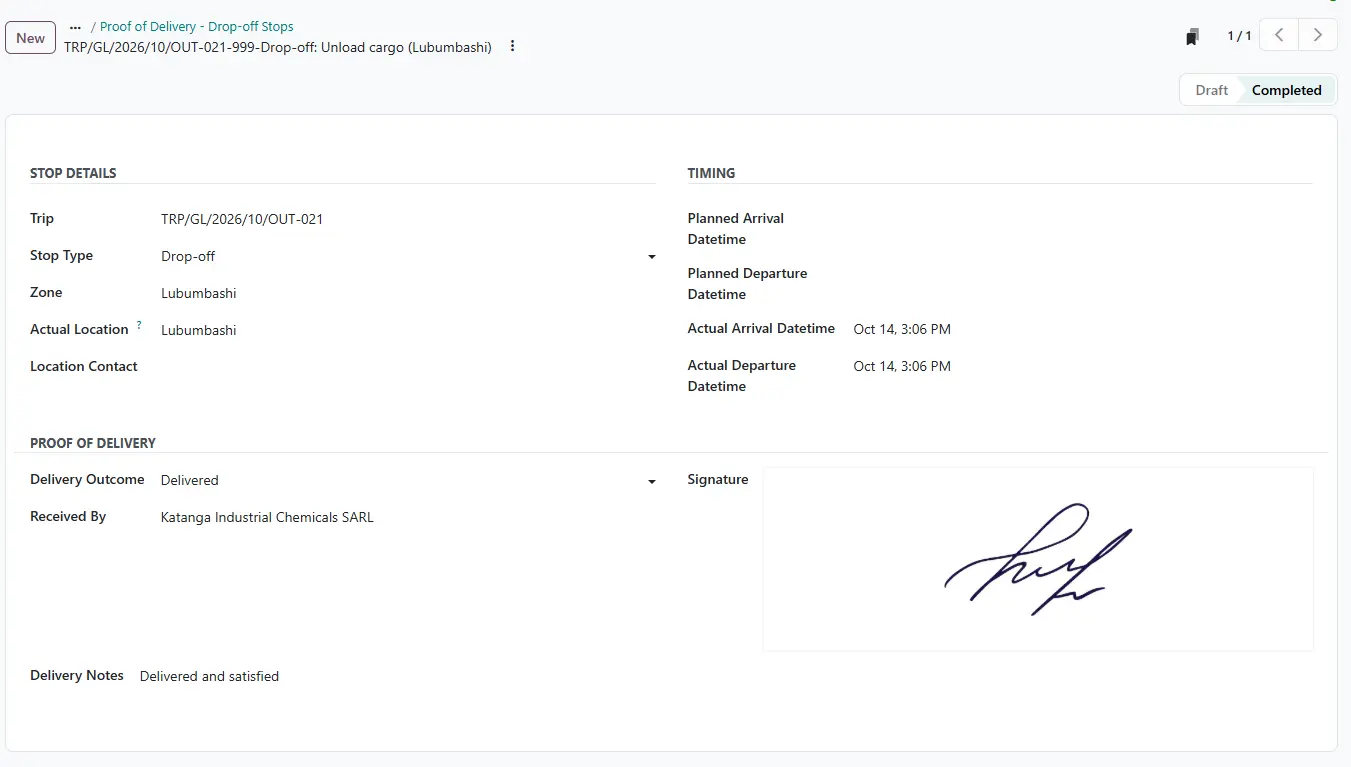
Delivery. At Lubumbashi the driver records proof of delivery: the outcome (delivered, partly delivered, refused or damaged), who received the goods and their signature. On OUT-038 it was signed by J-P. Mwamba for Ruashi Metals. Send Delivery Confirmation then emails the customer.
5. When your own trucks are full: Subcontracts
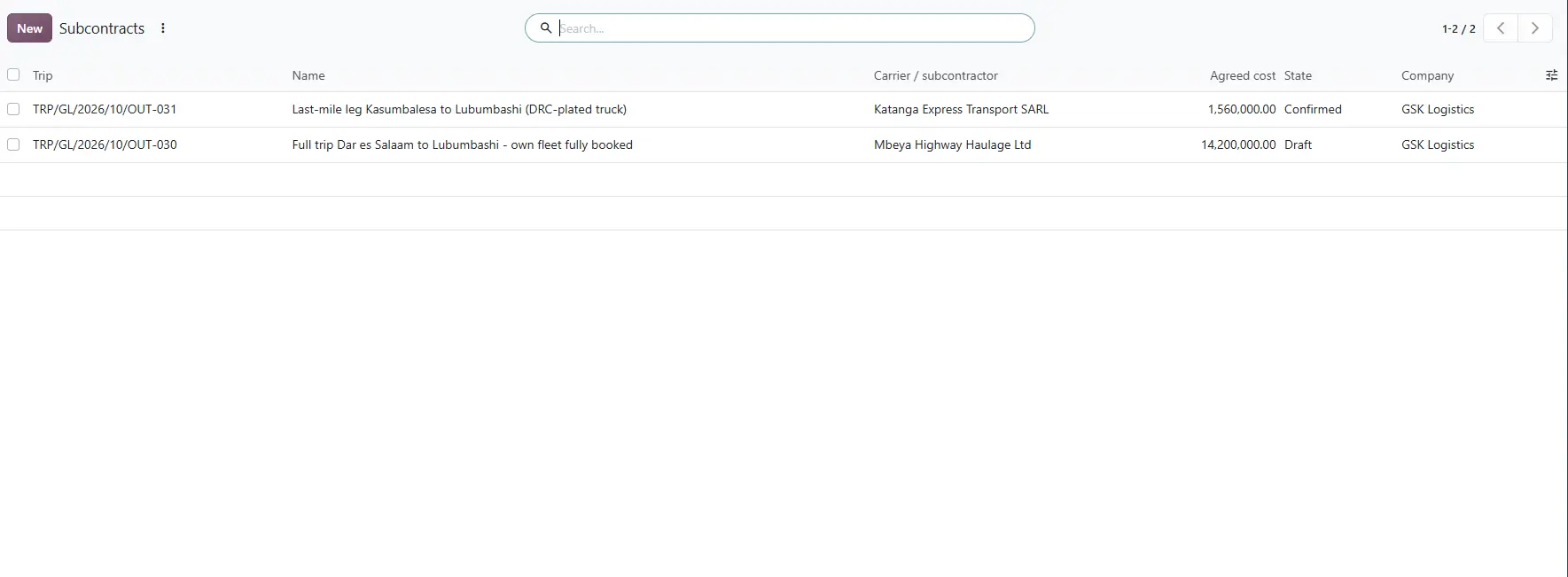
Not every load goes on your own truck. Under Transport > Subcontracts, a whole trip or one leg of it is given to another carrier at an agreed price.
On trip OUT-031, GSK Logistics hands the last leg from Kasumbalesa to Lubumbashi to a DRC-plated truck from Katanga Express Transport, for TZS 1,560,000. On OUT-030, the whole trip goes to Mbeya Highway Haulage because the fleet is fully booked.
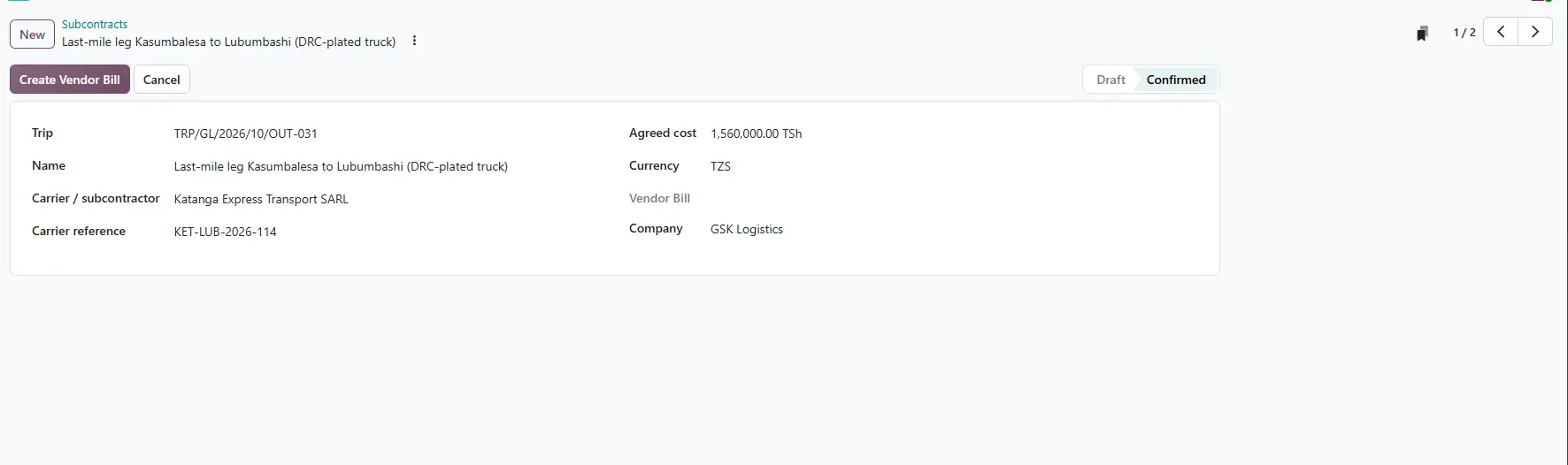
Bill creates the carrier's vendor bill at the agreed cost, linked to the trip. The subcontract cost then counts in the trip's margin, so a subcontracted trip is judged on the same numbers as your own.
6. Getting paid: freight, costs and margin
Freight. The order's price became a freight charge on the trip. Invoice on the trip creates the customer invoice in Odoo Accounting, here TZS 18,285,000 to Ruashi Metals Trading. Many trips can also be invoiced in one batch.
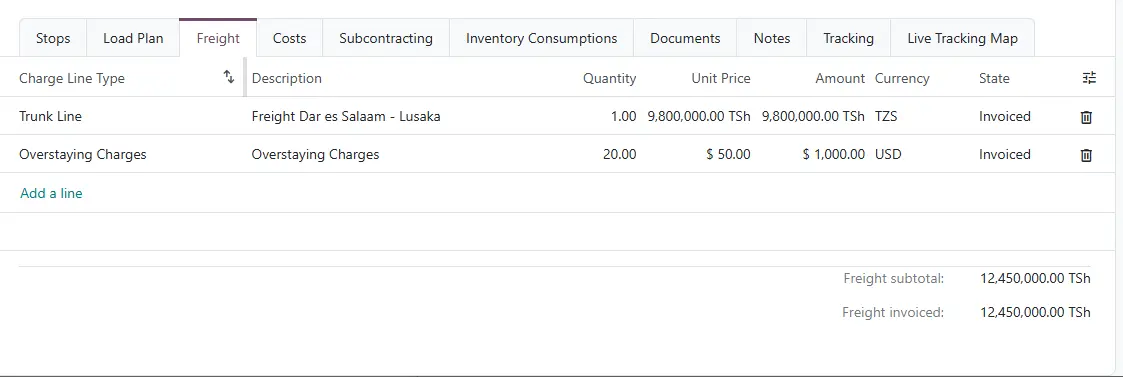
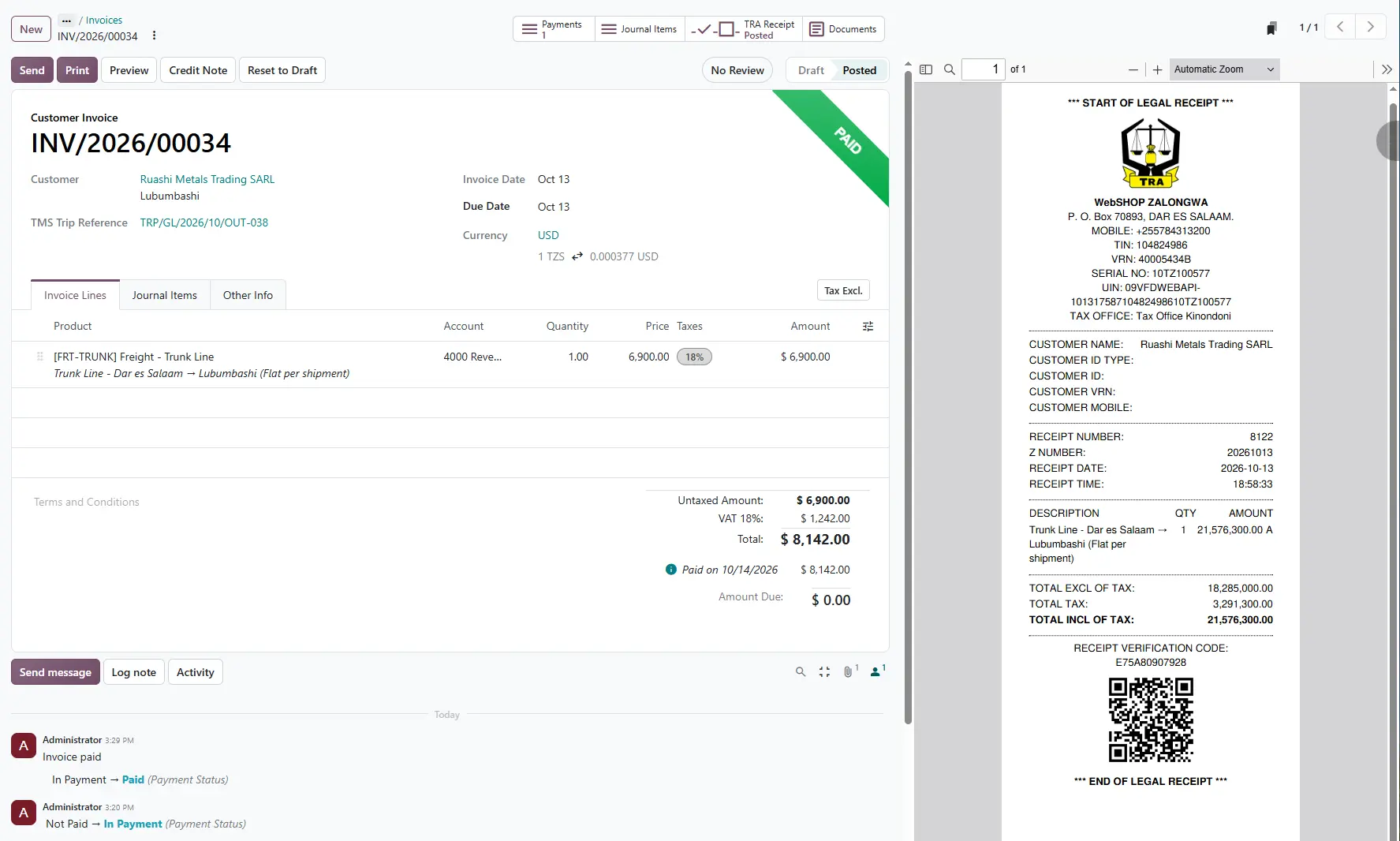
Costs. The Costs tab holds every shilling the trip spent: 1,440 litres of diesel at Puma Dar es Salaam, checkpoint fees from Nakonde to Kapri, the transit bond, clearing agents at Tunduma and Kasumbalesa, visas, permits, council levies, parking and the driver's allowance. Costs are approved, then posted as vendor bills, and each line shows whether the company or the driver paid.
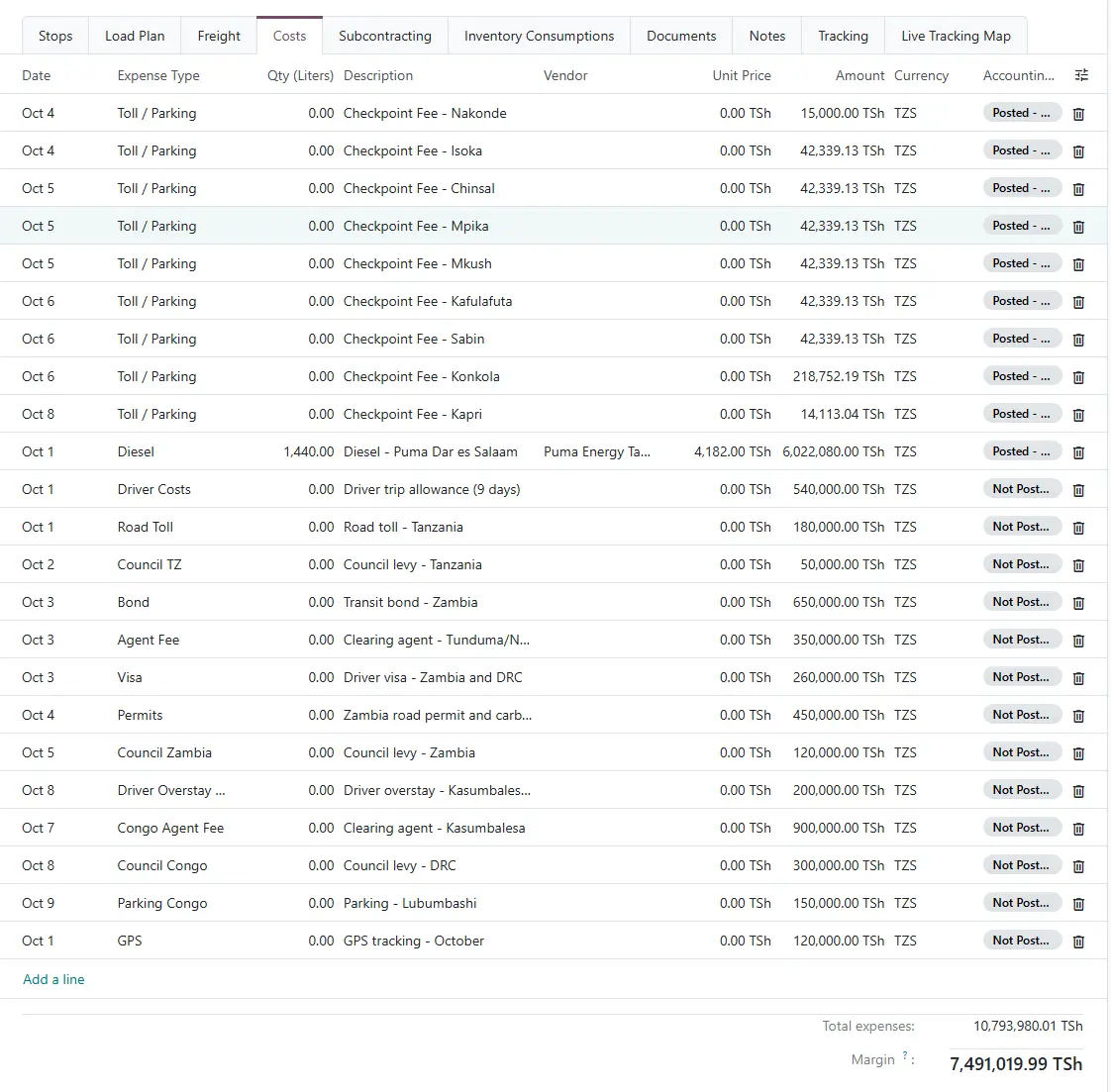
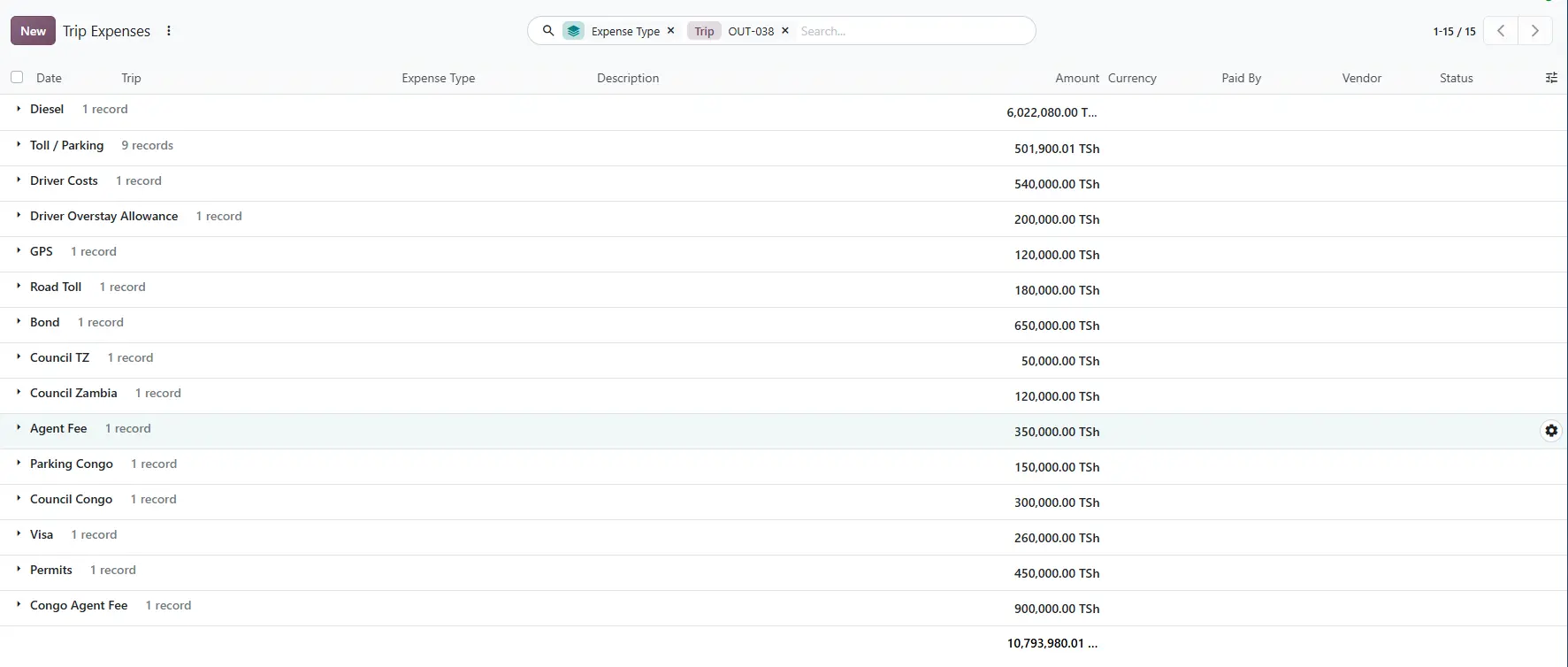
Margin. The trip adds it all up the moment a cost is entered.
| Trip OUT-038 | TZS |
|---|---|
| Freight revenue | 18,285,000 |
| Trip costs | 10,793,980 |
| Subcontracted cost | 0 |
| Gross margin | 7,491,020 (41.0%) |
That is the margin before the truck's own running costs, such as depreciation, tyres and insurance.
What changed
Run in Excel and WhatsApp, this job leaves three questions the office cannot answer: where is the truck, what did this trip cost, and did we make money on it. Here, each answer is one screen: the Stops tab, the Costs tab and the margin.
And this is only the main road. The next posts in this series cover containers and detention charges, the fleet behind the trips, driver and vehicle compliance, live tracking and the customer portal, pricing and driver settlements, and the reports and printouts.
See it on your own corridors
We'll walk you through the system with trips on your own routes, so you can judge it against how your operation actually runs. Message us on WhatsApp to book a demo, or read more about the Transport Management System.