
Odoo 20 is set to be unveiled at Odoo Experience 2026, running 24–26 September in Brussels, with general availability typically following two to four weeks after the conference.
What follows is a walkthrough of the features coming in this release, based on the official roadmap presented at Odoo Partner Days in April 2026 and on the pre-release builds. One caveat worth stating up front, because Odoo says it themselves: the roadmap is, in their words, a list of things they might do. Details can shift between preview and final release.
The headline: AI stops being a separate app
The most significant shift in Odoo 20 isn't a new module, it's that AI moves from being something you open to something running underneath the tools you already use.
Odoo 19 introduced AI agents and natural-language search, but they behaved largely like chatbots: you ask, they answer. Odoo 20 pushes toward agentic AI — agents that take action rather than just respond.
AI embedded across modules. Accounting, Helpdesk, Website, and record management all get AI assistance in place, rather than routing users to a separate AI interface.
Accounting for non-CFOs. An AI agent that runs treasury and finance audit checks, summarizes what it found, and flags anomalies — aimed at users without deep accounting expertise.
Database-wide natural language search. Asking the system to summarize ticket complaints, locate a stock movement, or find a supplier's most recent purchase order, in plain language.
AI create and update. Searching, reassigning, and creating records across the database from natural language prompts, instead of navigating to each form.
Voice interaction with the AI agent. Speaking to the system rather than typing — genuinely useful for anyone working with their hands full.
A native MCP server for Enterprise users, letting external AI assistants connect to Odoo directly without a middleware layer.
Platform and framework
A mobile interface built for mobile
The mobile experience is being rebuilt rather than adjusted — a purpose-built mobile UI with visible field labels and proper touch support, instead of the desktop interface squeezed onto a smaller screen.
For office staff this is a convenience. For field workers — technicians, drivers, warehouse teams, anyone capturing data away from a desk — it's the difference between a system they use and one they work around.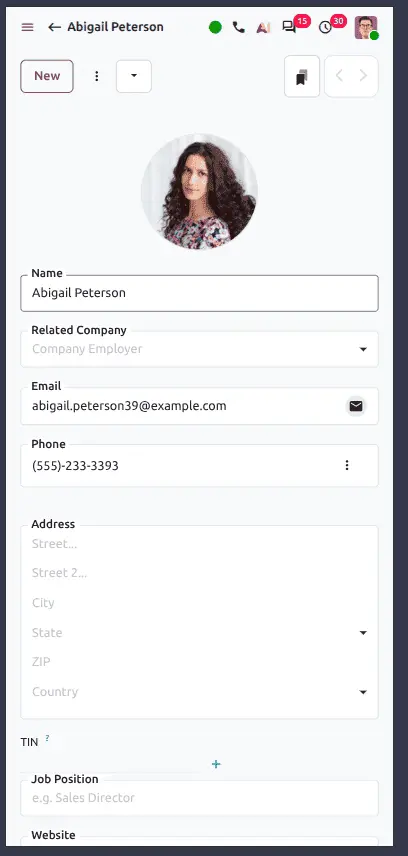
Centralized IoT Box management with the new Obox module
Odoo 20 introduces the Obox Management module, giving you a single interface to manage every connected Odoo IoT Box. Configuration, monitoring, and maintenance of connected hardware all happen in one place instead of box by box.
A lighter user role
The new Light User role gives limited backend access to people who only need basic operational functionality. You can grant an employee what they actually need without handing over full Internal User permissions.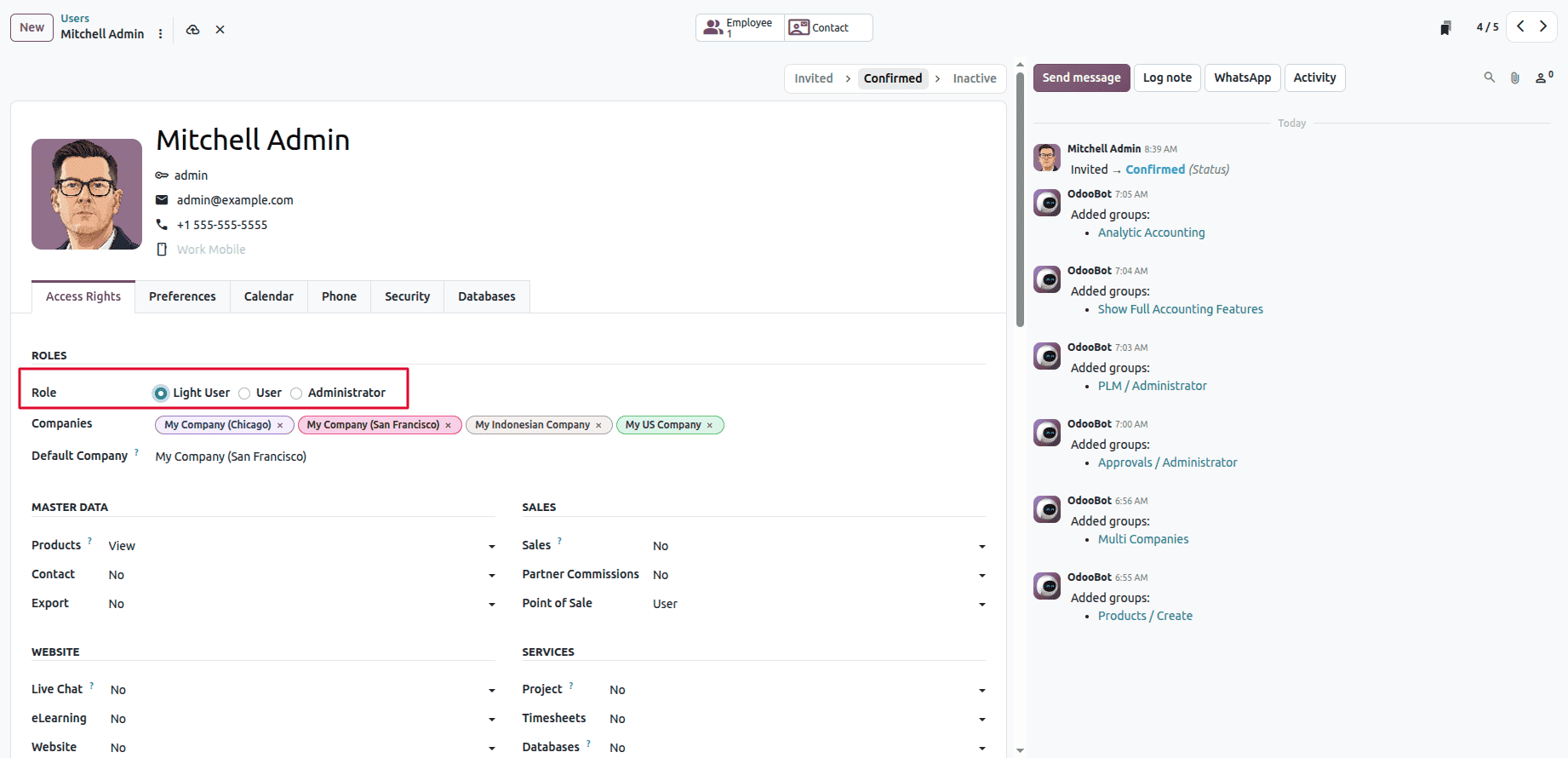
Quicker navigation in date filters
Date filters gain quick navigation between previous, current, and upcoming periods, weeks, months, quarters. Relative date handling is now centralized in the web framework, so behaviour is consistent everywhere rather than varying by module.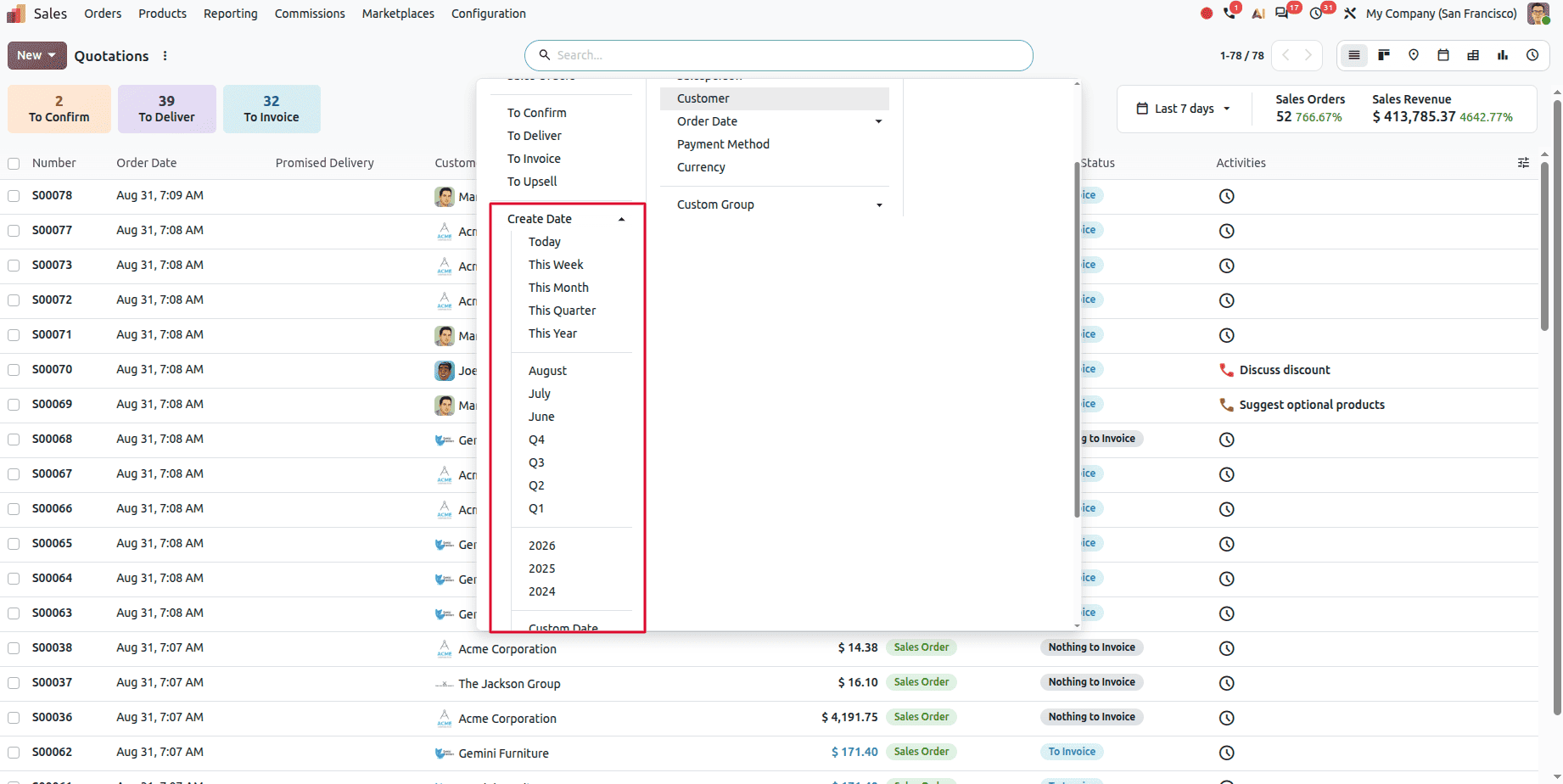
Sales
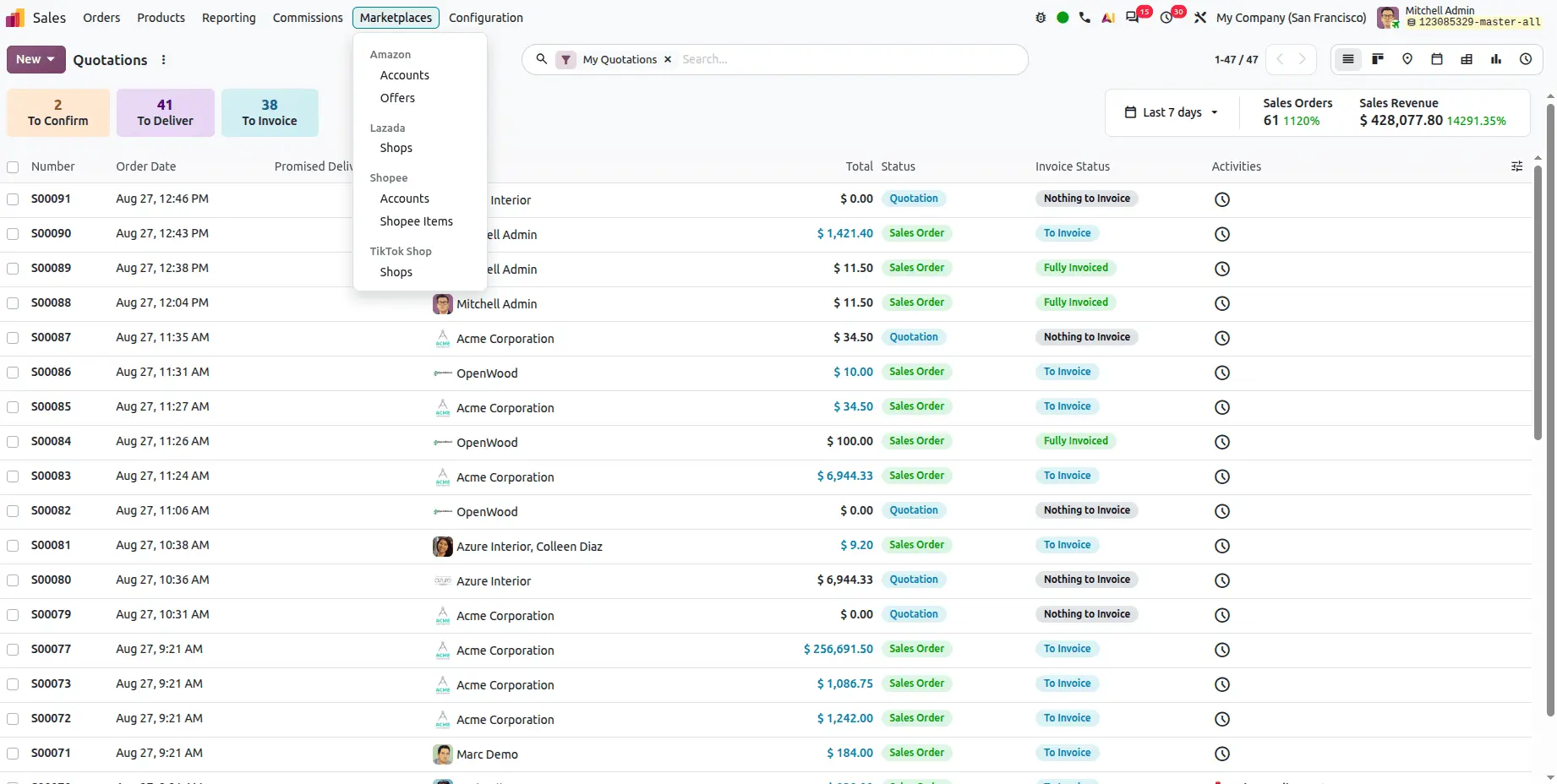
A Marketplaces menu
A new Marketplaces menu in Sales groups every marketplace channel in one place, with each platform getting its own submenu — Amazon (Accounts, Offers), Lazada (Shops), Shopee (Accounts, Shopee Items).
For anyone selling across several marketplaces, this replaces a scattered set of configuration screens with a single hub.
A unified Sales dashboard
Odoo 20 brings a Sales dashboard that surfaces quotations, deliveries, invoices, and sales performance together, so teams can see what needs attention and track revenue trends without assembling the picture from separate views.
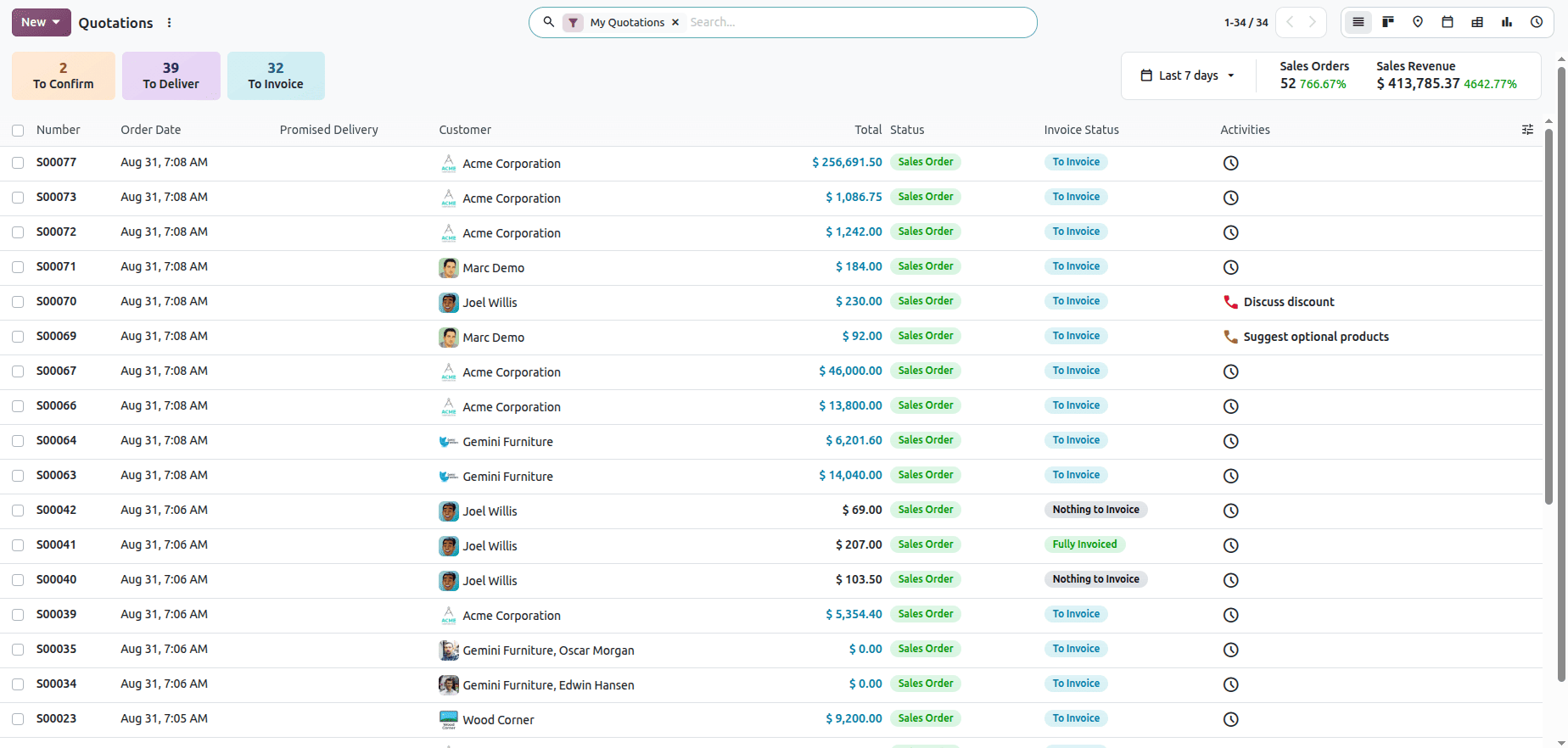
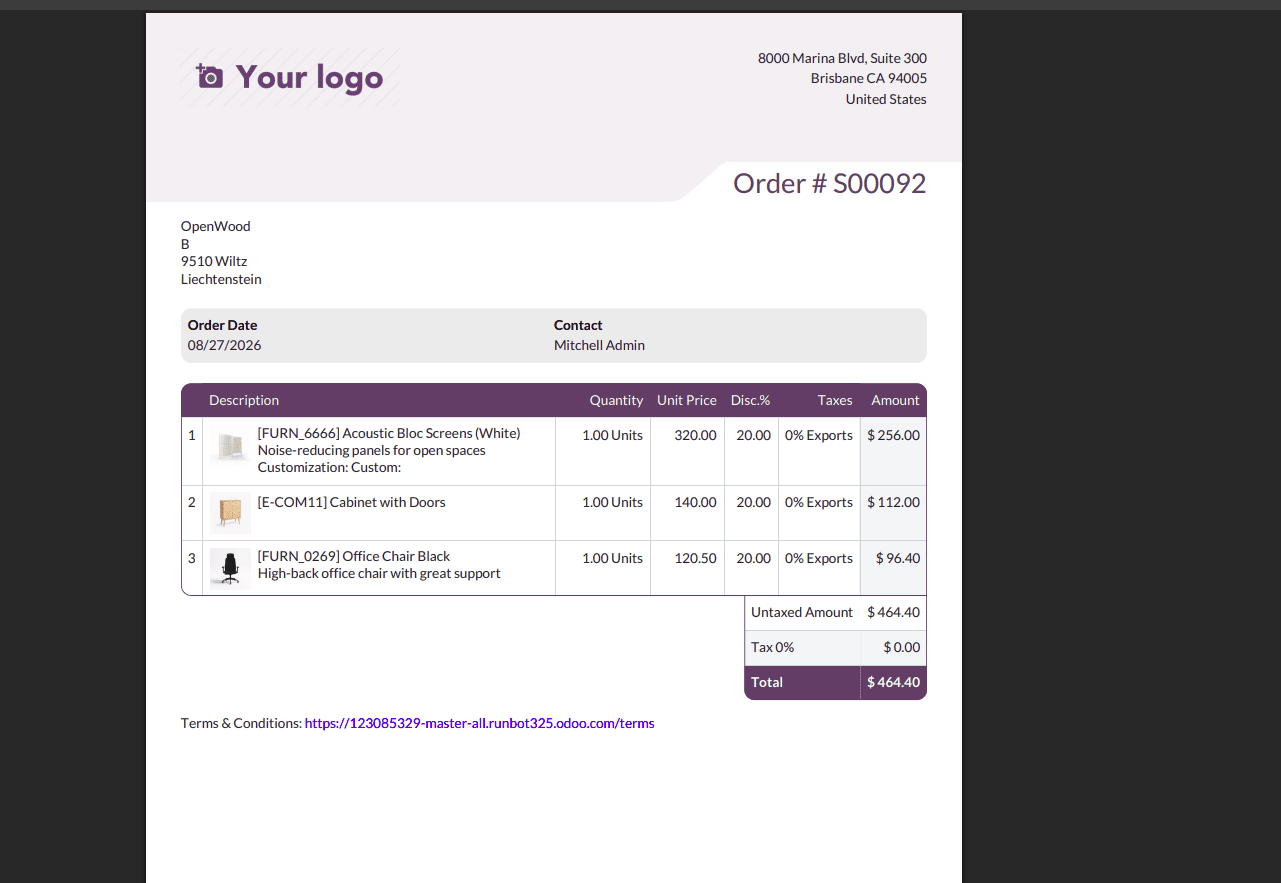
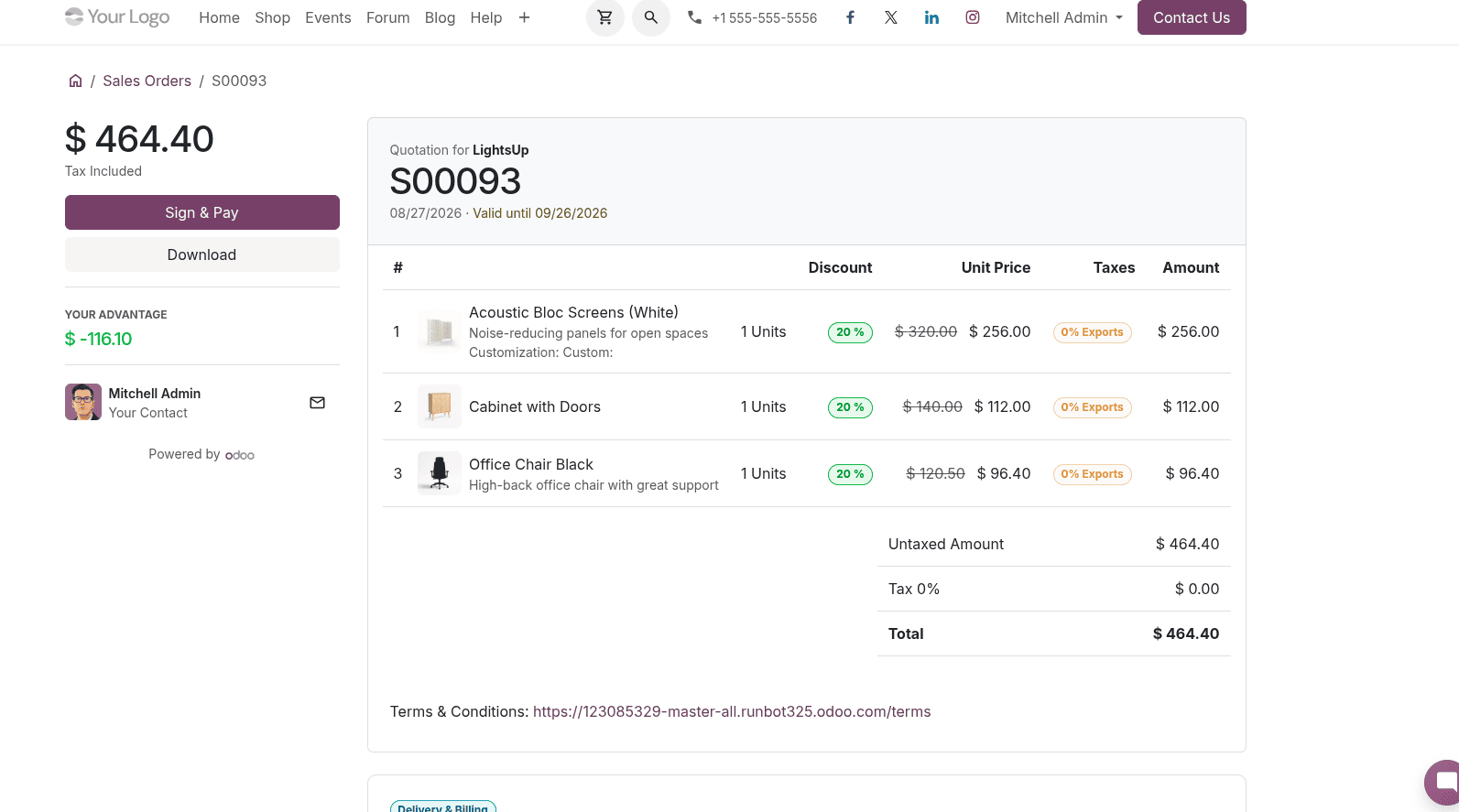
Product images in quotations
A new setting lets you display product images in quotations and their PDF exports.

Enable Display Product Image in Sales settings, and images appear in quotation previews — making quotes considerably easier for customers to read.
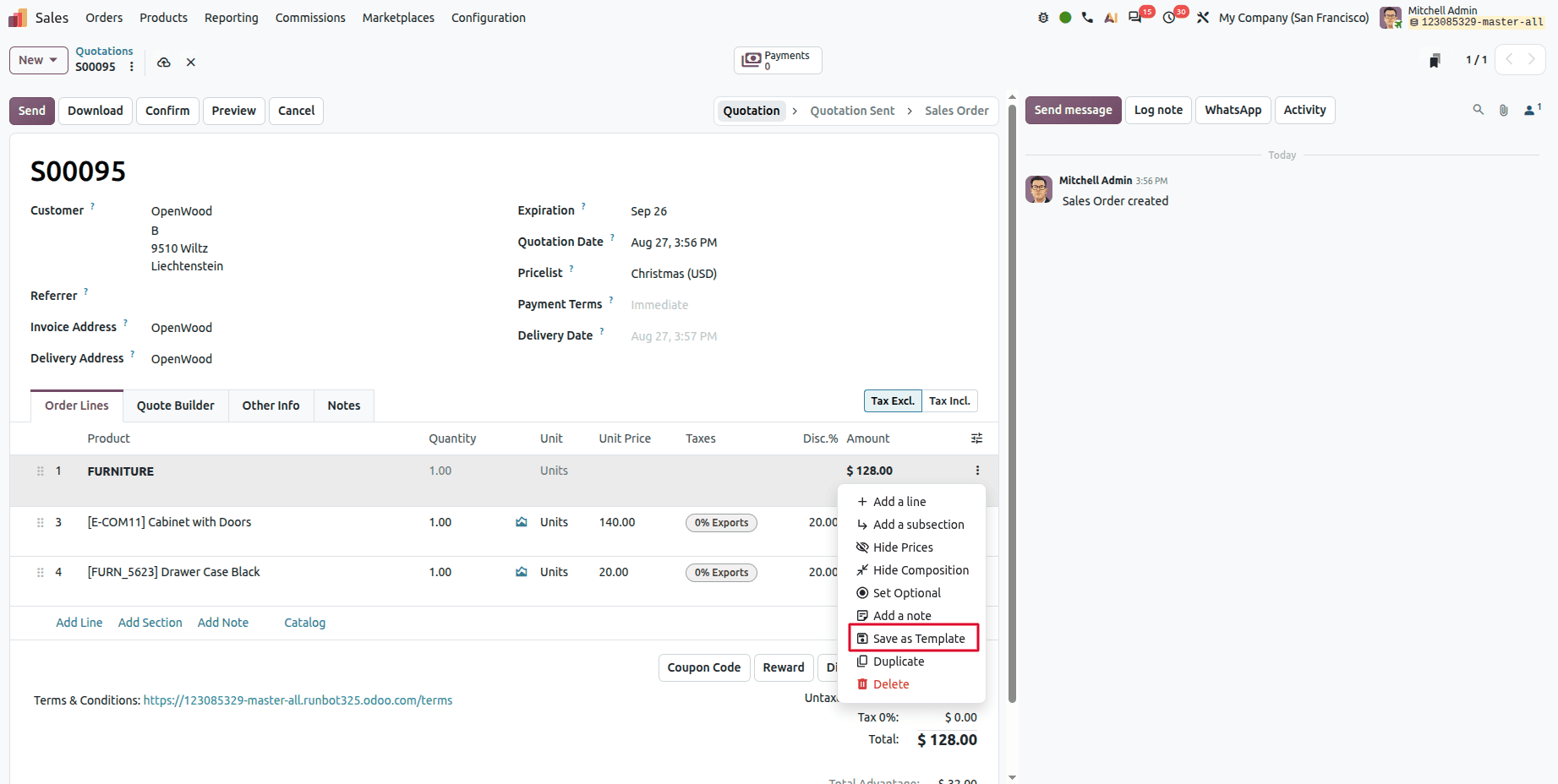
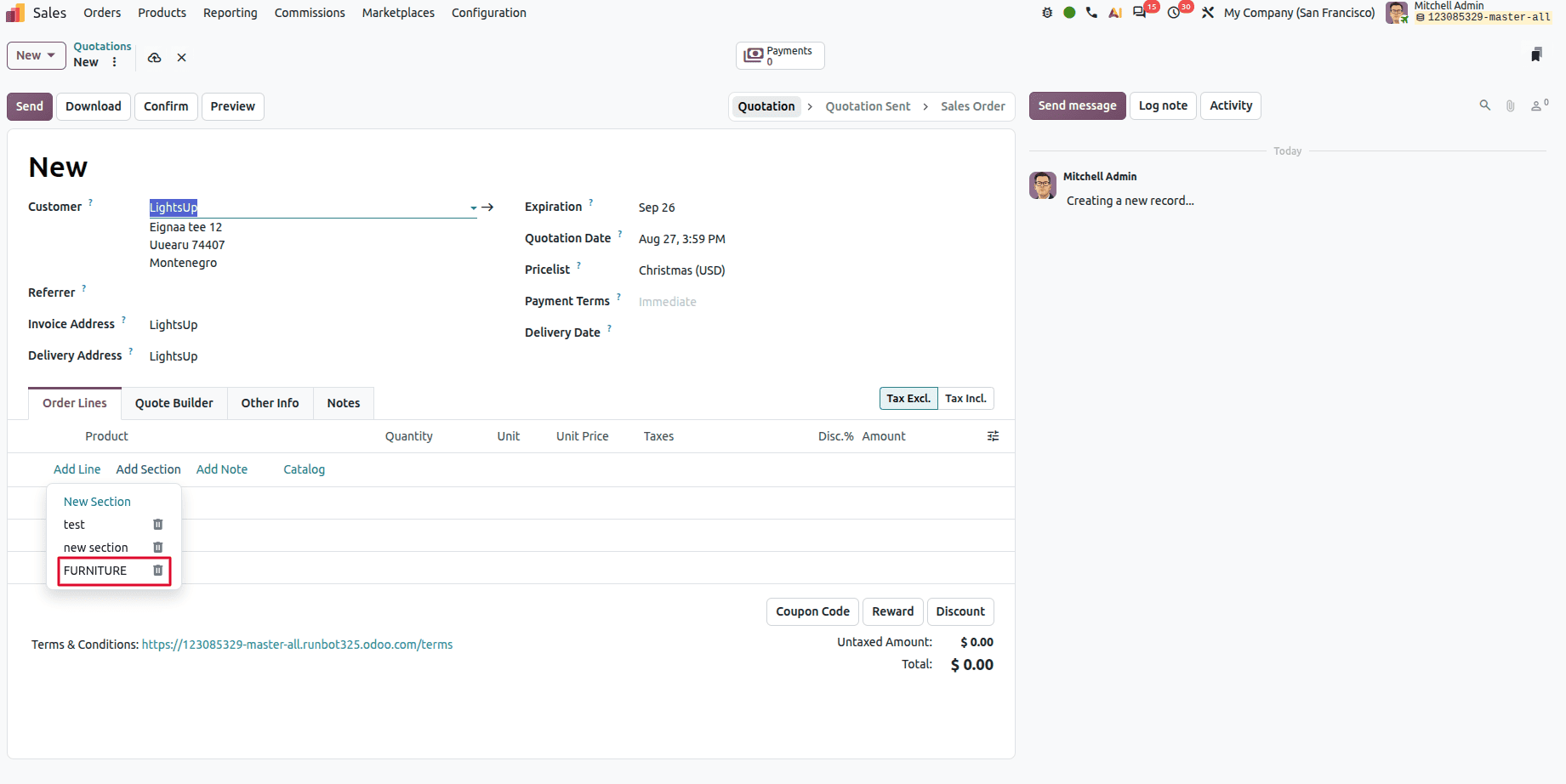
Reusable section templates
Sections containing products can be saved as templates and reused, so recurring quotations don't require adding the same items line by line each time.
Package based pricing
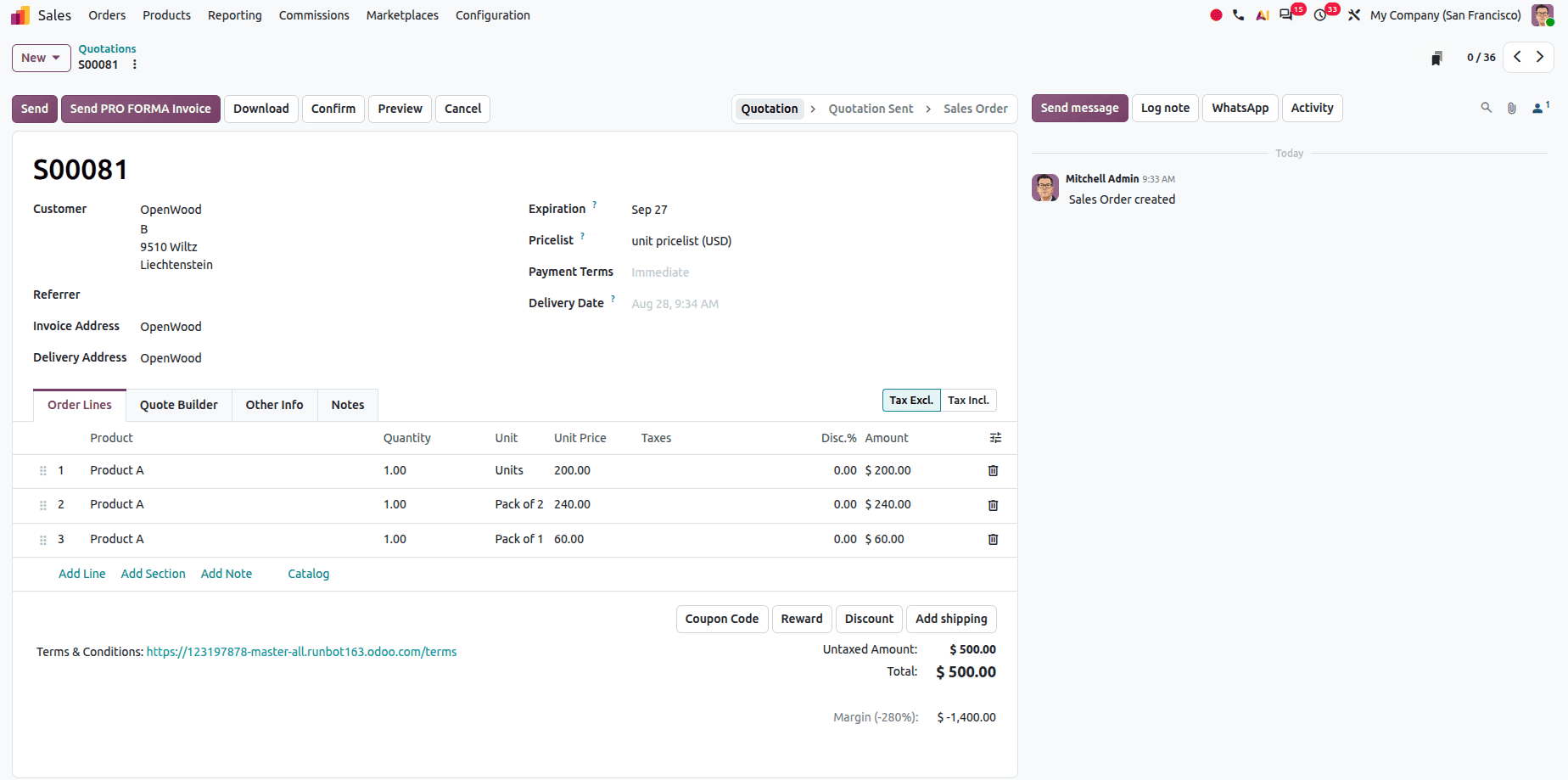
Different prices can now be set for different packaging types. Single units, packs, boxes. Enable Units of Measurement in Sales configuration settings, then create packaging options for the same product. For example:
- Pack of 1 — box containing 6 units
- Pack of 2 — box containing 12 units
A dedicated pricelist then defines prices by quantity and packaging, so a product can carry one price for Pack of 1 and another for Pack of 2.
A dedicated Exchange option on returns
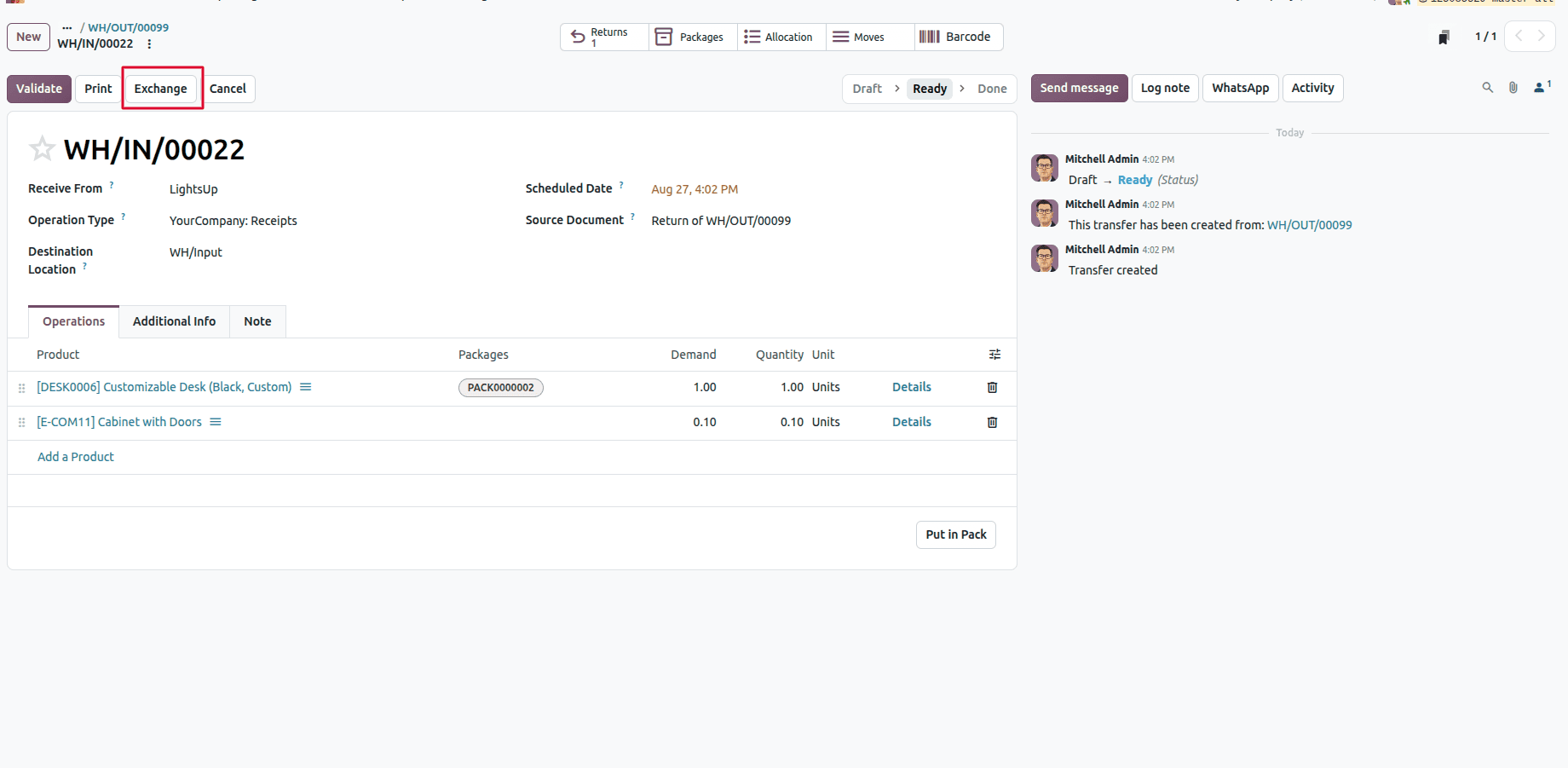
The return process now offers Exchange alongside Return. Customers can swap a product rather than only sending it back, and staff handle both paths from the same screen.
Unit of measure selection in the catalog
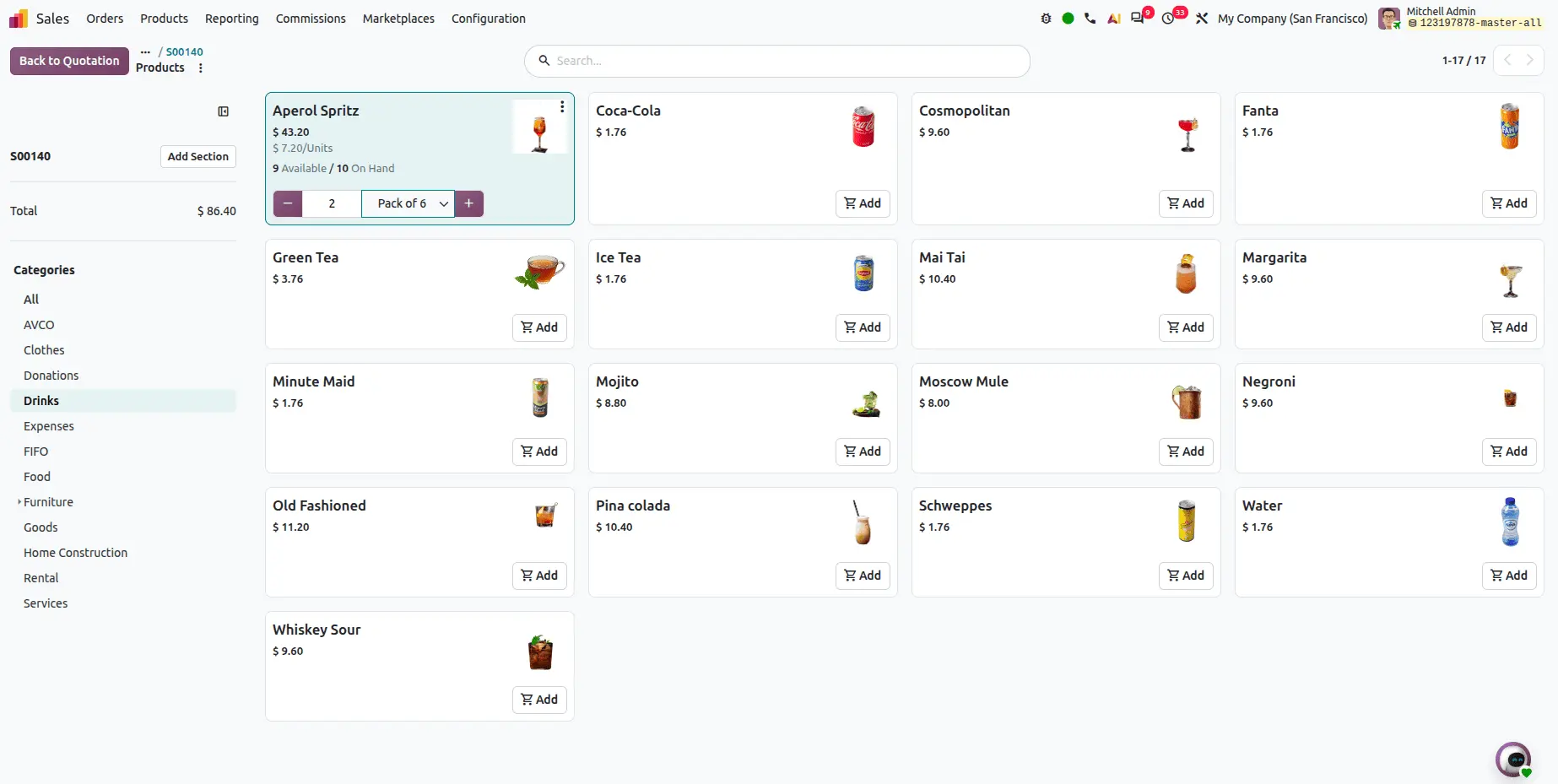
Users can now select the unit of measure directly from the catalog.
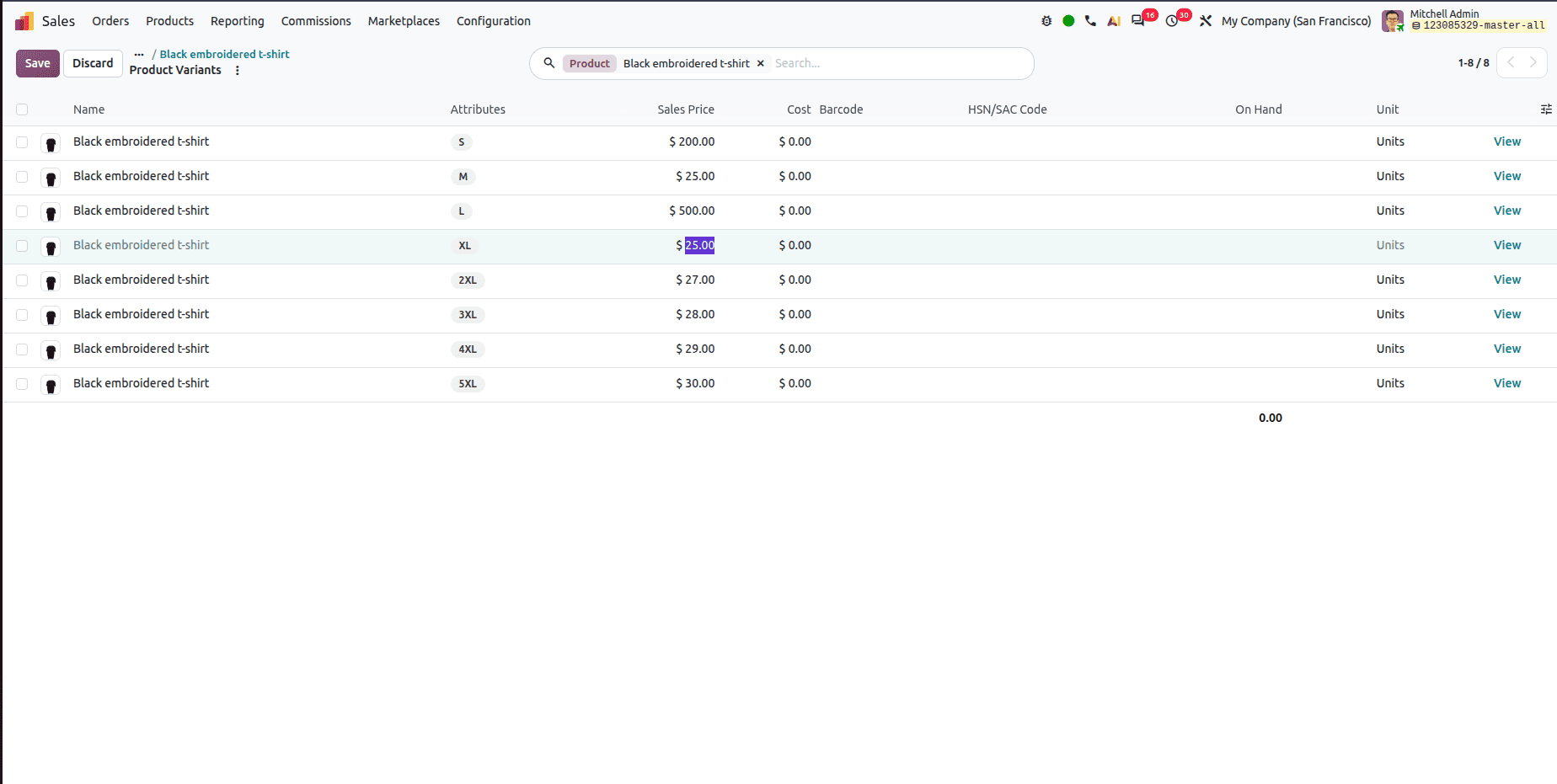
Editable variant sales prices
Previously, variant pricing was handled through the extra price mechanism. Odoo 20 lets you change a product variant's price directly.
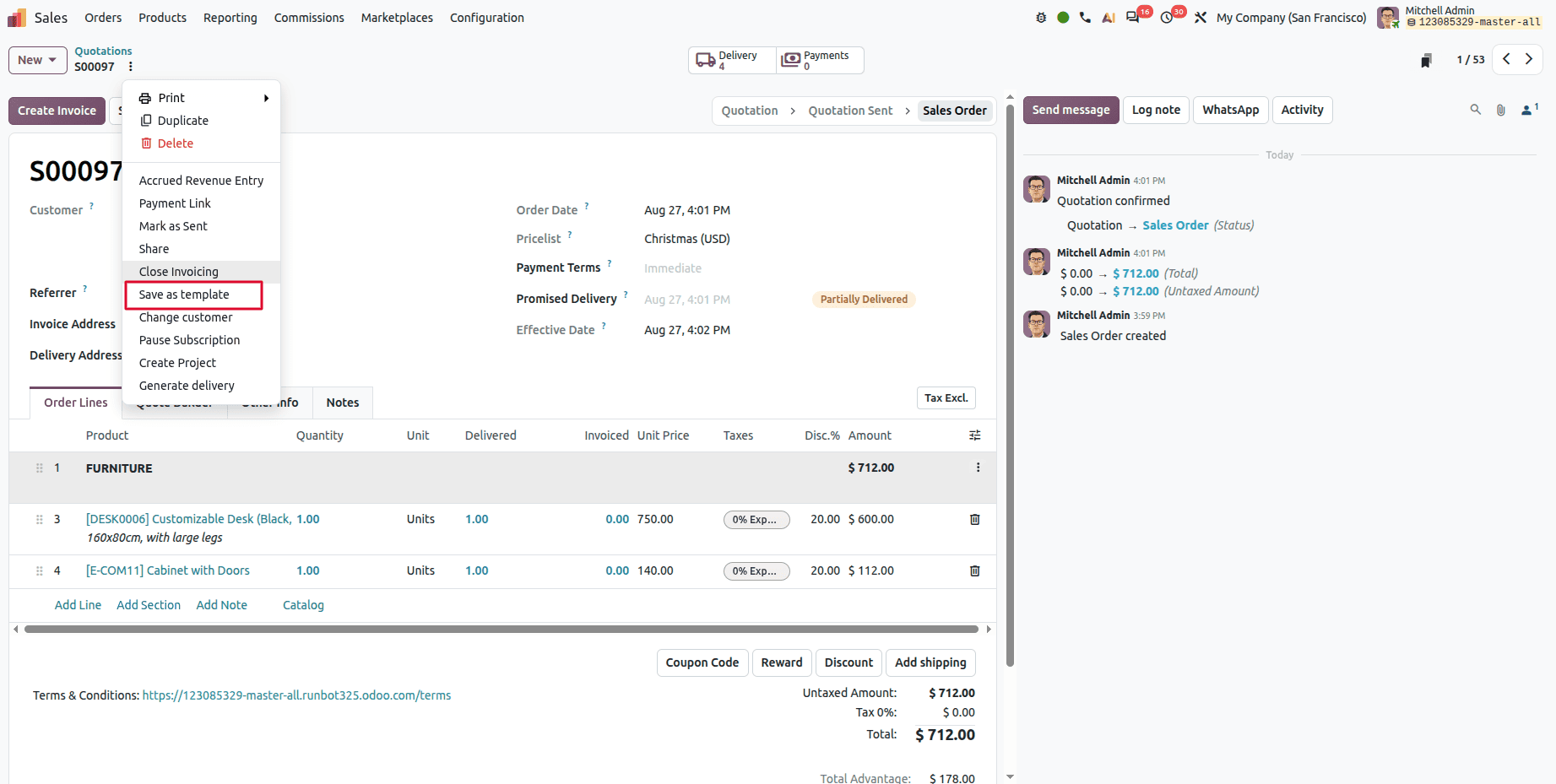
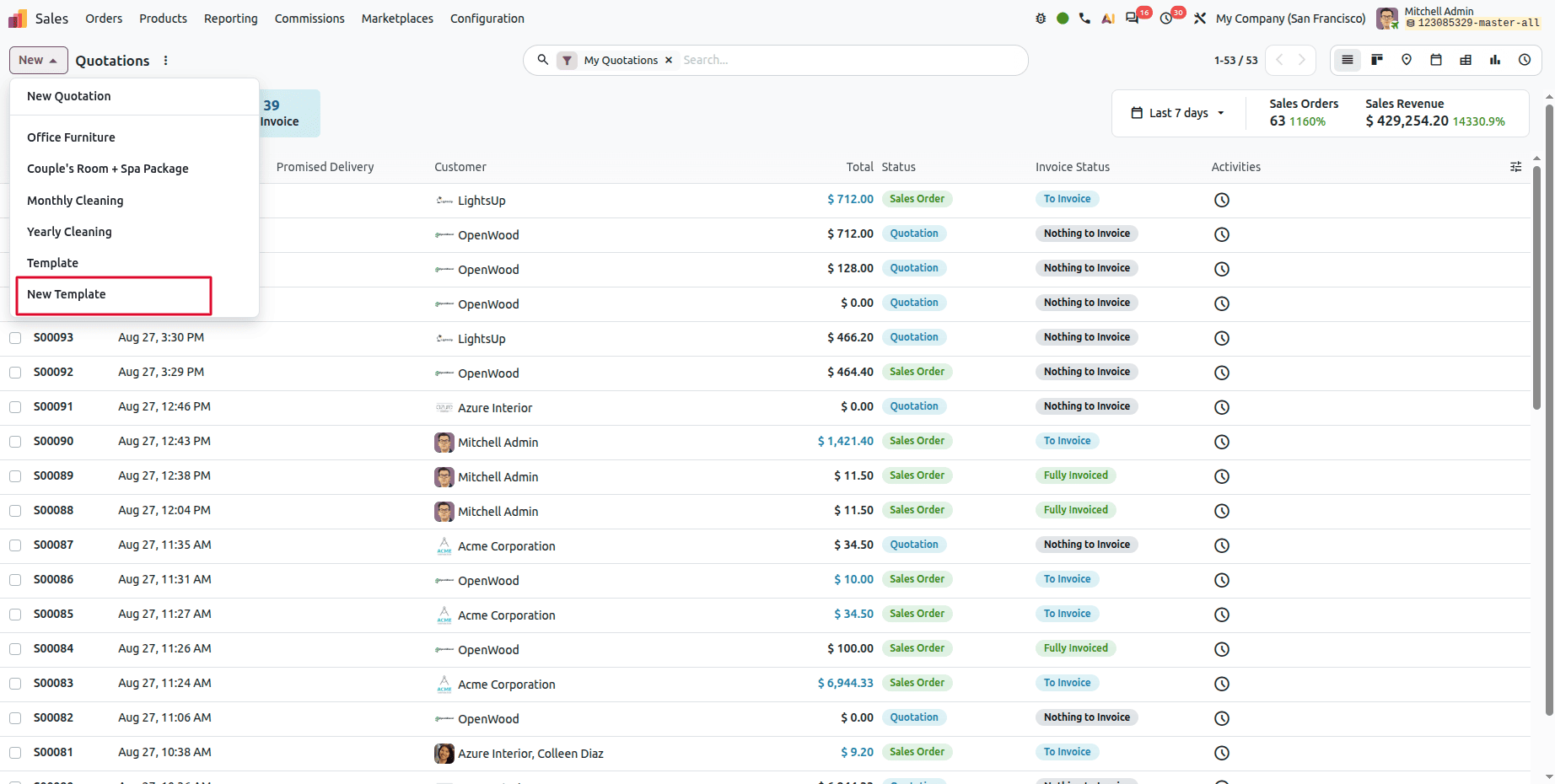
Sales orders and quotations as templates
Any sales order or quotation can be saved as a template and reused — useful for recurring orders that vary only slightly.
Company-specific delivery lead times
In a multi-company setup, the same product can carry different delivery lead times per company, so each entity maintains its own realistic delivery schedule rather than inheriting a shared one.
Point of Sale
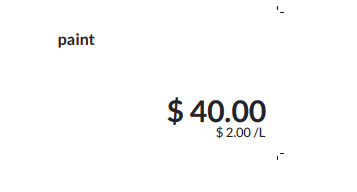
Reference unit prices on product labels
Display price per unit (e.g. per Liter or kg) on POS product labels.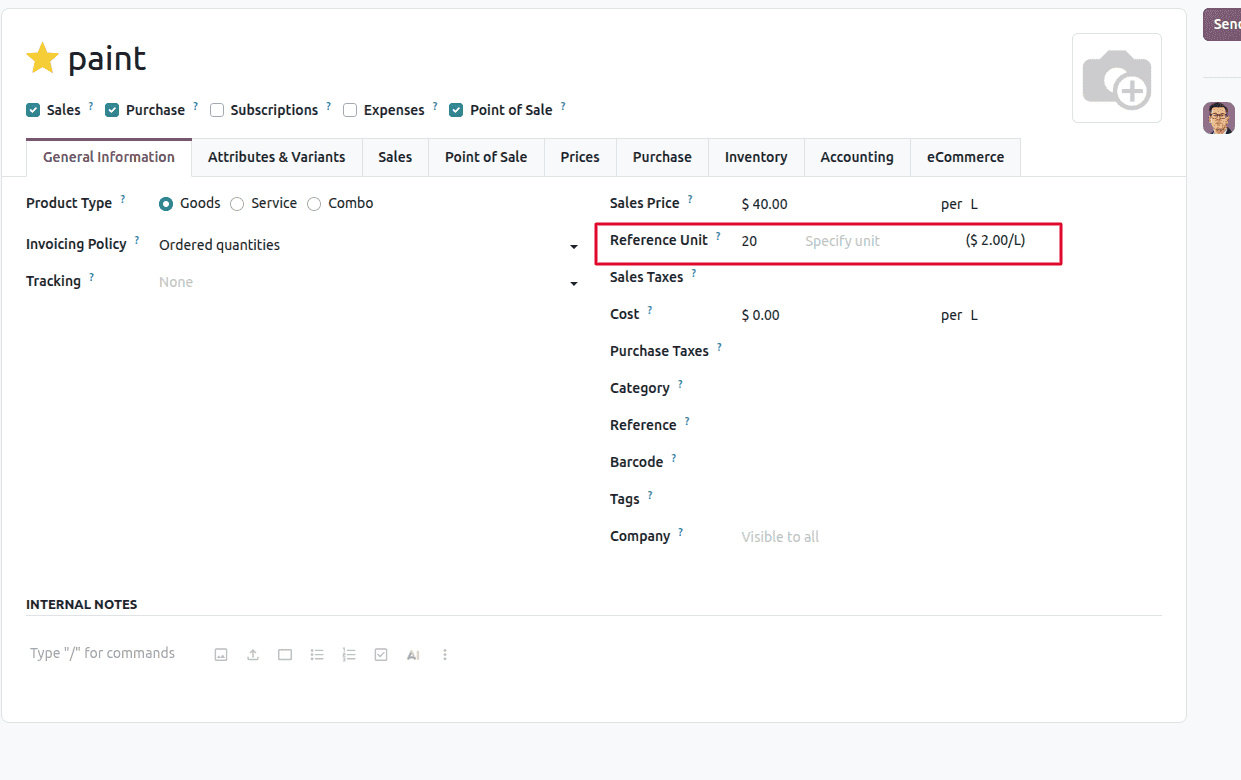
POS product labels can display the price per unit of measure — per litre, per kilogram, and so on. Alongside the shelf price, customers see the comparable rate, which is a legal requirement in many markets and a convenience everywhere else.
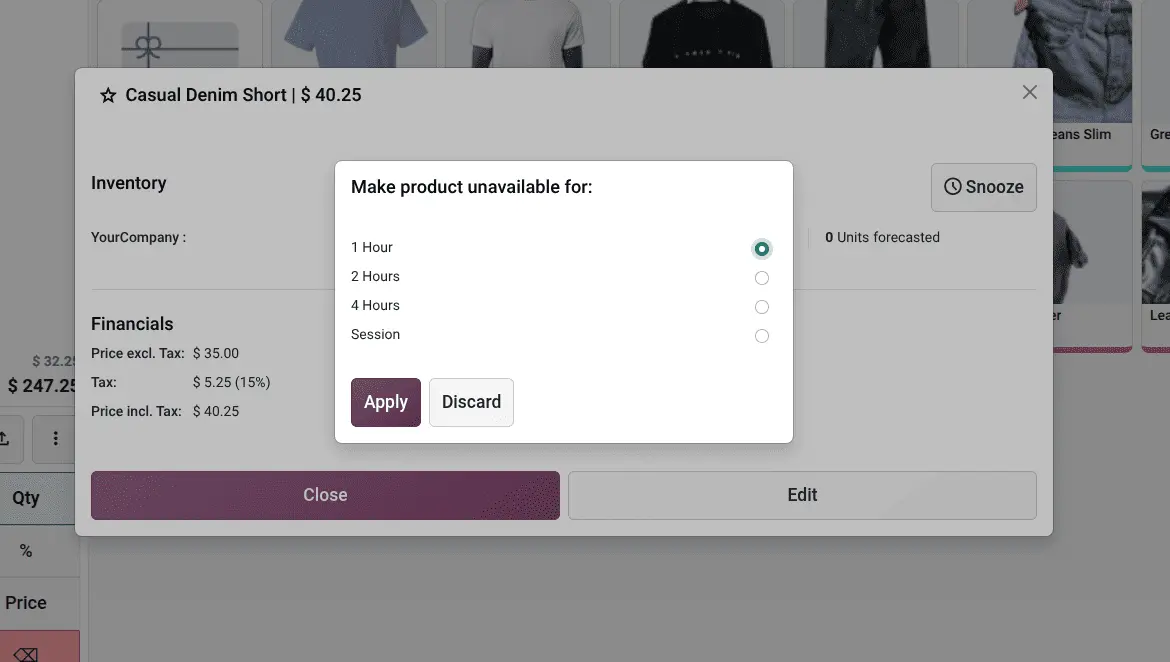
Temporarily snooze unavailable products
Products can be marked temporarily unavailable with the new Snooze feature. Click the snooze button, set a timer, and the product becomes available again after the selected duration or at the start of the next POS session.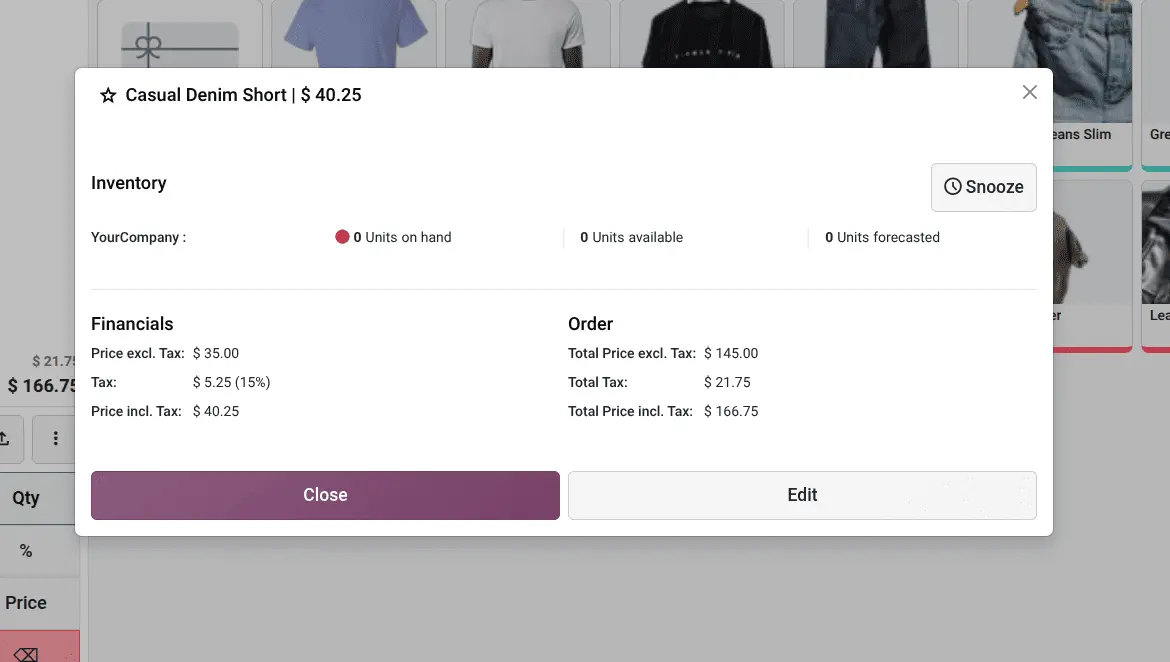
It solves a small, constant annoyance: the item that's sold out for the afternoon but shouldn't be archived. We can click the snooze button to set the timer.
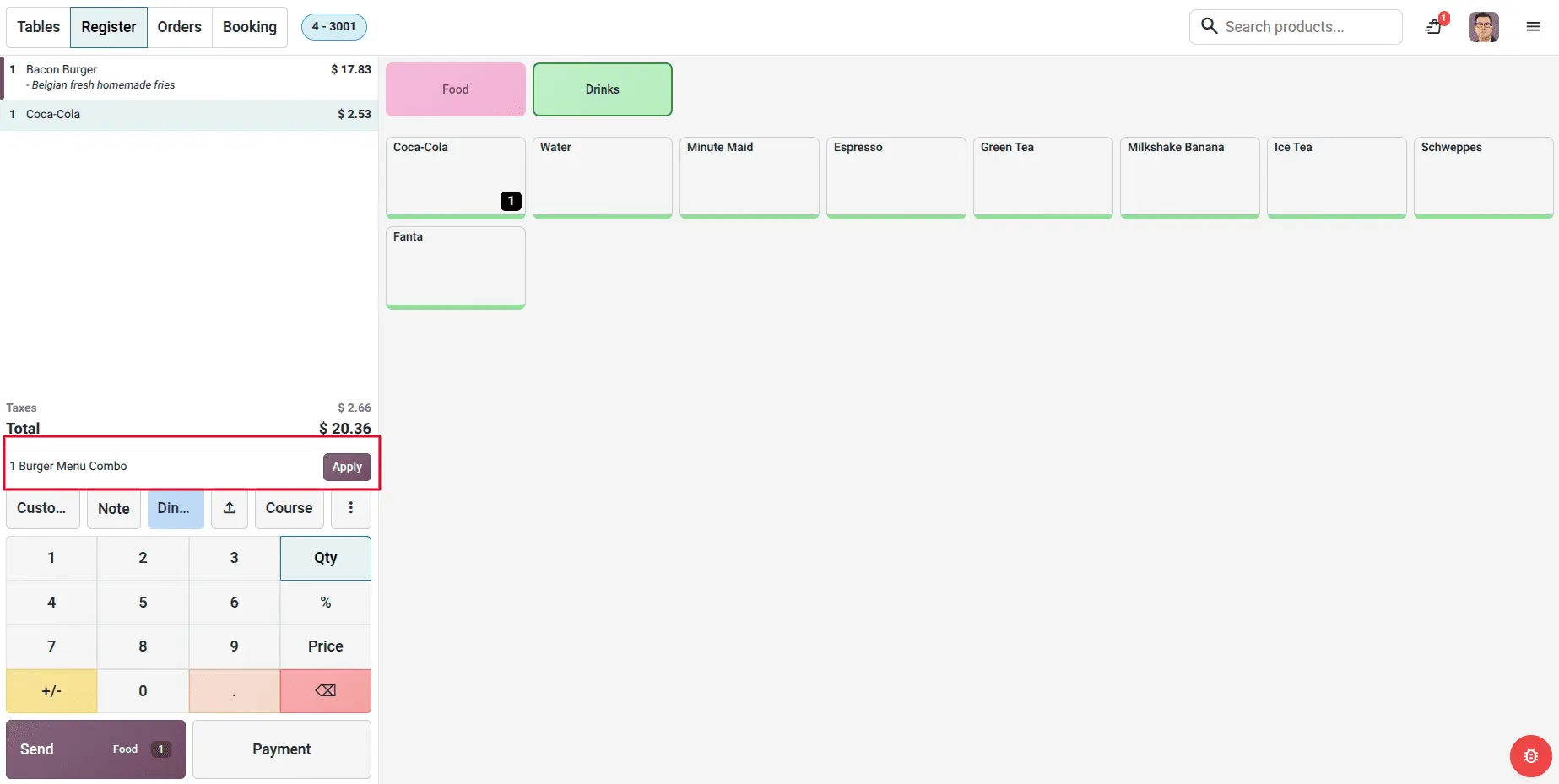
Automatic combo recognition
When eligible combo items are added to an order separately, Odoo detects them and suggests converting them into a combo — so combo pricing is applied correctly without the cashier having to remember it.
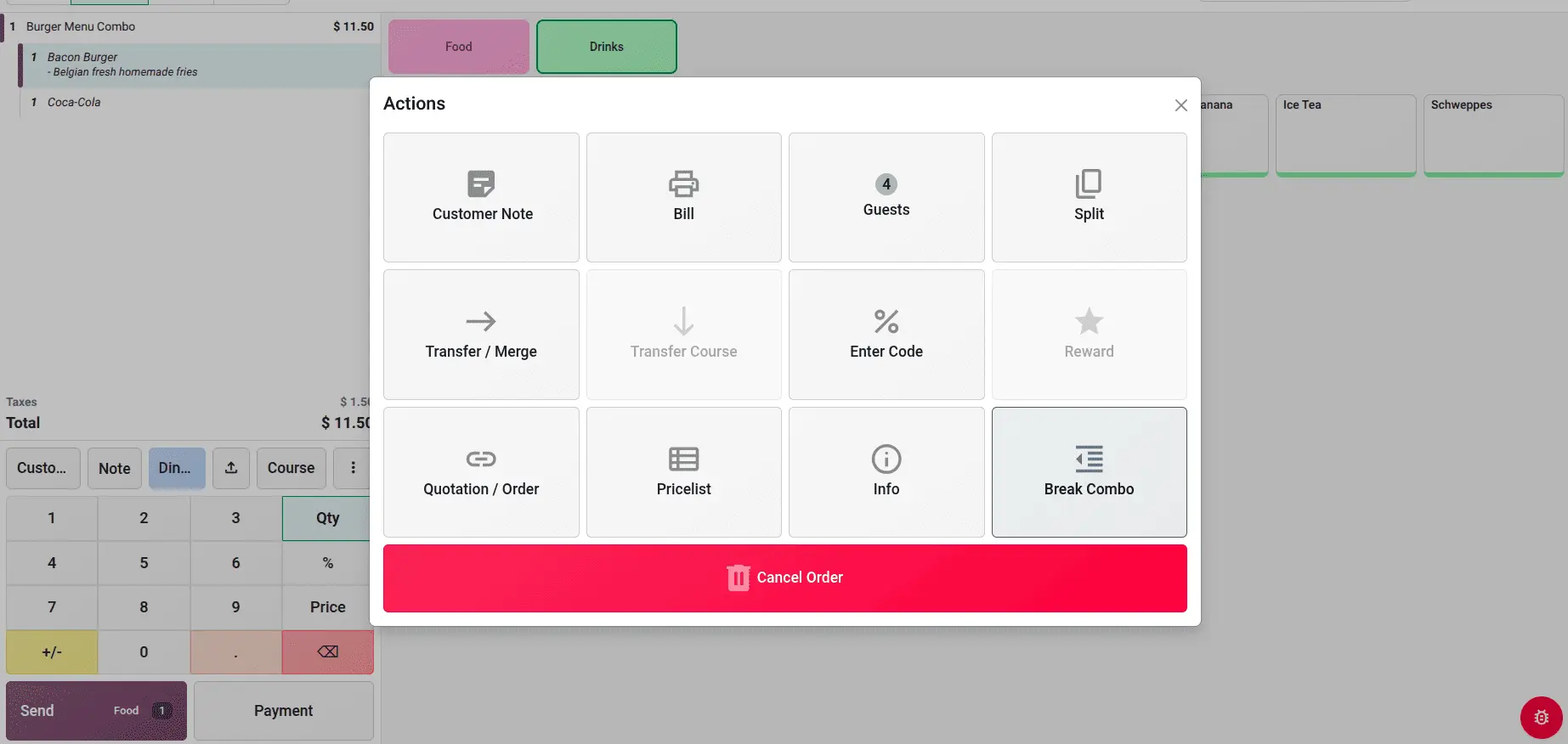
Breaking combos apart
The reverse also works. Break Combo splits an existing combo back into its individual products, for the moment a customer changes their mind mid-order.
Purchase
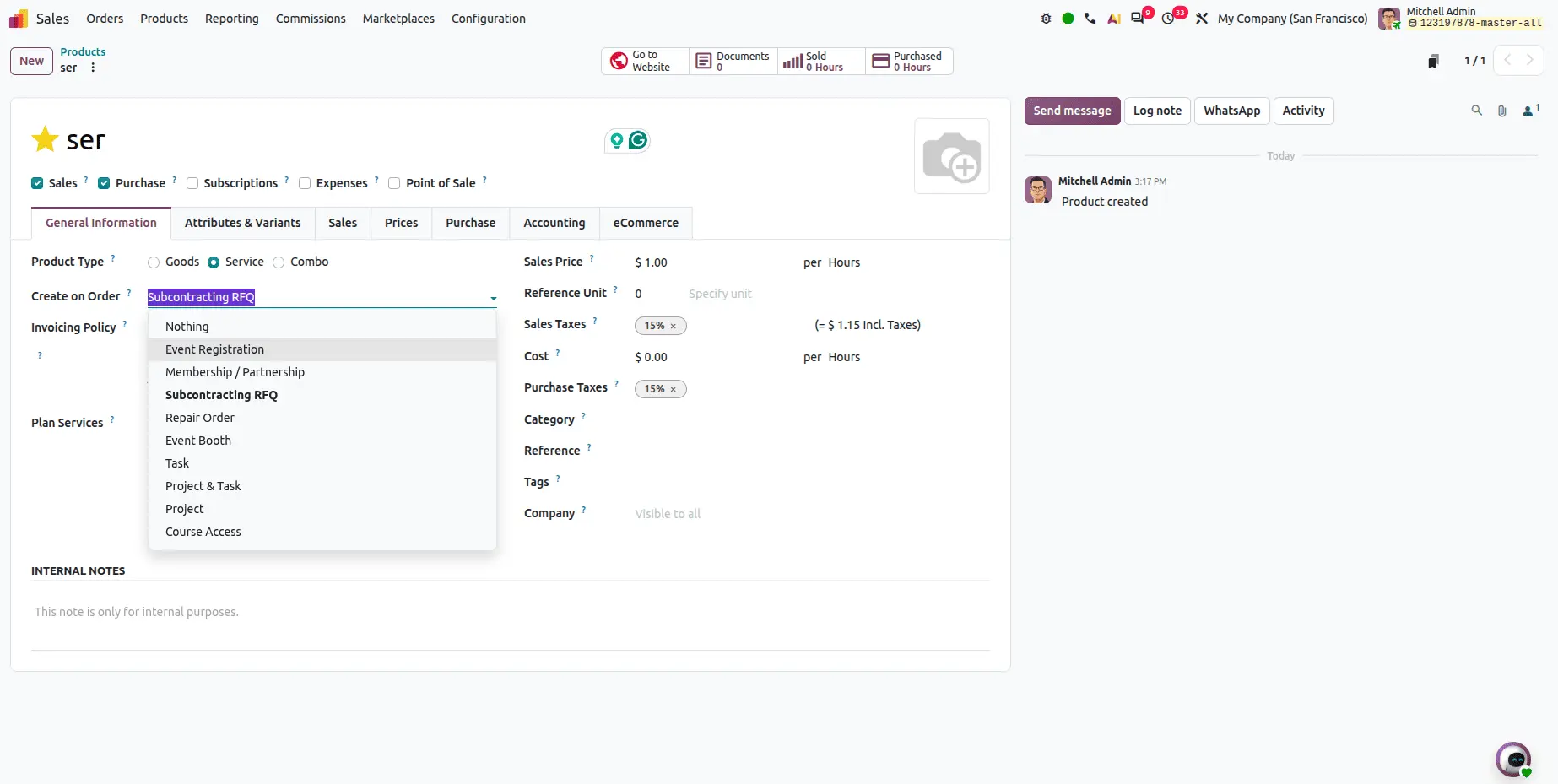
Subcontracting on RFQ
A Subcontracting on RFQ option can now be set directly on service-type products, using order-triggered creation workflows.
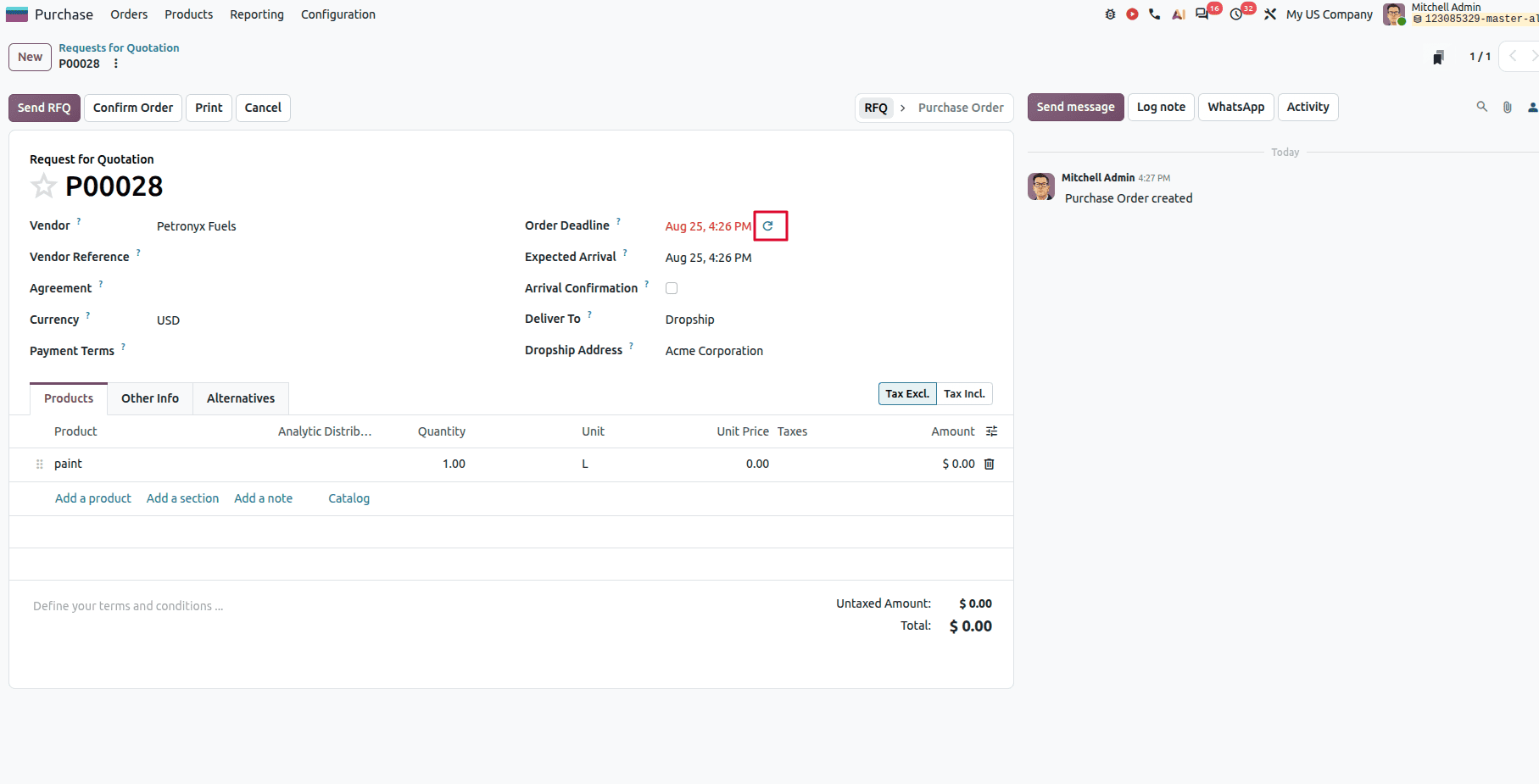
Recalculating expected arrival dates
When a purchase order deadline has passed, a single click recalculates the expected arrival date using the product lead time and the current date rather than leaving stale dates sitting on the order.
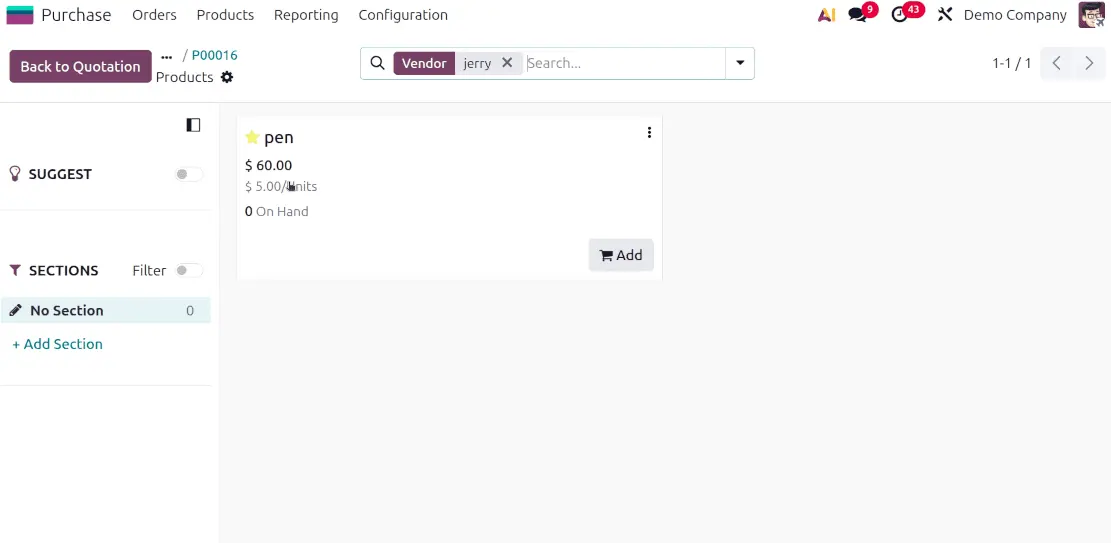
Purchase cost and unit cost side by side
The catalog now displays both the vendor purchase cost and the product unit cost, so buyers can see the full price picture in one view.
Inventory
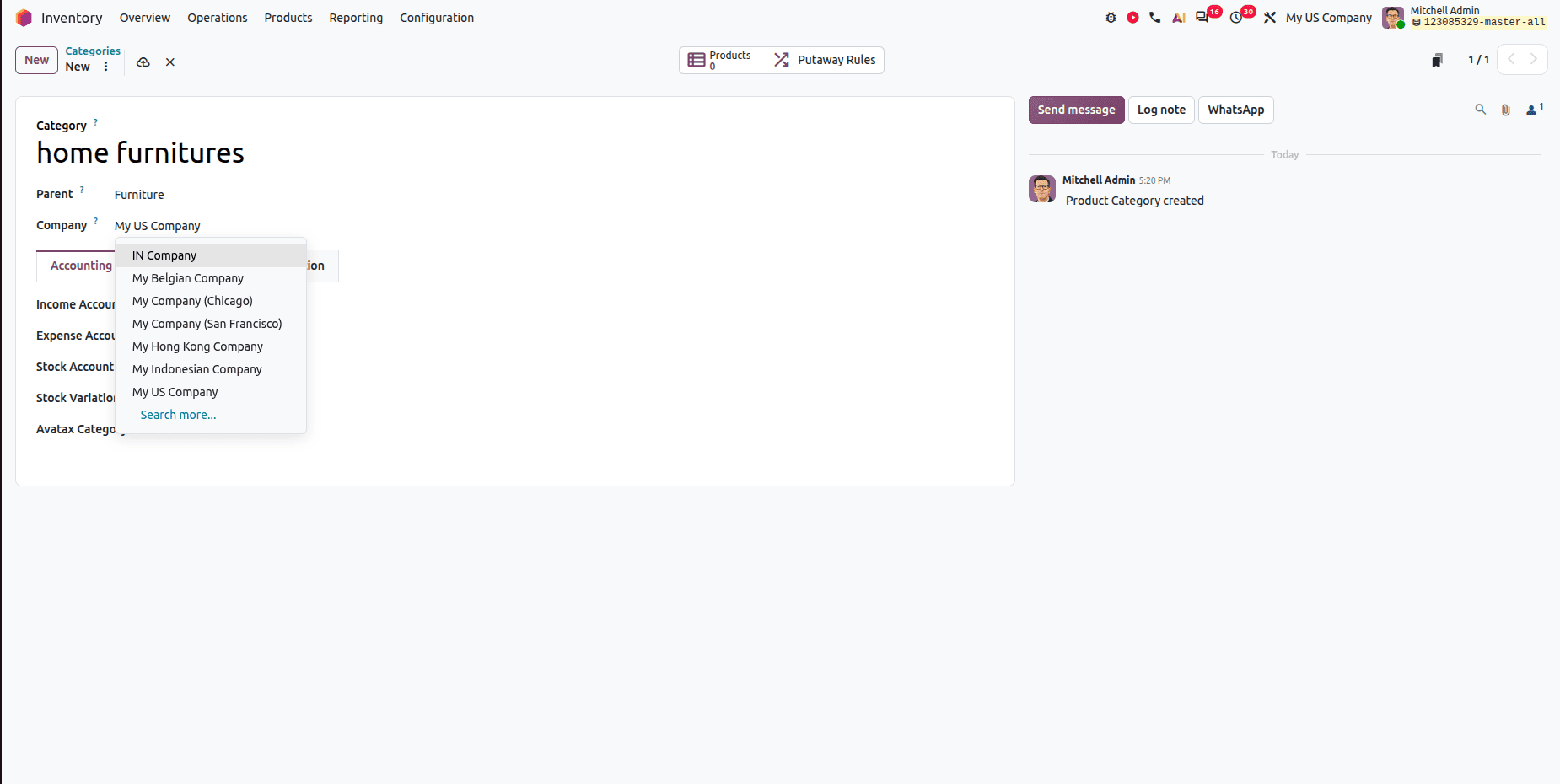
Company-specific product categories
Product categories were not company-specific in earlier versions, and Logistics and Inventory Valuation settings were both grouped under the Accounting tab. Odoo 20 restructures this — a meaningful usability improvement for multi-company environments in particular.
Manufacturing
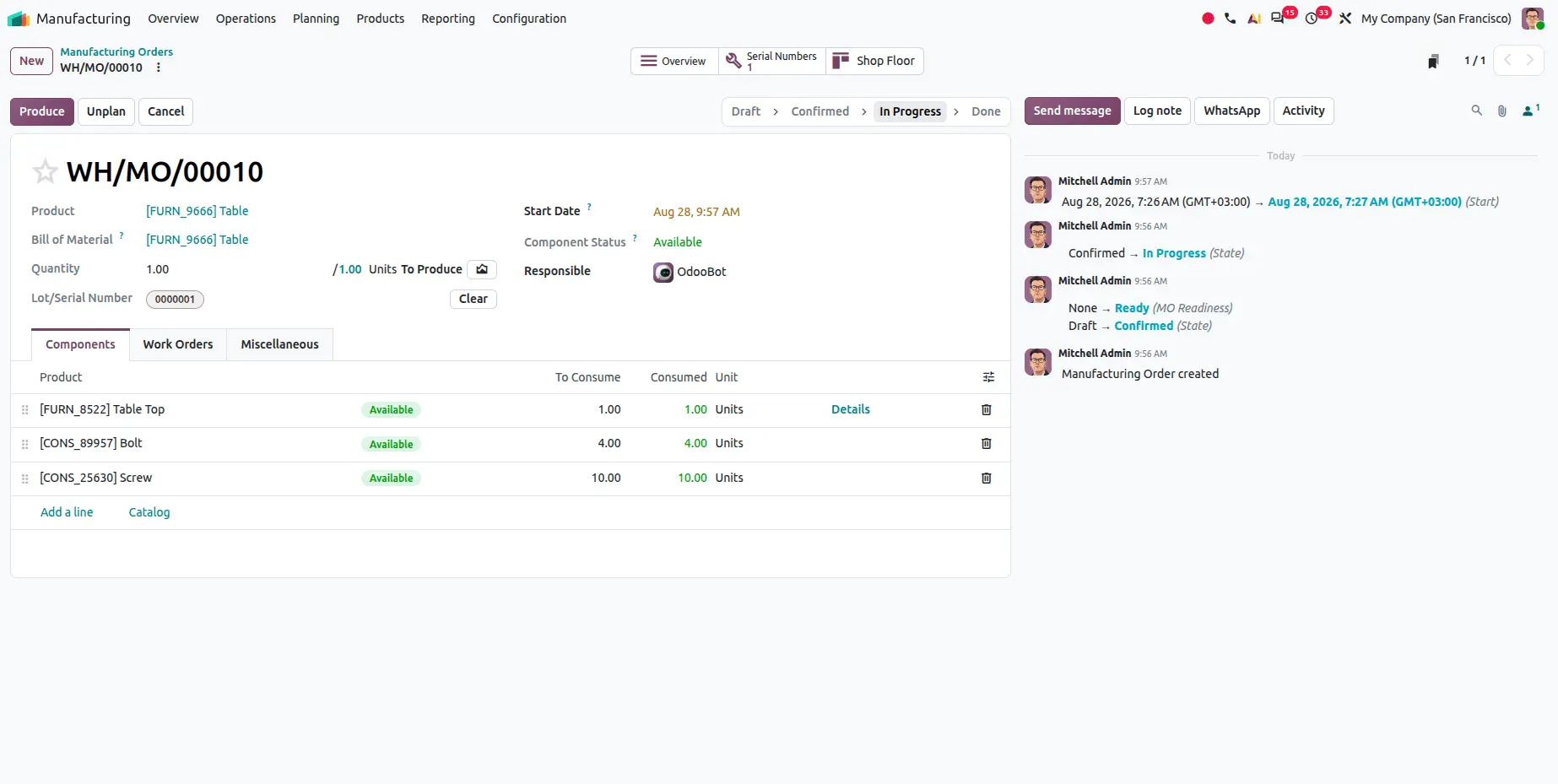
Automatic lot and serial number creation
When a manufacturing order for a lot-tracked item completes on the Shop Floor, the lot number is now assigned automatically at production closure, rather than requiring manual entry.
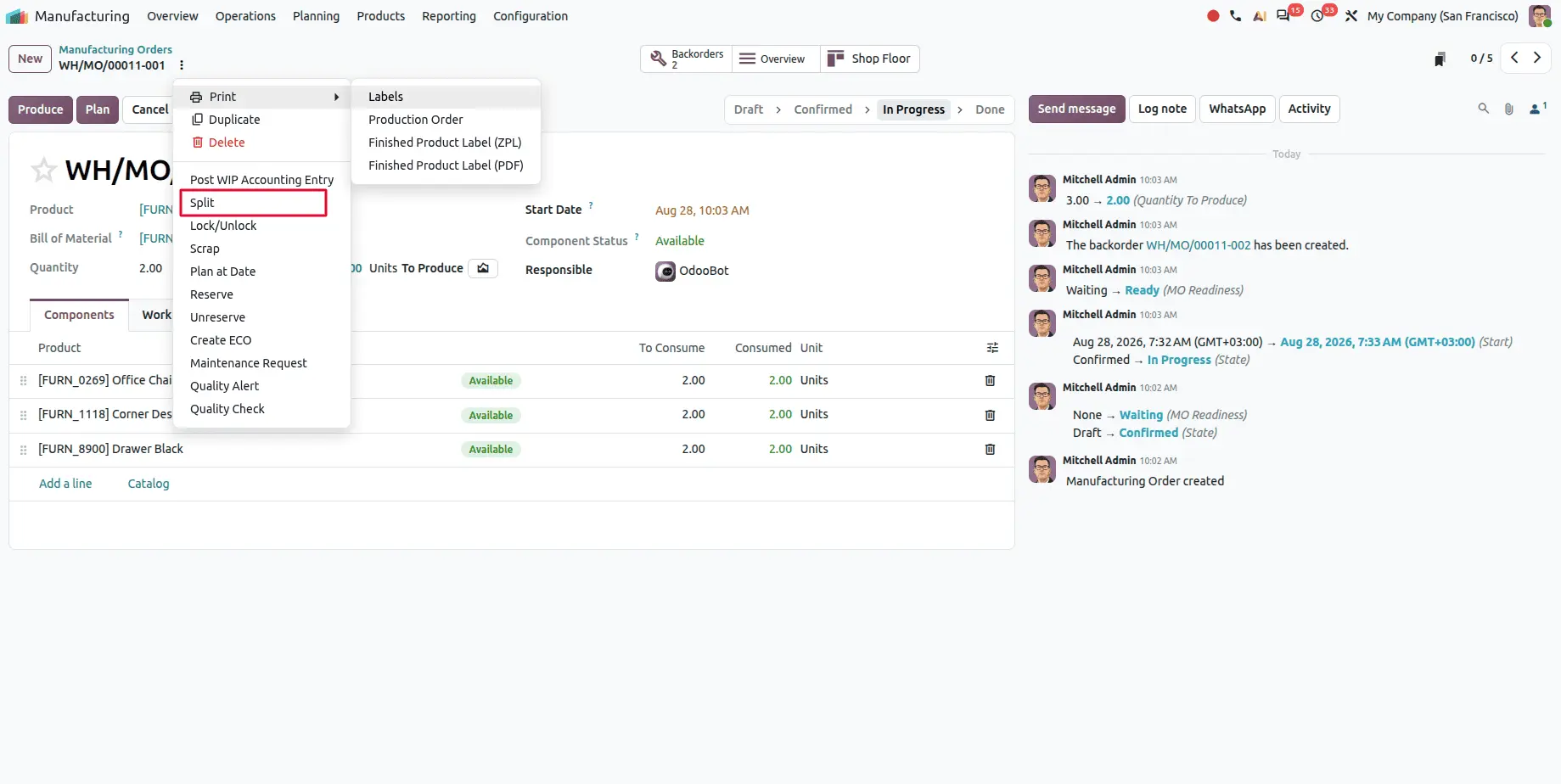
Splitting ongoing manufacturing orders
Manufacturing orders that are already in progress or planned can now be split — useful when a production run needs to be divided partway through.
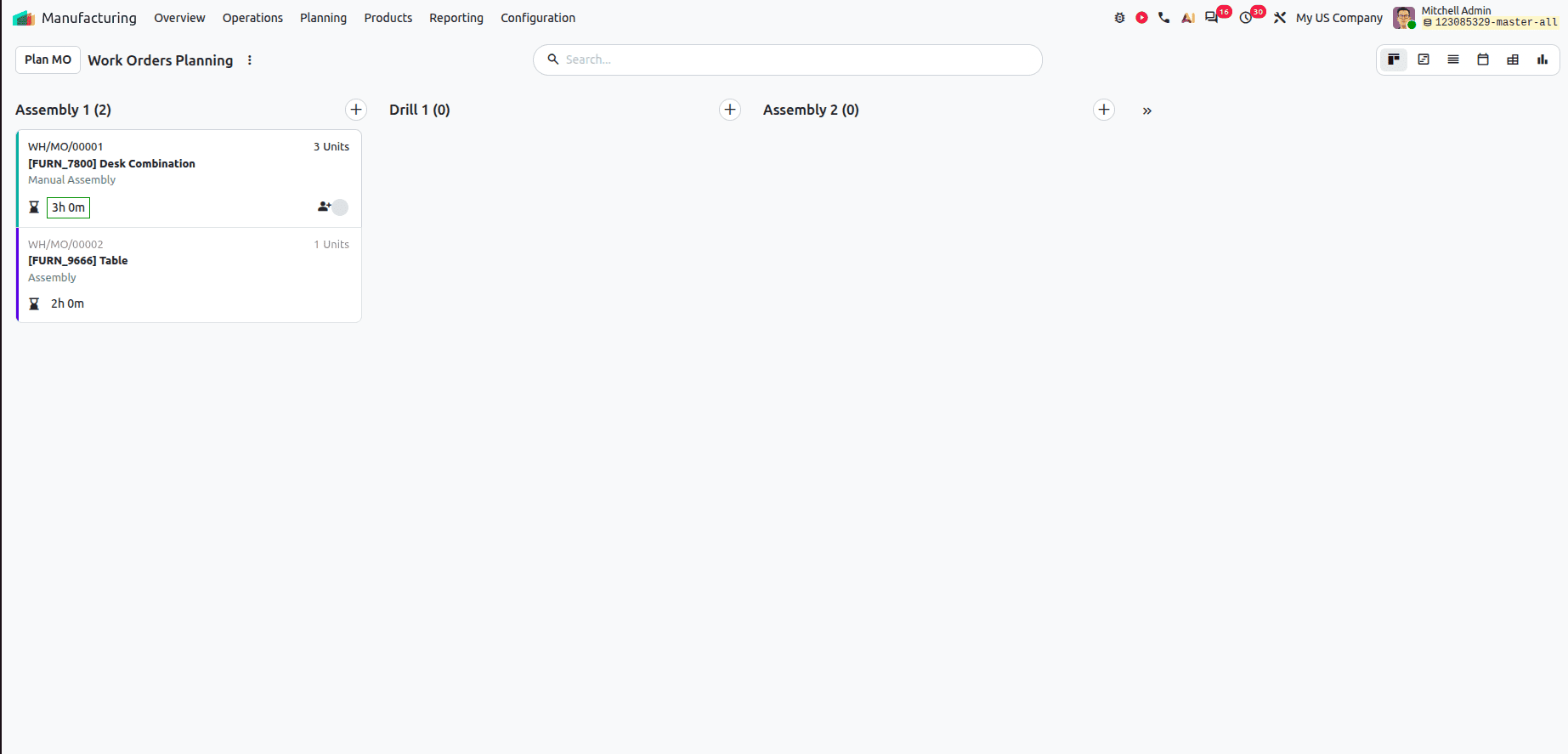
Kanban view for planning
Work orders can be viewed and analysed in a Kanban layout, with drag and drop to reschedule — a more visual way to manage production planning.
Rental
Prices update automatically when duration changes
If a rental is extended or shortened, the rental amount is recomputed automatically without needing to change the product quantity as a workaround.
CRM
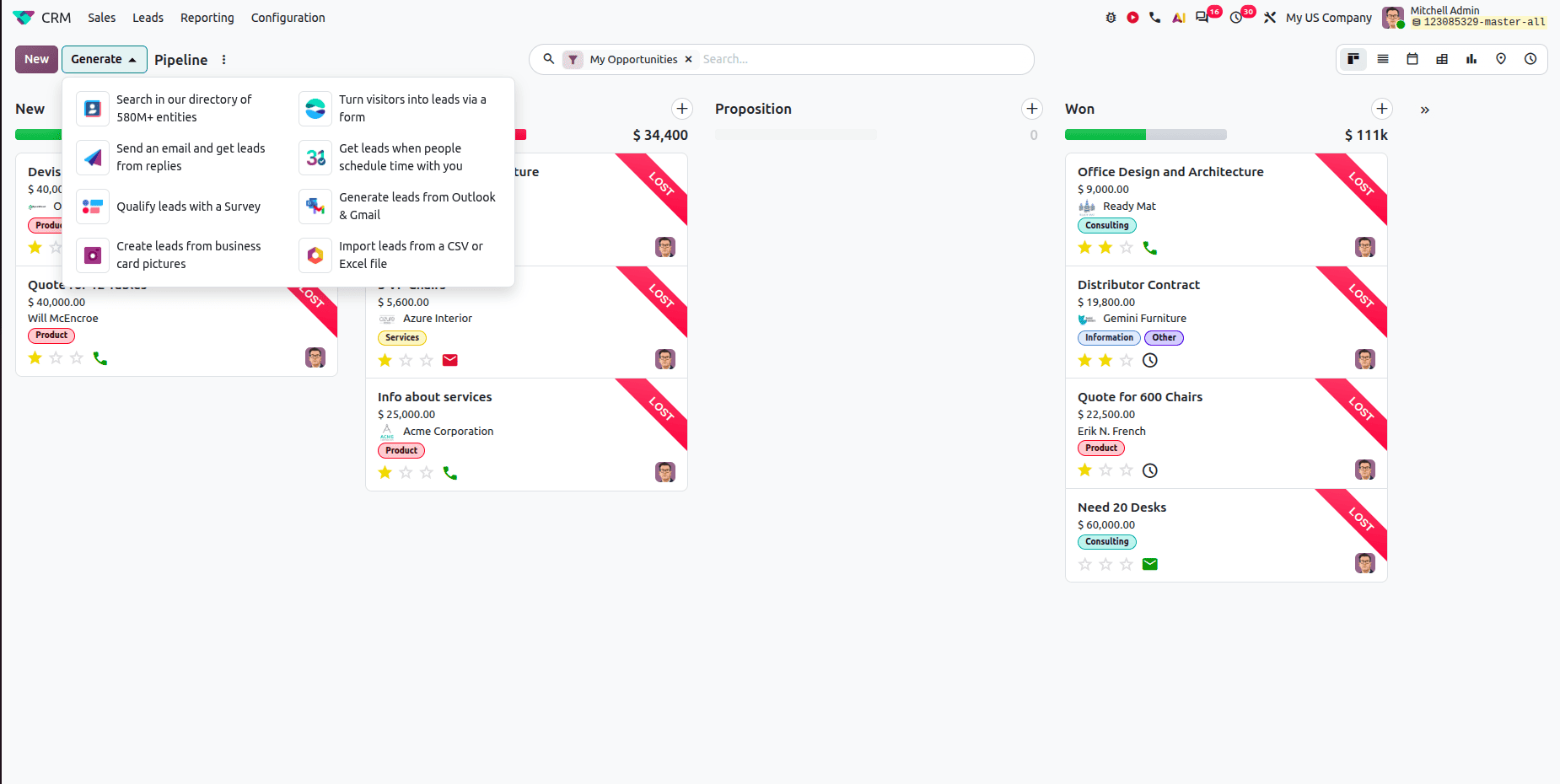
Eight ways to generate leads
Odoo 20 expands lead generation considerably:
- Search our directory — generate leads from a directory of 580M+ business entities
- Turn visitors into leads via a form — capture website visitors through an online form
- Send an email and get leads from replies — leads created automatically from email responses
- Get leads when people schedule with you — meetings and appointments become leads
- Qualify leads with a survey — collect information and qualify prospects through surveys
- Generate leads from Outlook and Gmail — create CRM leads directly from your inbox
- Create leads from business card pictures — upload a photo and extract the details automatically
- Import from CSV or Excel — bulk lead creation from a file
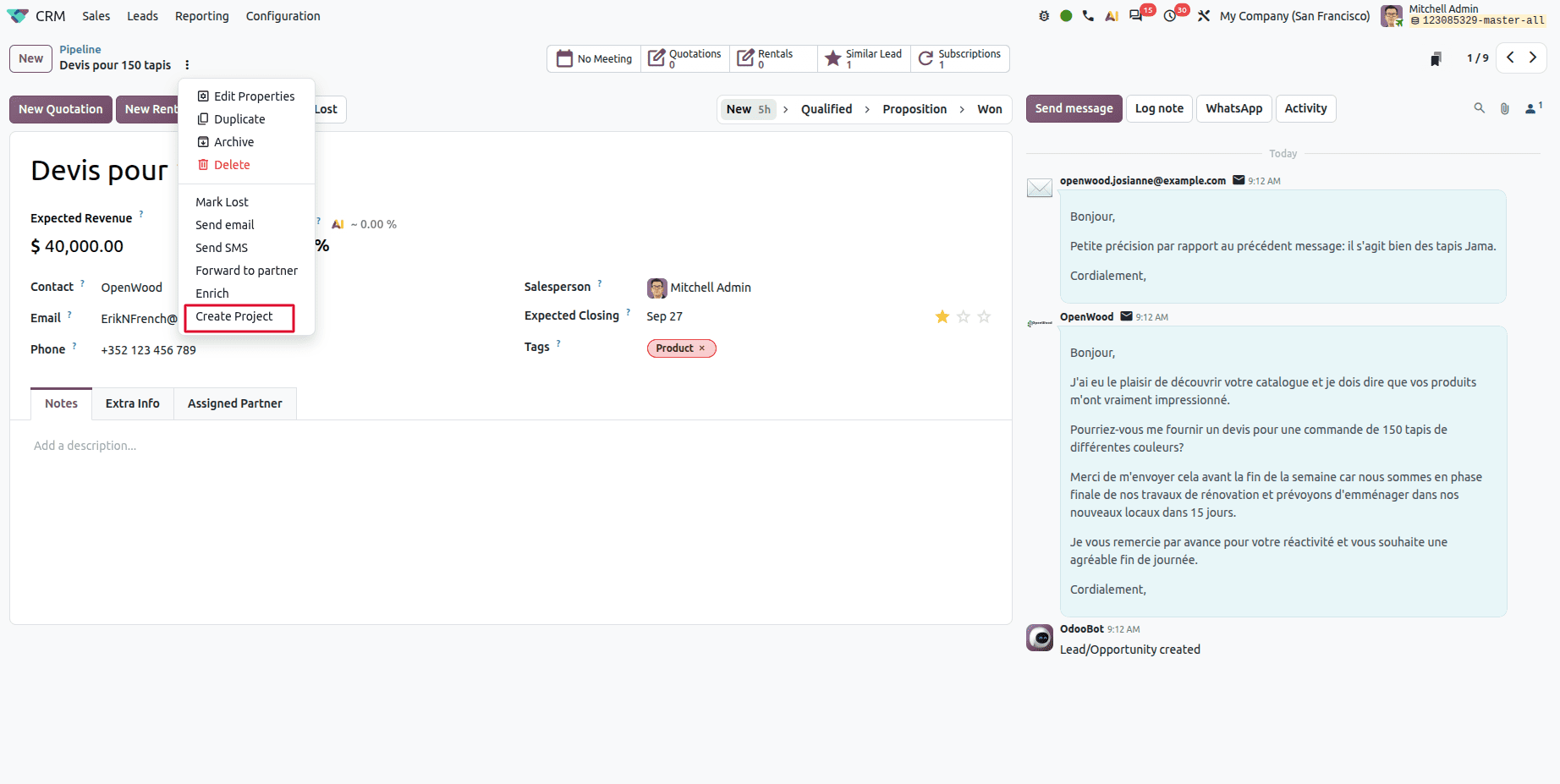
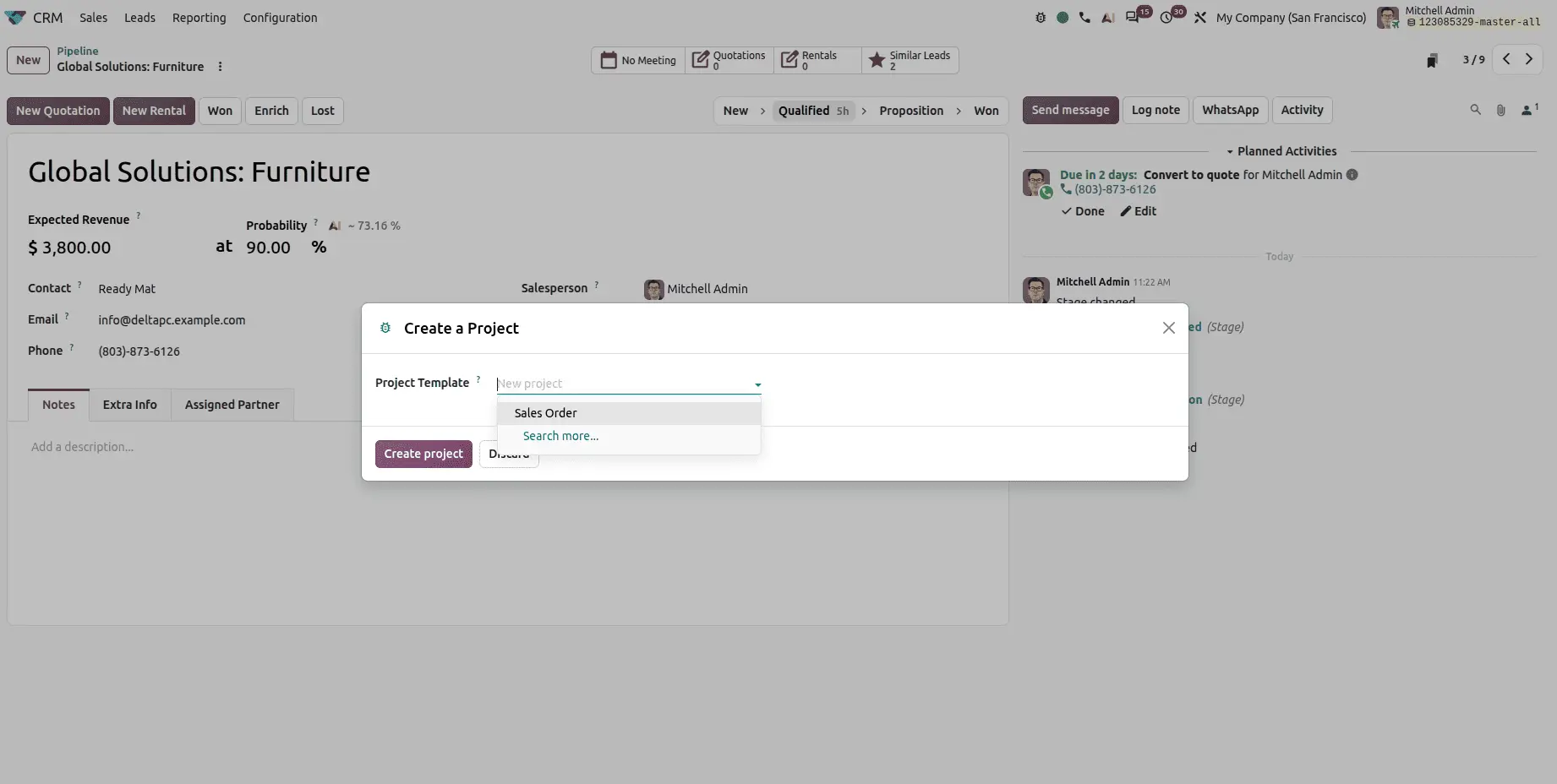
Creating projects directly from CRM
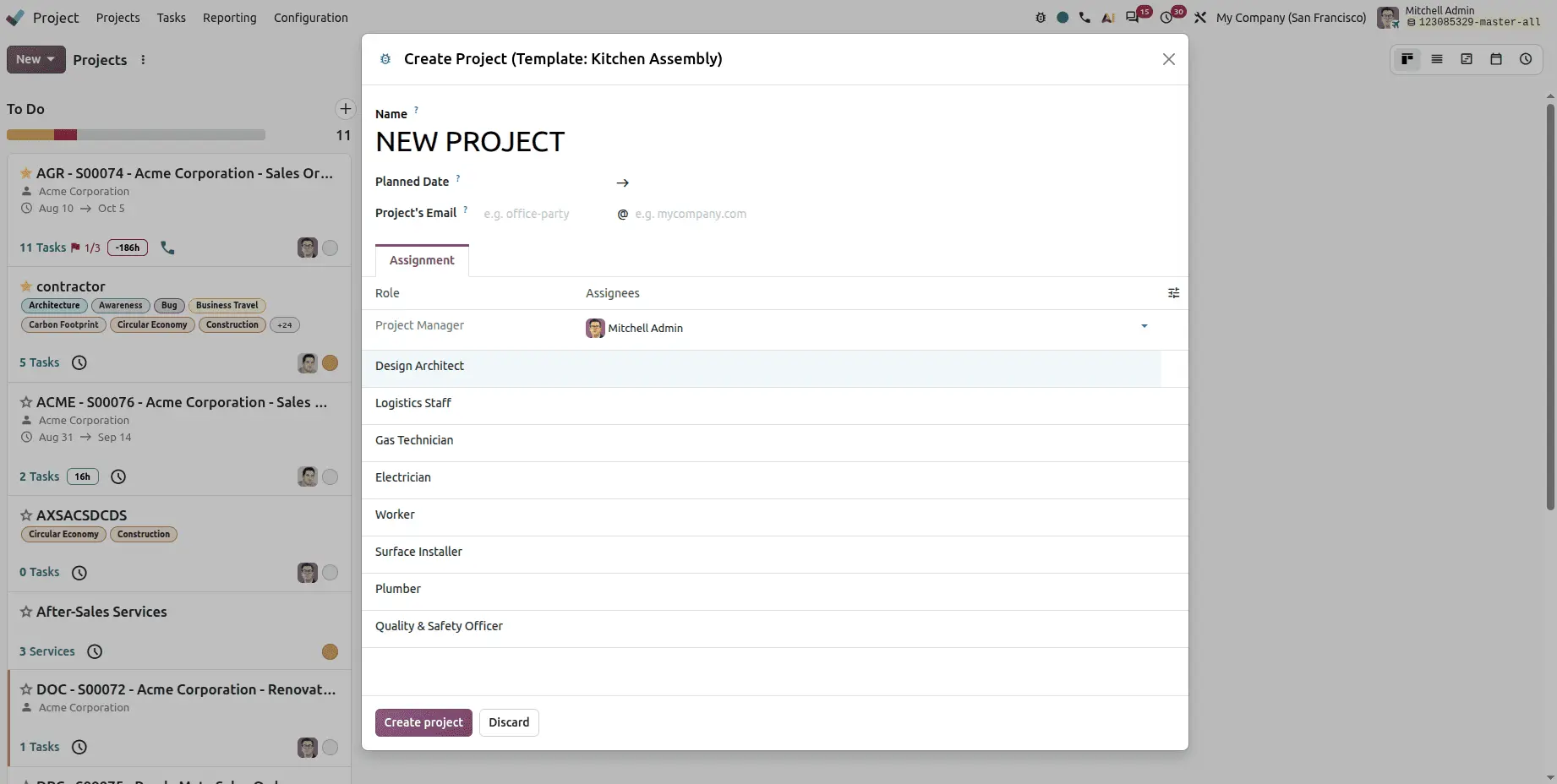
Projects can be created straight from a CRM opportunity using project templates. Select the template, click Create Project, and the opportunity becomes a structured project — closing the gap between winning work and starting it.
Website and eCommerce
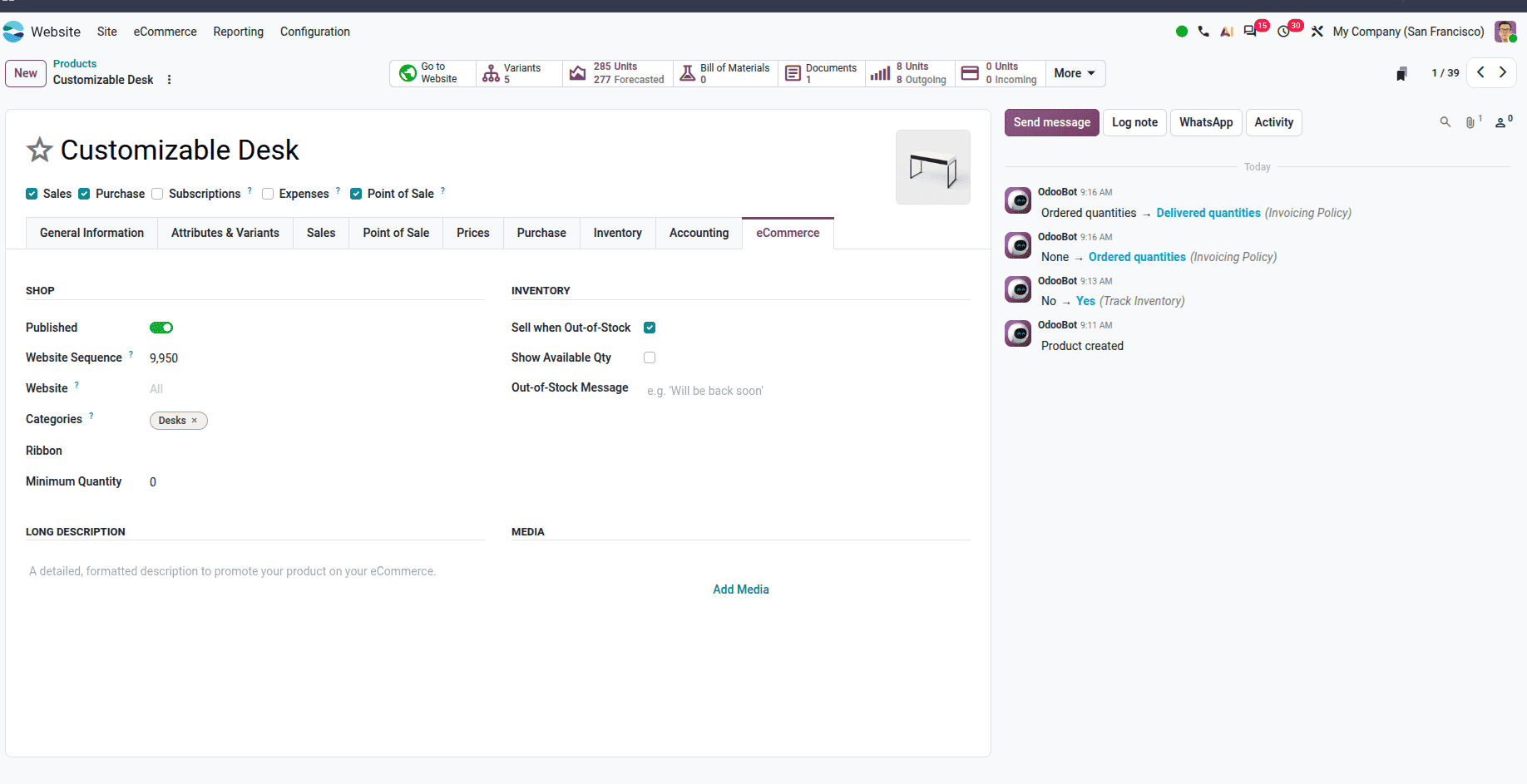
A dedicated eCommerce tab
Product descriptions, media, shop settings, and website specific options are now managed from a single eCommerce tab on the product form, rather than being scattered across several places.
Importing products from other websites
Products, blogs, and product variants can be imported directly from other websites — a meaningful time-saver when migrating an existing store into Odoo.
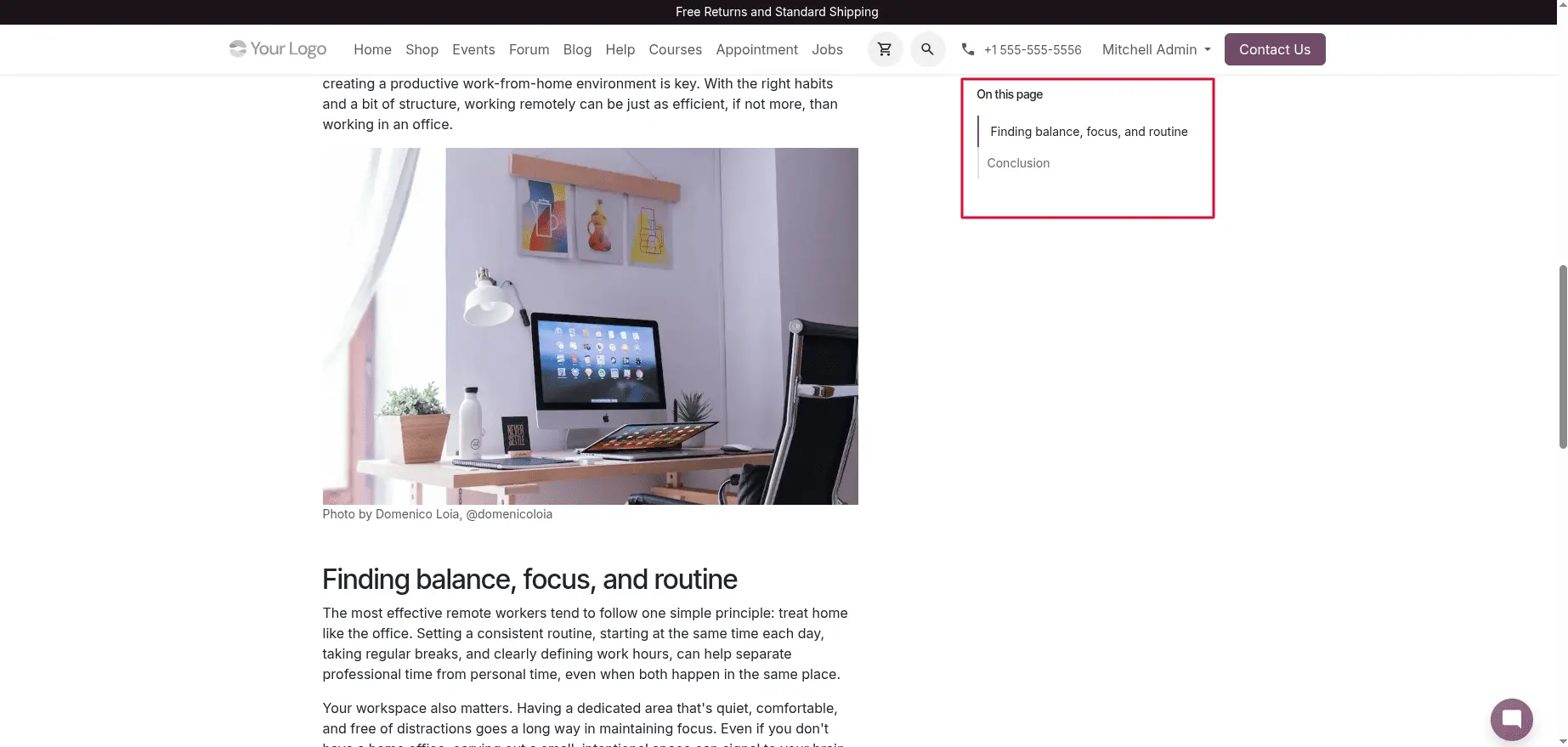
Automatic table of contents for blog posts
Odoo 20 generates a structured "On this page" navigation for blog posts automatically, built from the post's headings. The sticky table of contents makes long articles navigable and keeps readers oriented.
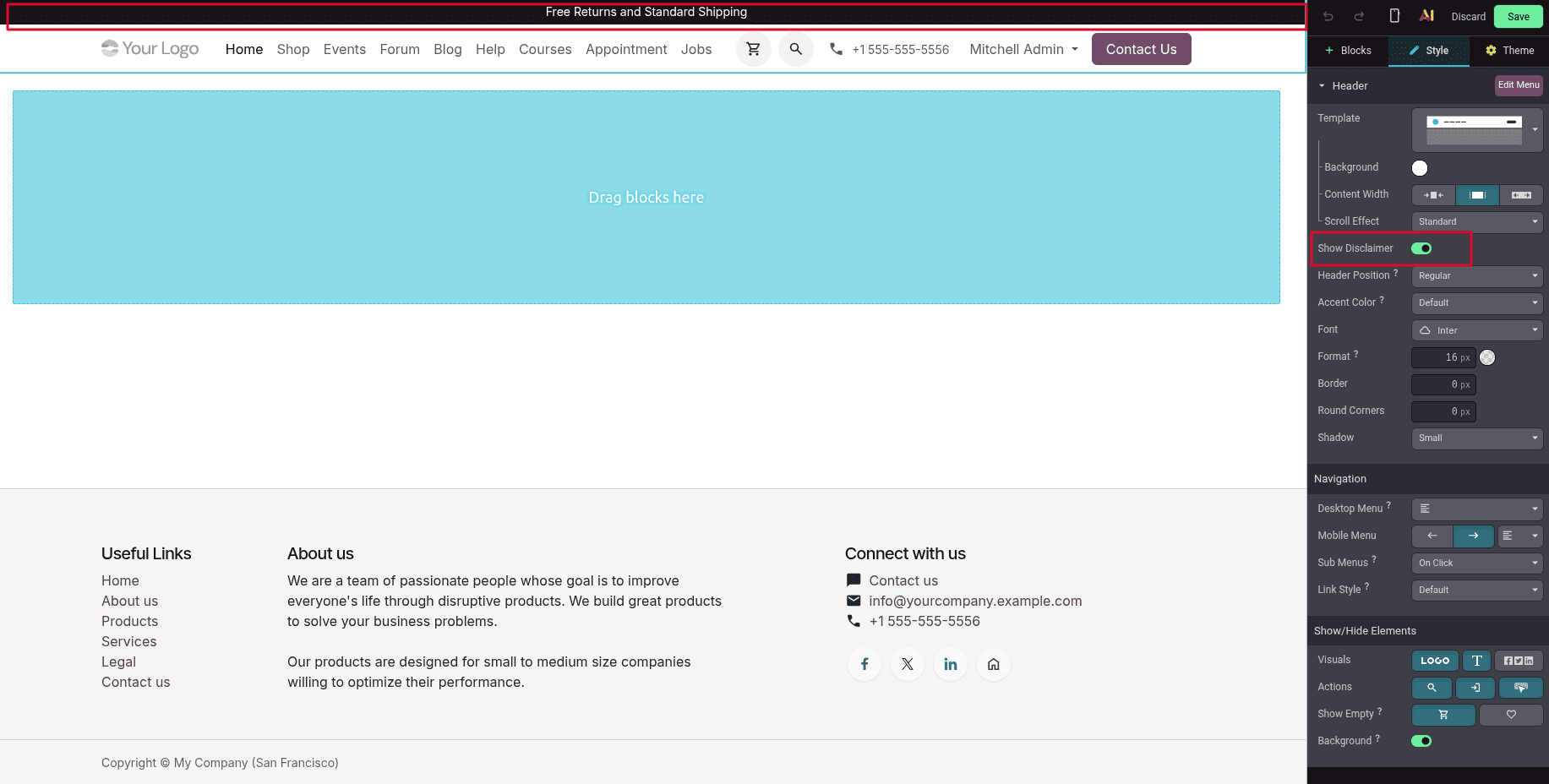
Website disclaimer option
A customizable disclaimer can be inserted into your website's header, putting a notice in front of visitors at a glance without disrupting the design.
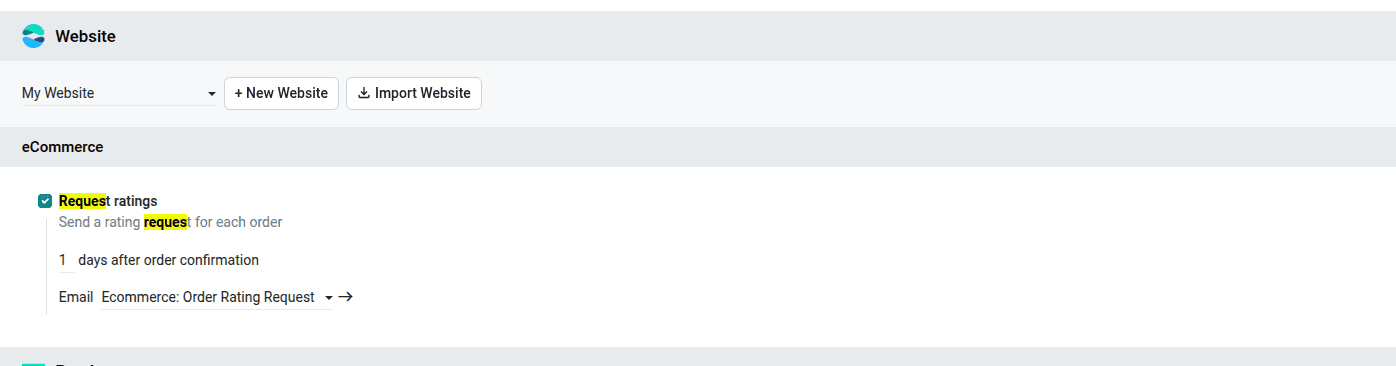
Automatic customer rating requests
Odoo 20 can automatically send a customer rating request once a sales order is confirmed. Feedback collection stops depending on someone remembering to ask — which is usually why satisfaction data is patchy in the first place.
Accounting and Finance
Accounting gets one of the heaviest sets of changes in this release.
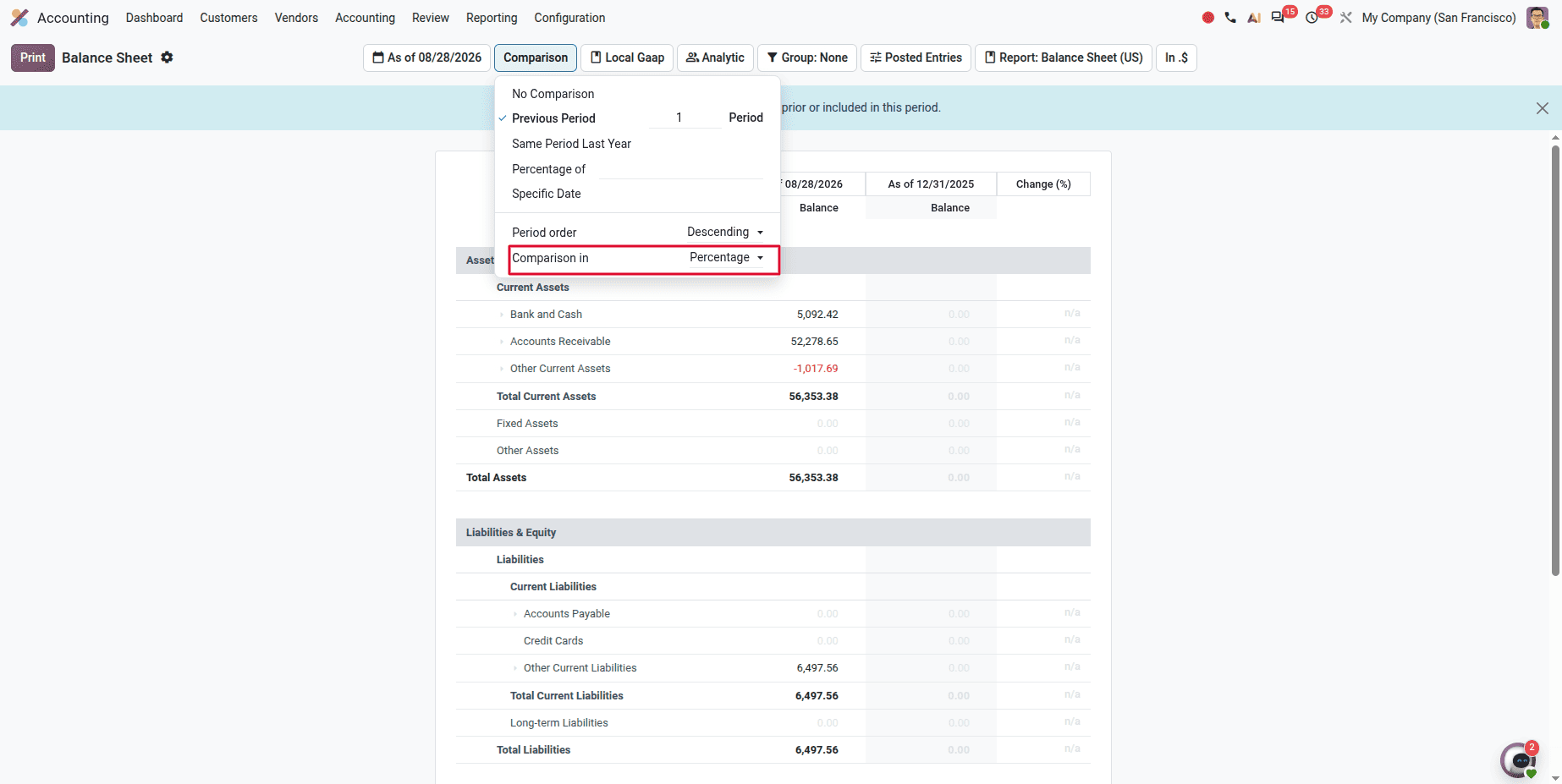
Comparison scenarios in financial reports
Financial reports including the Balance Sheet and Profit & Loss gain a Comparison Scenario option, with two modes:
- Amount comparison — actual monetary values between reporting periods
- Percentage comparison — changes as percentages, for spotting growth or decline at a glance
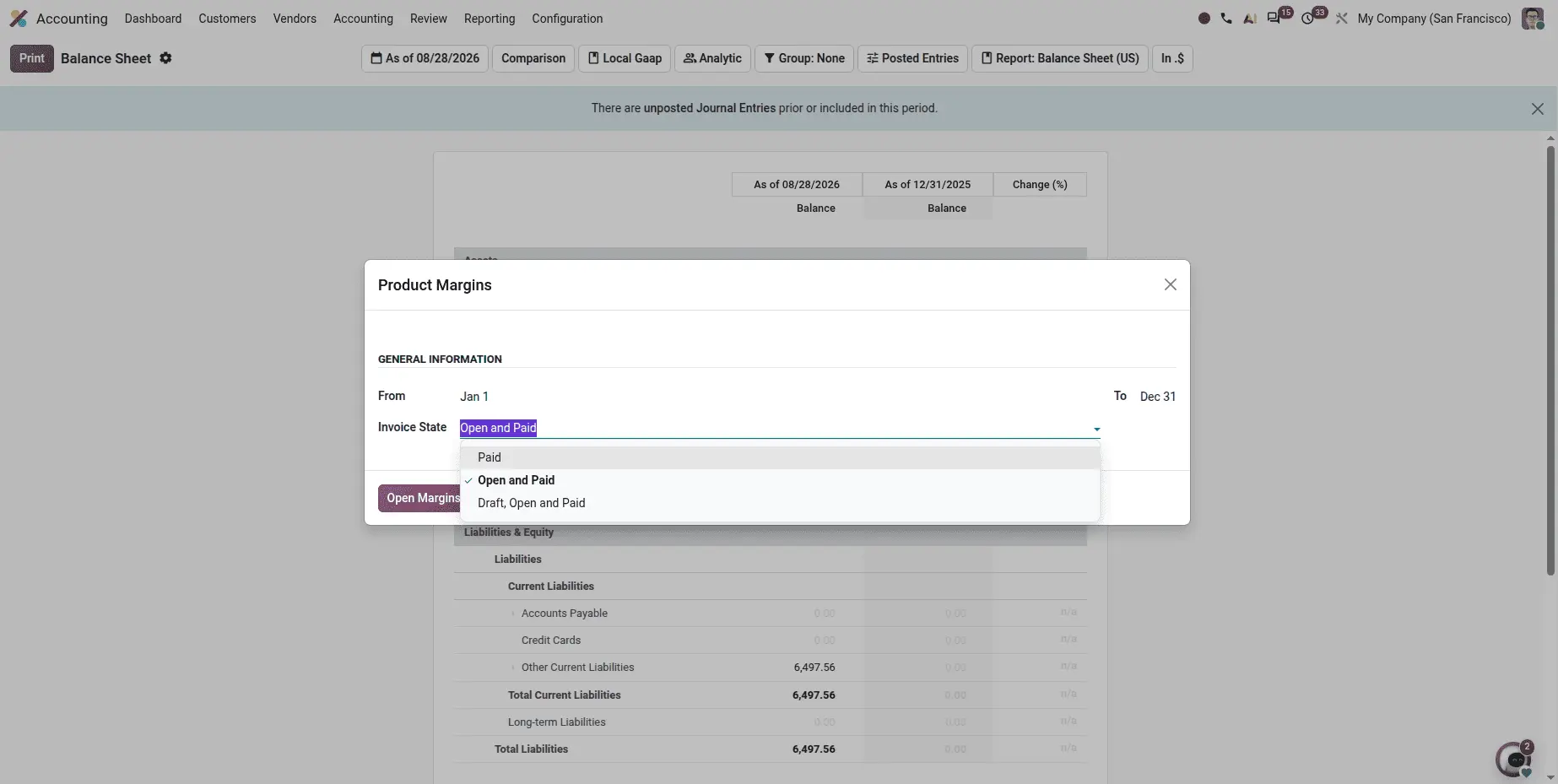
A detailed Product Margin report
A new Product Margin Report gives per-product profitability detail: average selling price, sales turnover, cost of goods sold, expected margin, actual margin, and margin percentage. Filters cover date range and invoice status (Draft, Open, Paid).
This is one of the more genuinely valuable additions — margin visibility at product level is something many businesses currently reconstruct in spreadsheets.
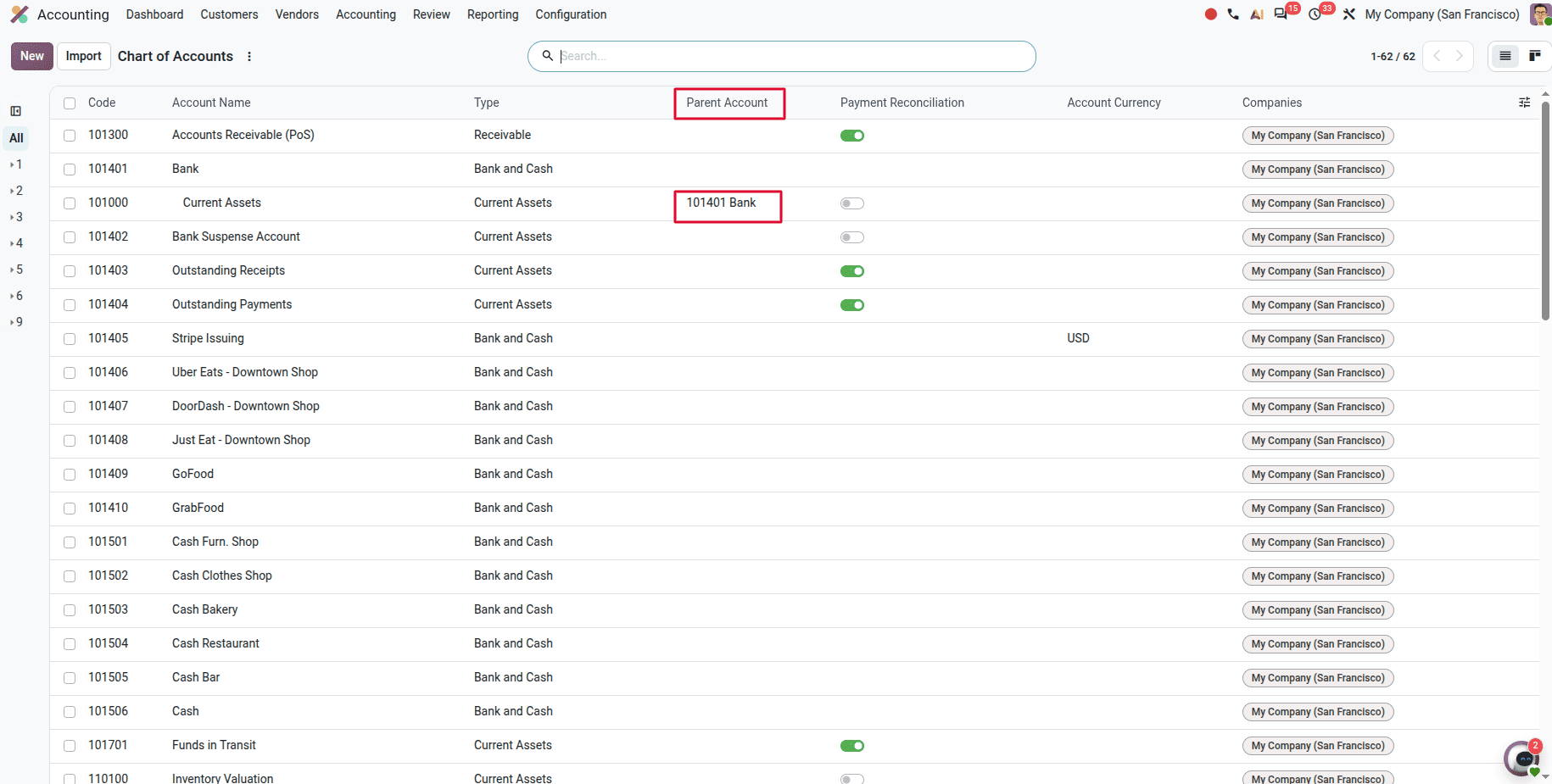
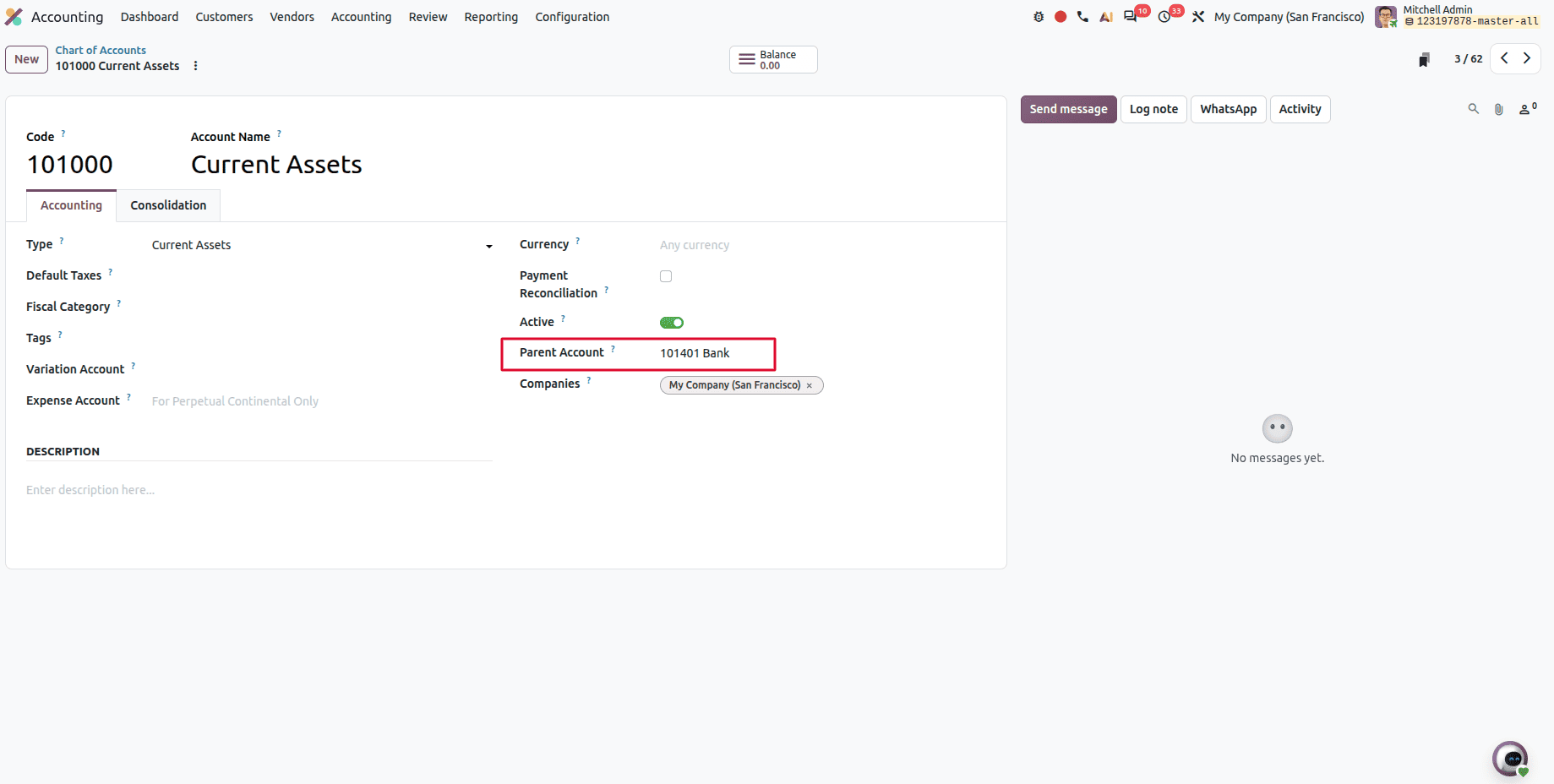
Parent Groups replace Account Groups
Odoo 20 replaces Account Groups with Parent Groups for organizing the Chart of Accounts. A new Parent Account field lets you assign a parent to any existing account, building the hierarchy directly between accounts — no separate account group configuration required.
Simpler to set up, and easier to read once it's there.
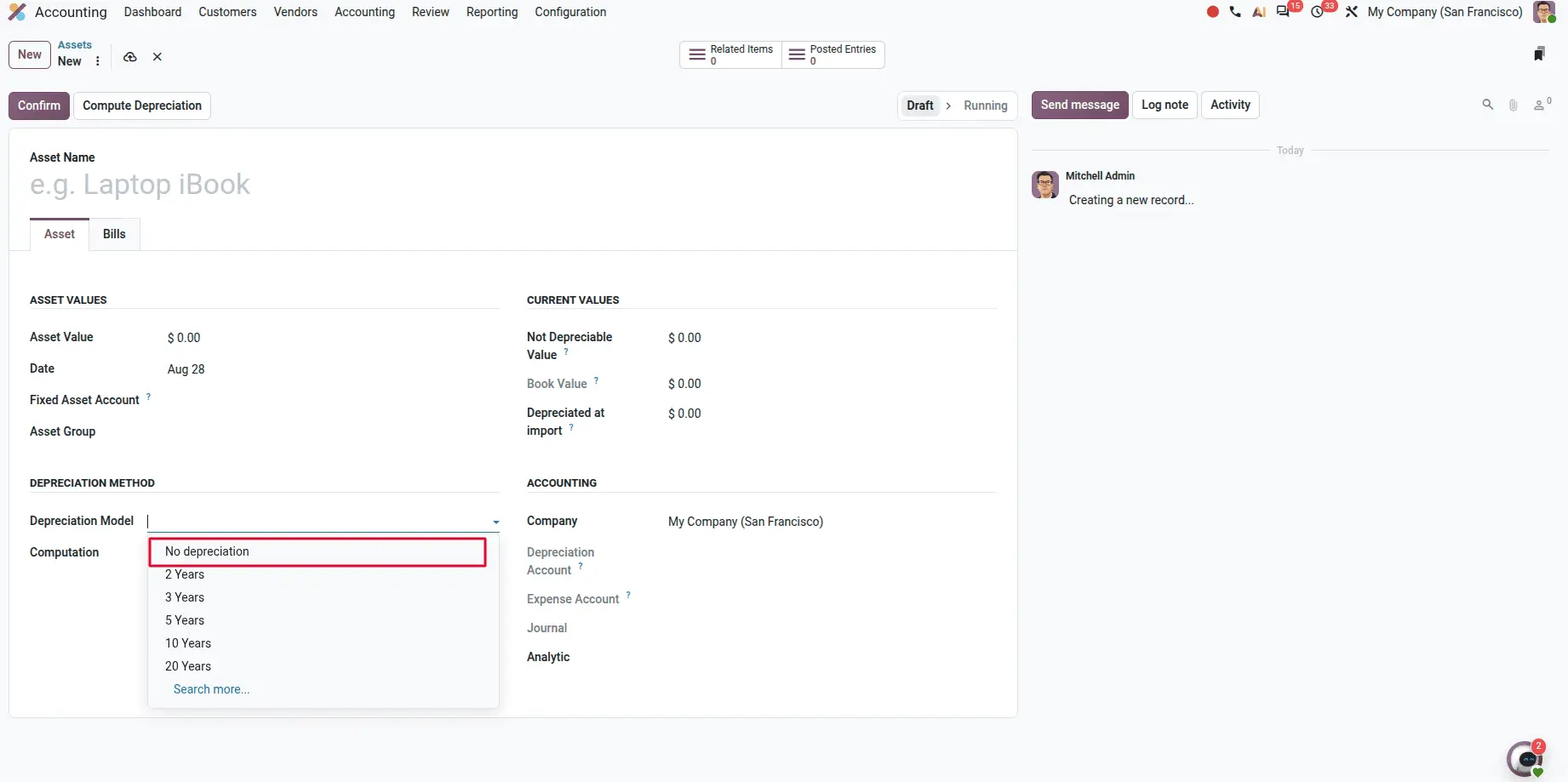
A No Depreciation method for assets
A new No Depreciation method allows assets to be created without generating depreciation schedules or journal entries for assets that need to be tracked but not depreciated.
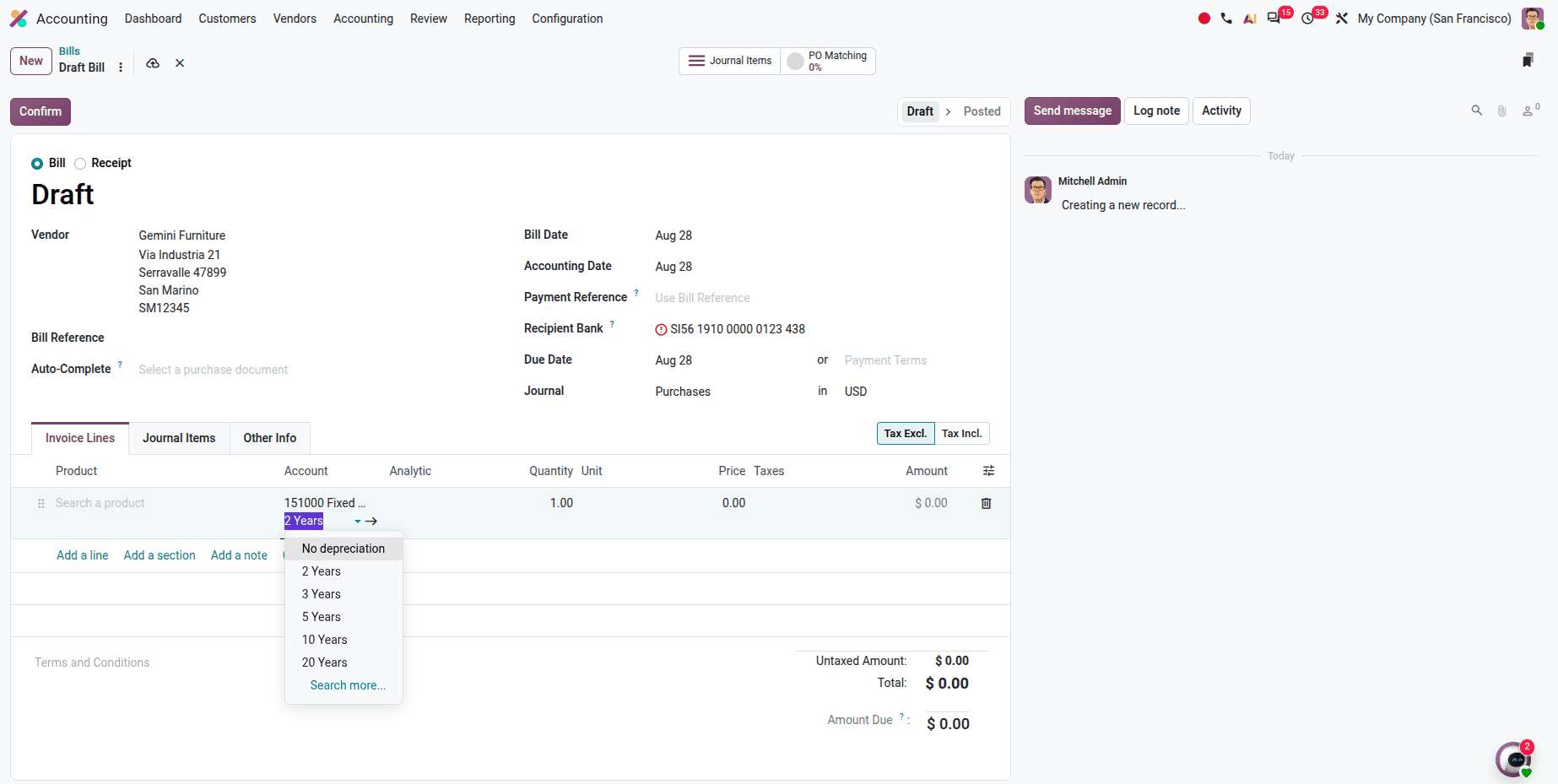
Depreciation model selection on invoice lines
The depreciation model can now be chosen directly on each vendor bill line when recording an asset purchase, rather than being fixed at the asset-type level.
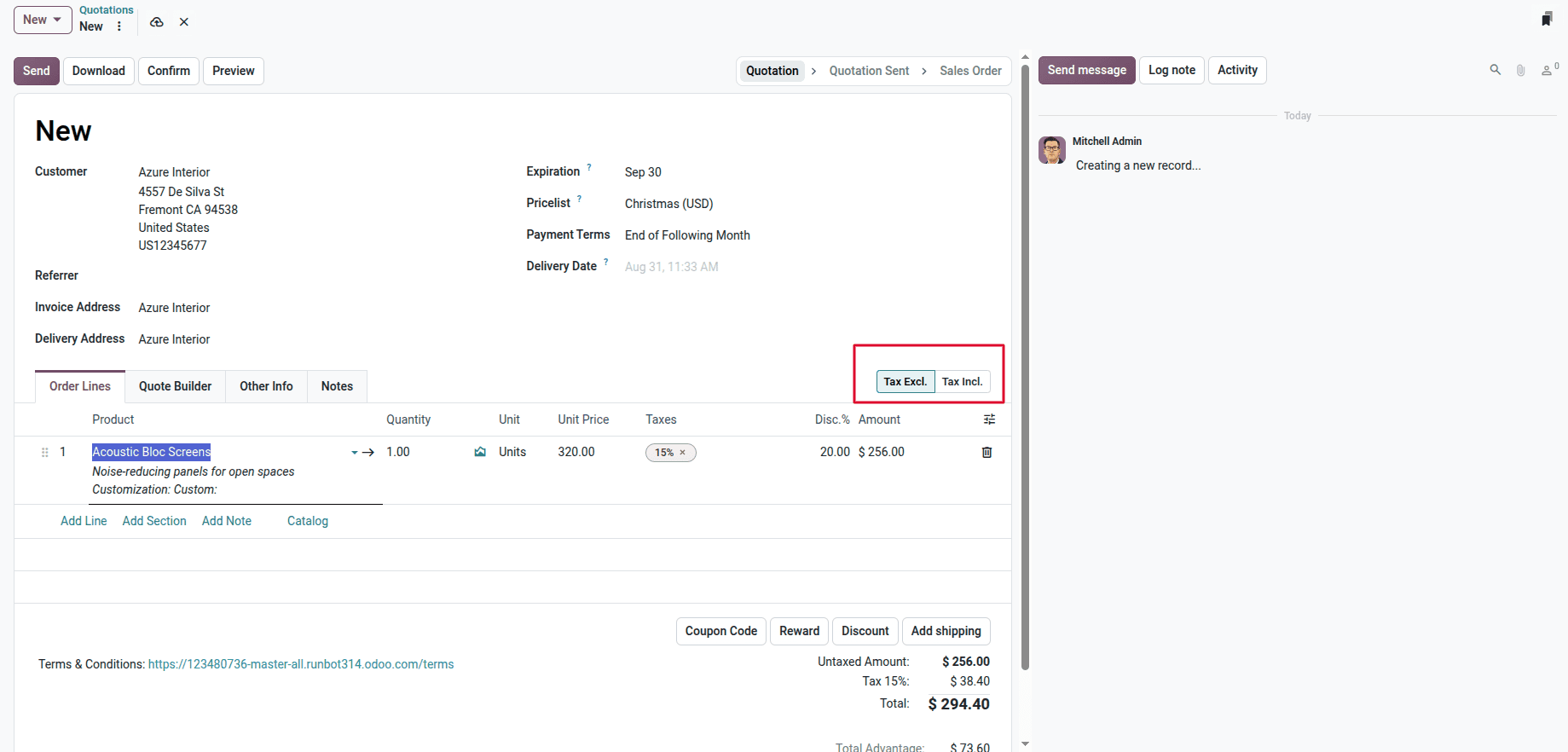
Dynamic tax-included and tax-excluded pricing
Tax mode can be set directly on documents across Sales, Purchases, and Invoices — avoiding duplicate tax configurations and handling different pricing scenarios without workarounds.
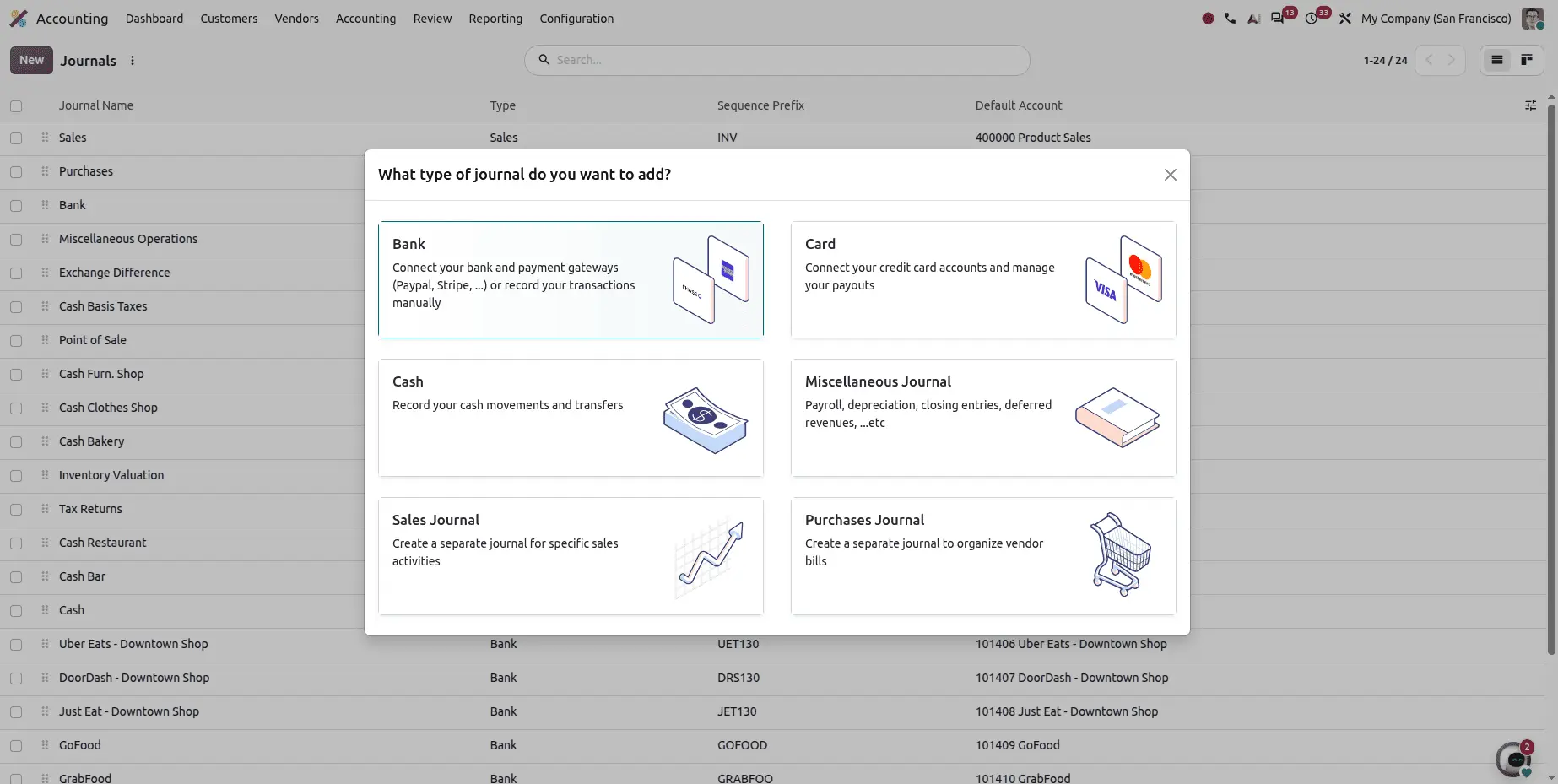
A cleaner journals interface
Journal creation now runs through a dedicated selection interface covering Bank, Card, Cash, Miscellaneous, Sales, and Purchase journals, each with clear descriptions and visual cues.
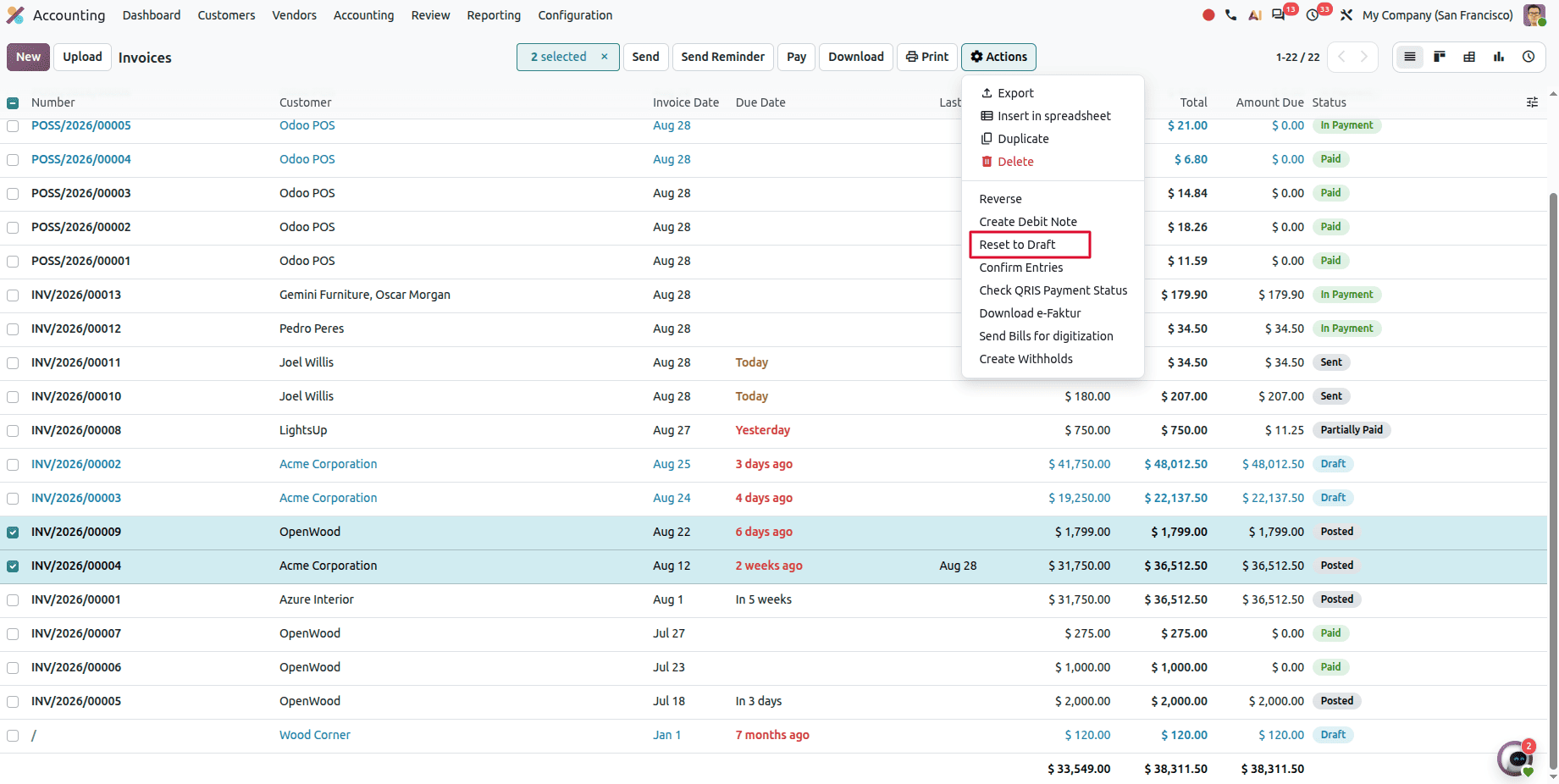
Resetting multiple invoices to draft at once
Multiple posted invoices or bills can be selected and reset to Draft in a single action, instead of one at a time.
Field Service and Planning
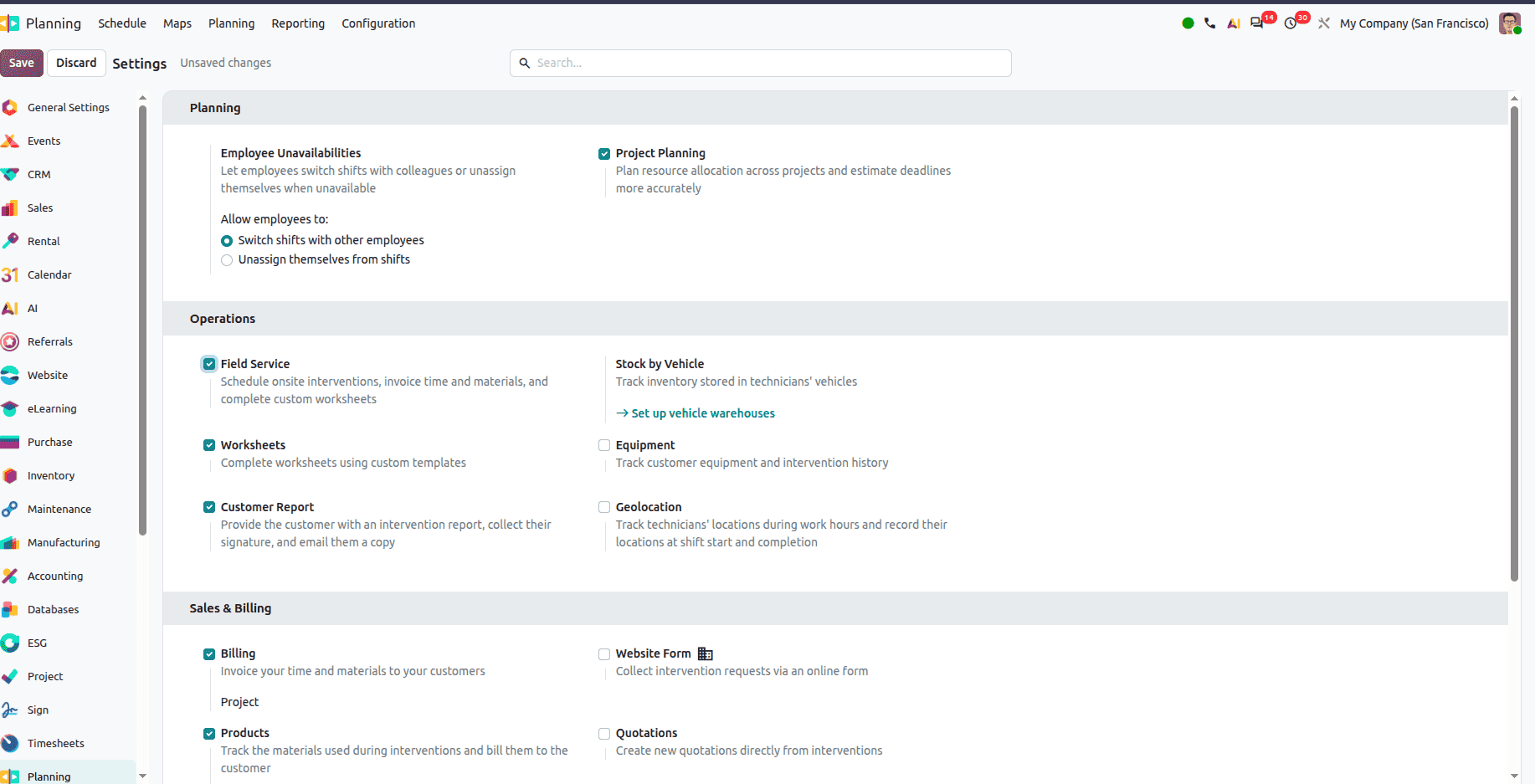
Field Service merges into Planning
Field Service is no longer a separate application — it's now a feature within Planning, enabled or disabled from Planning settings. With it switched on, Planning handles on-site services, times, materials, and custom worksheets.
Fewer apps, one scheduling surface. For teams previously coordinating between two modules, this is a structural simplification rather than a cosmetic one.
Live location tracking for technicians
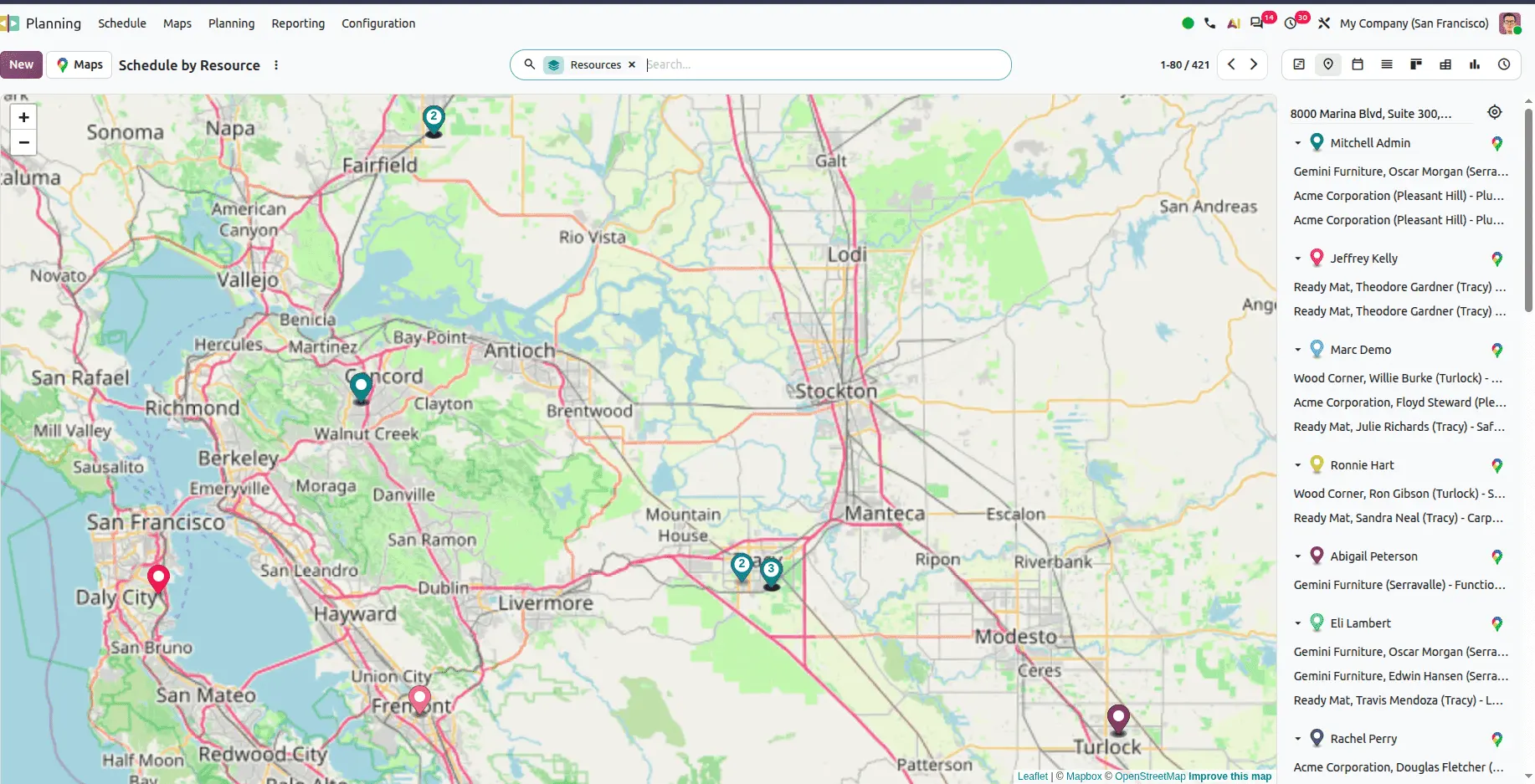
Planning now includes a live map showing technician locations during working hours — dispatch can see where people actually are rather than where the schedule says they should be.
Assigning materials to employees
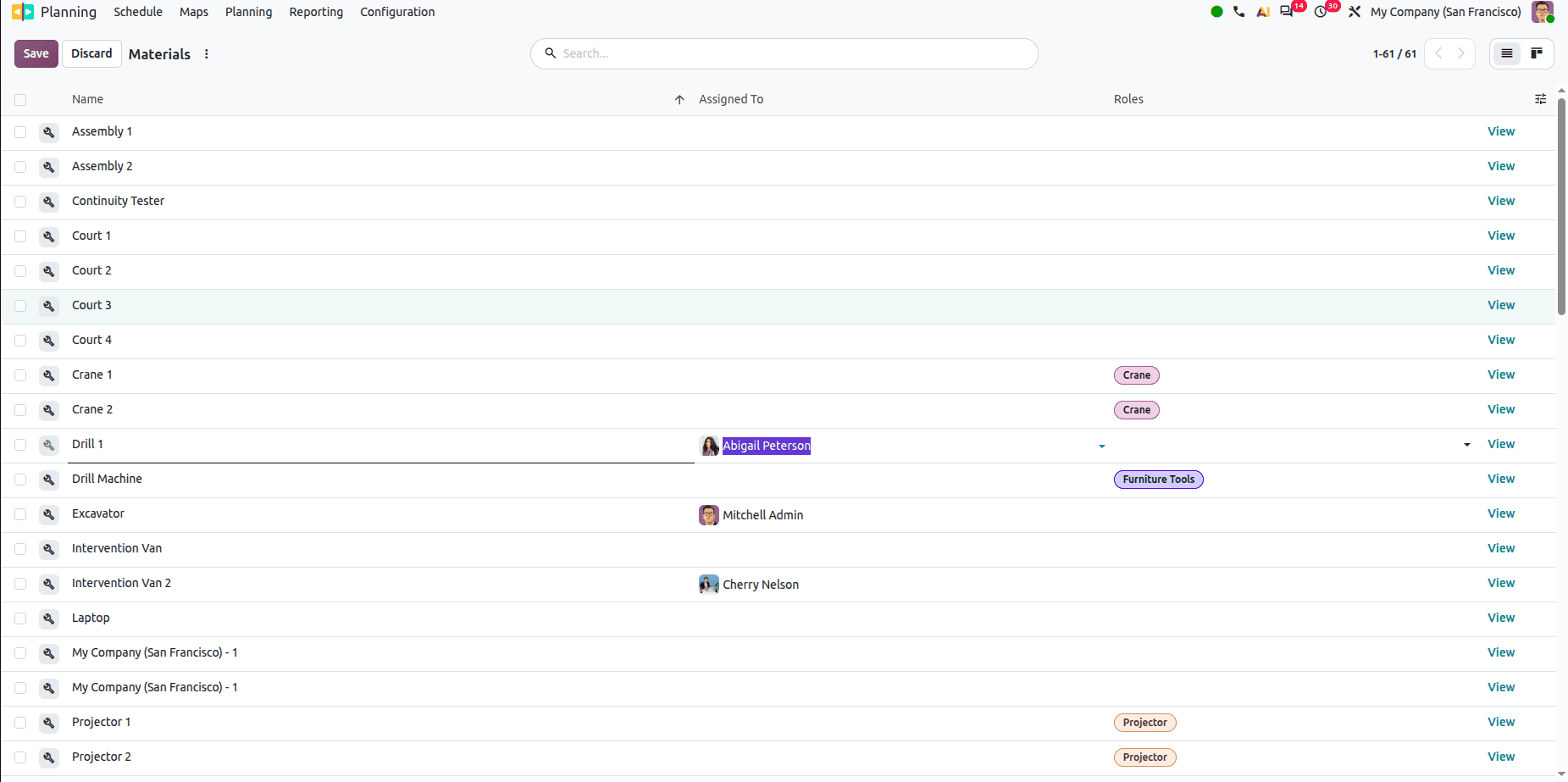
Materials can be assigned to employees so that when shifts are allocated, the required materials are automatically assigned along with them, based on your configuration.
Project
Team roles within projects
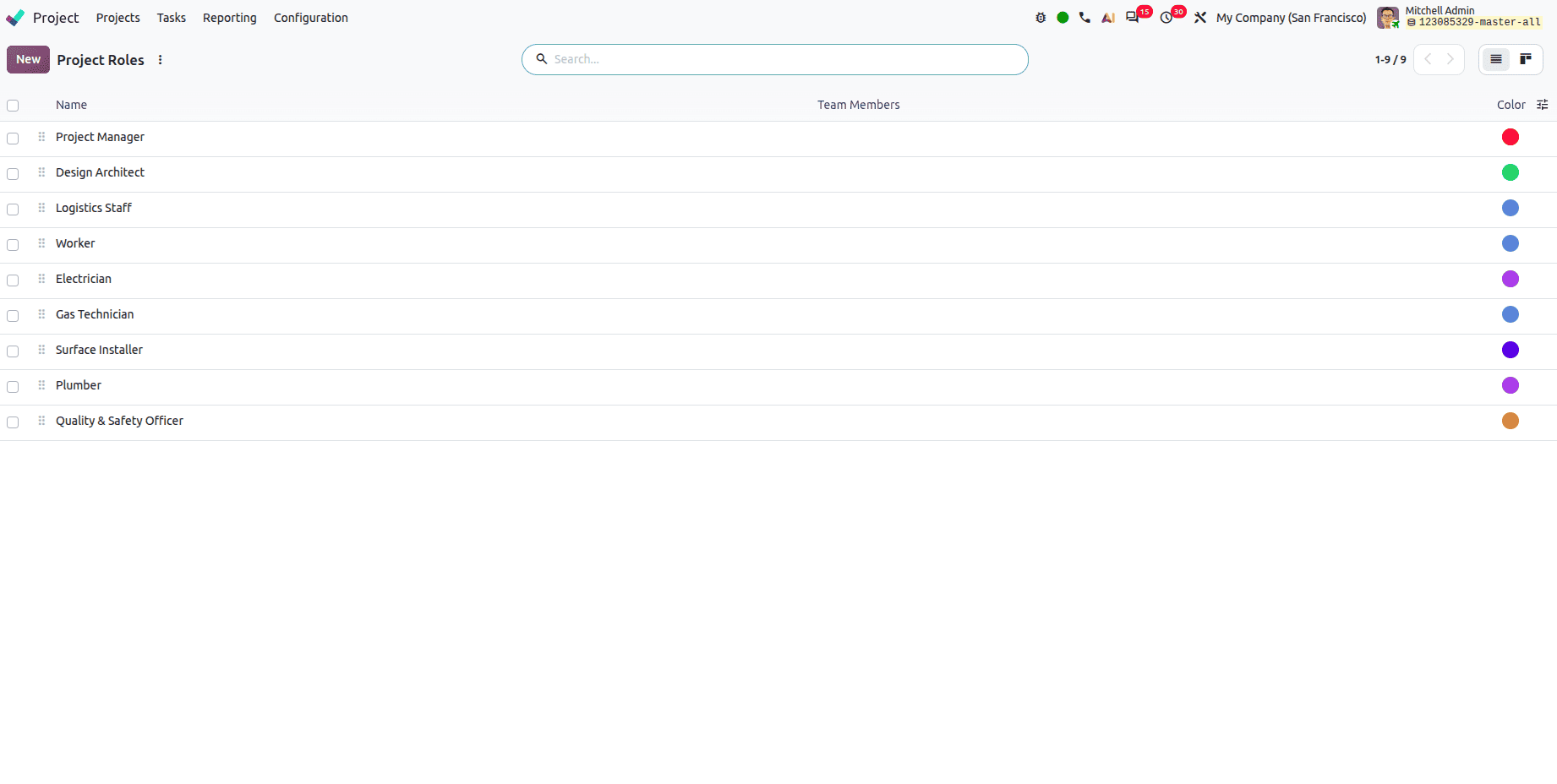
A new Project Roles menu lets you assign specific roles to team members — Project Manager, Developer, and others so responsibilities are explicit rather than assumed.
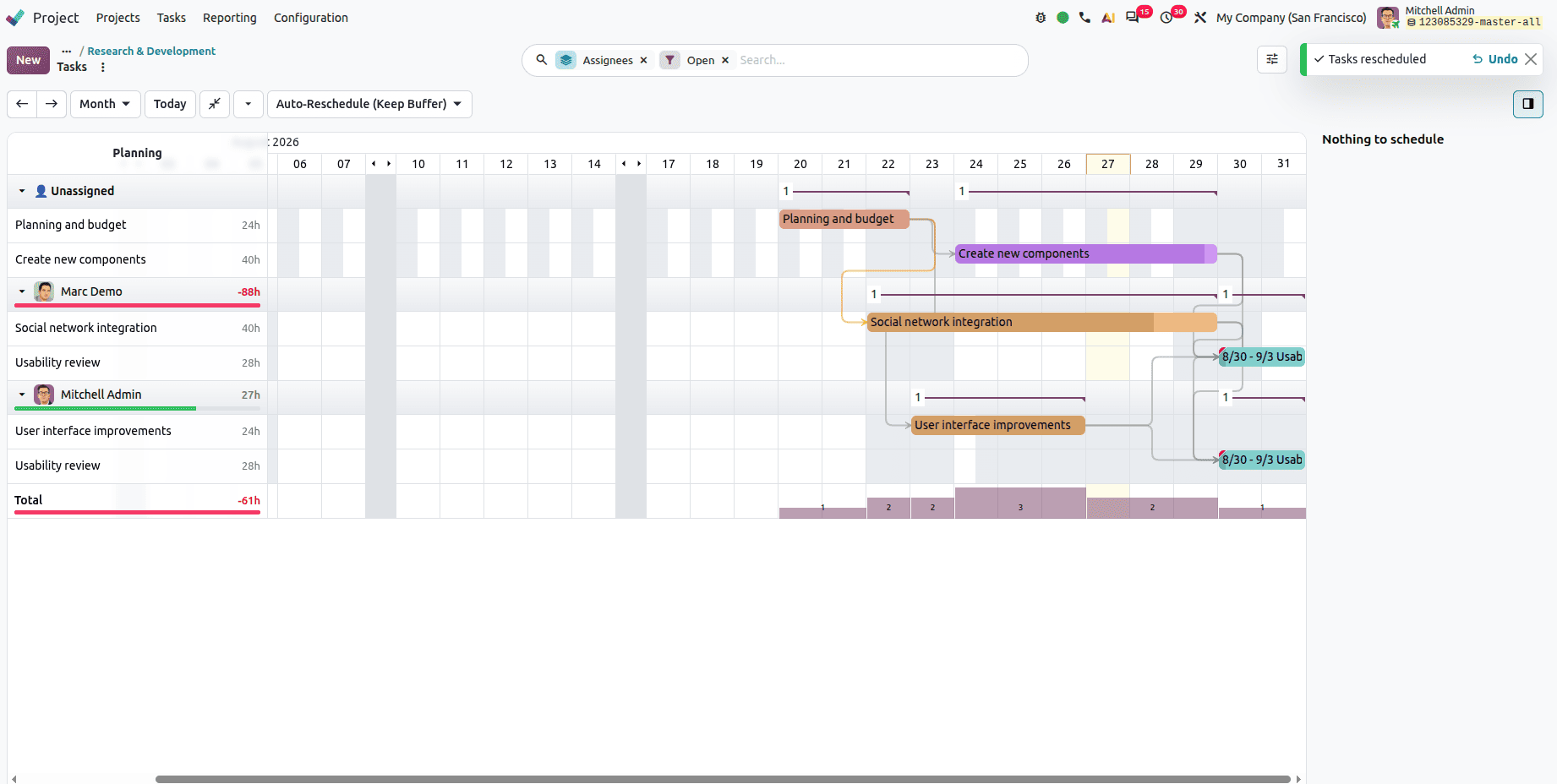
Linking project tasks to planning schedules
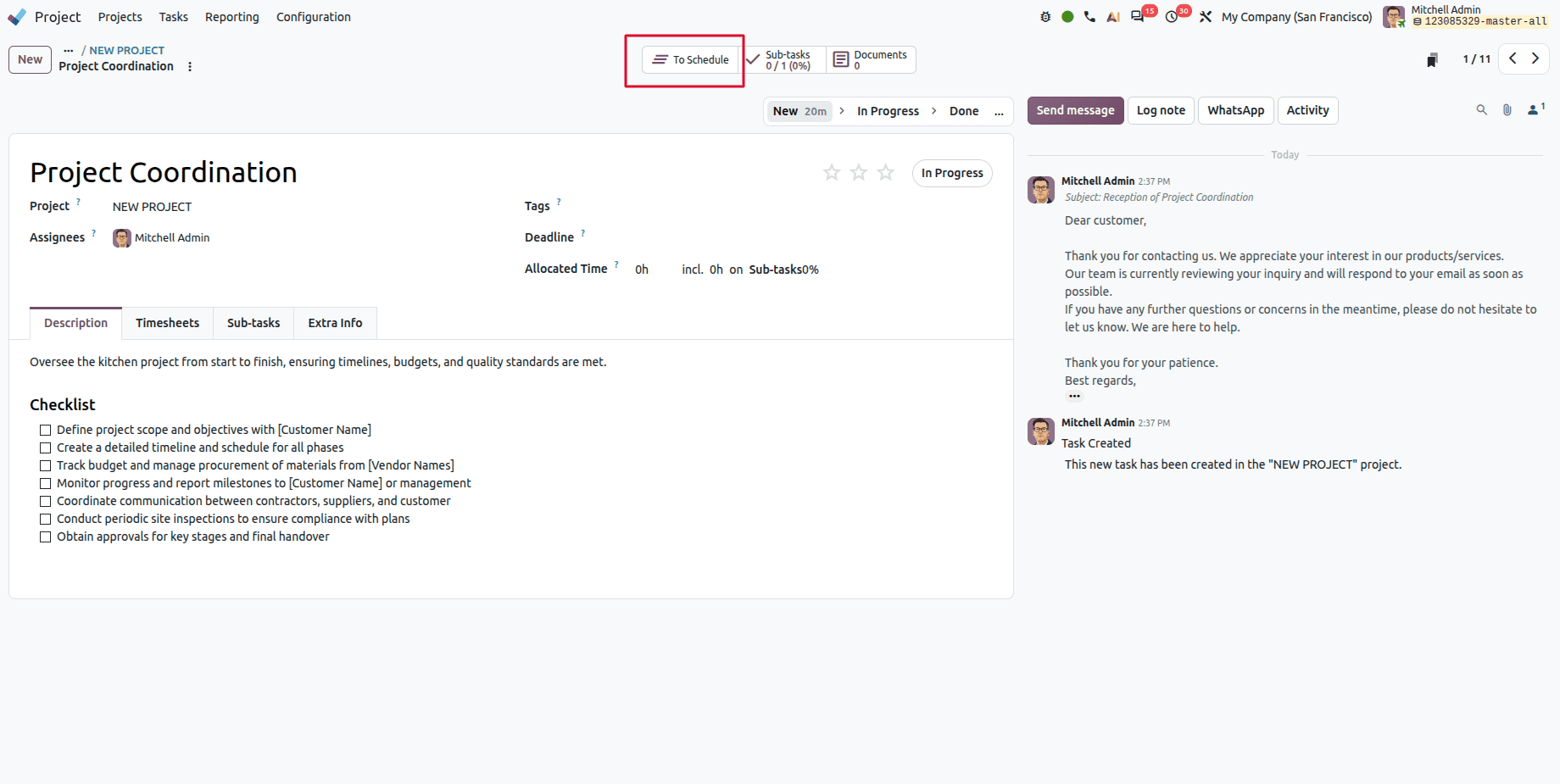
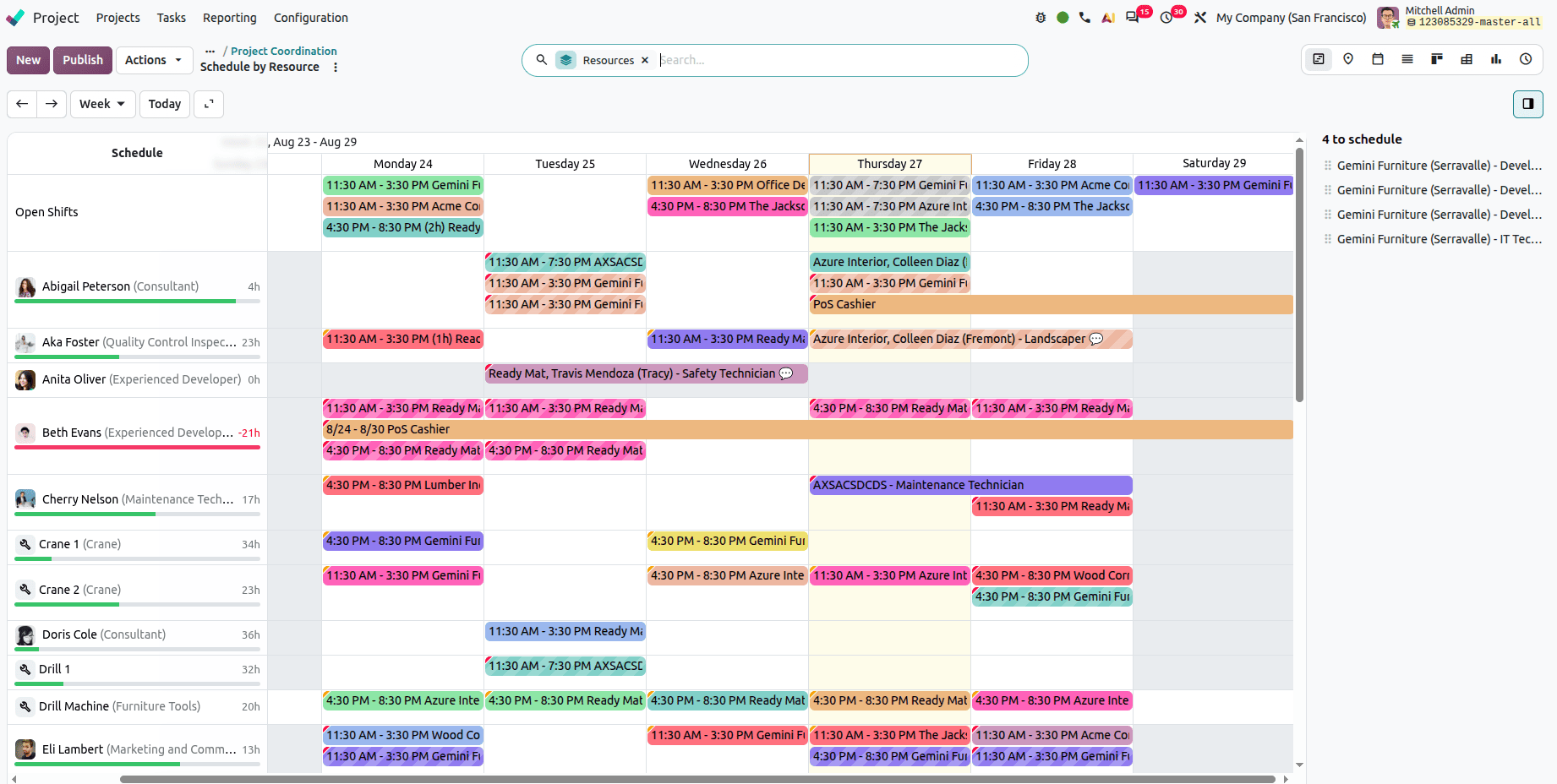
Project tasks can be linked to planning schedules for better resource management. Open a task, click the To Schedule smart button, and the task connects through to Planning.
Drag and drop in Gantt view
Tasks can be rescheduled by dragging and dropping them directly in the Gantt view, rather than opening each task to change dates.
Payroll and HR
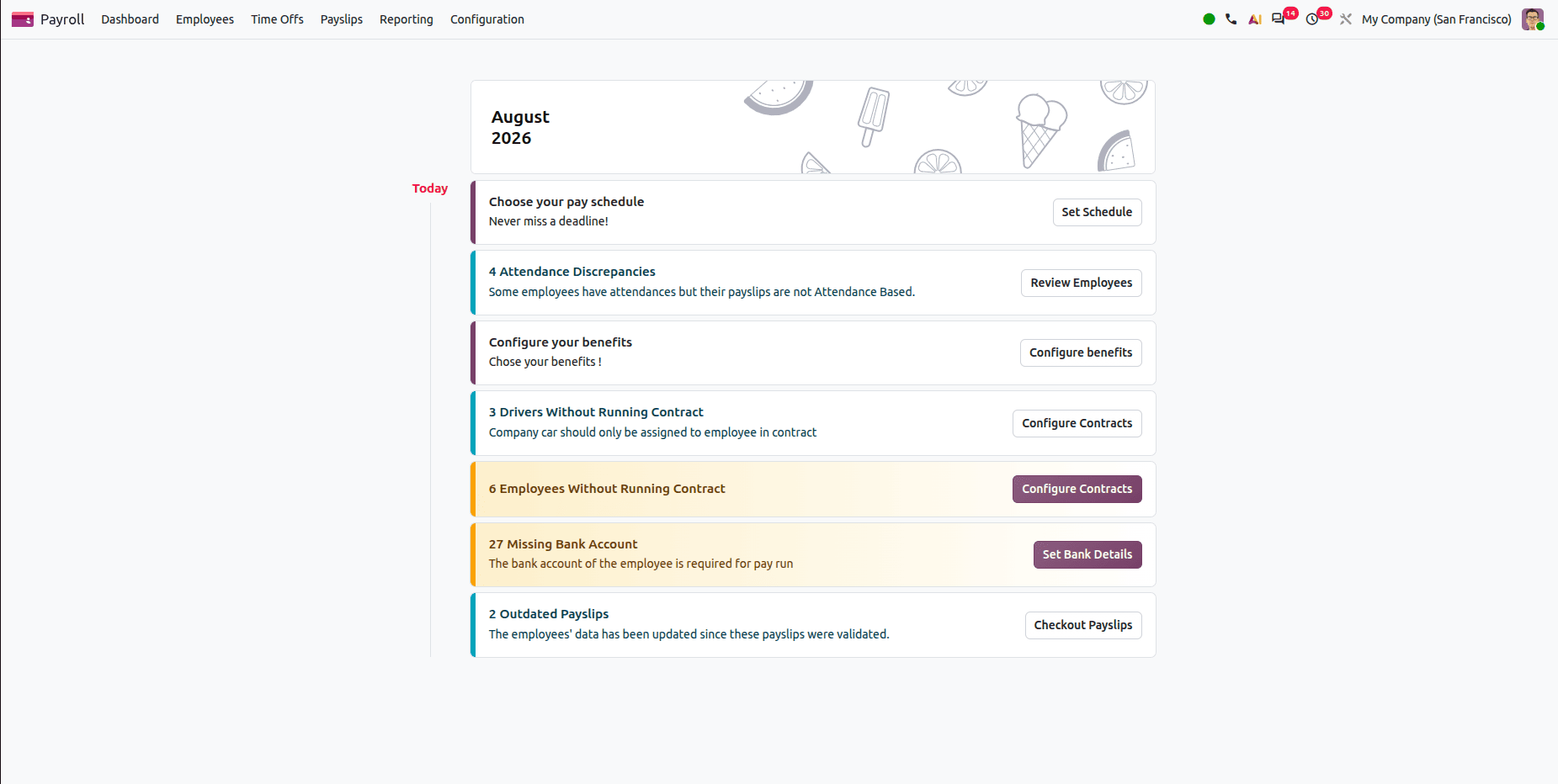
A payroll dashboard that flags problems
Payroll gains a dashboard that surfaces missing contracts, missing identification numbers, absent bank accounts, outdated payslips, and other issues in one view — before they become month-end problems.
This is a pattern worth noticing across Odoo 20: dashboards that show you what's wrong, not just what exists.
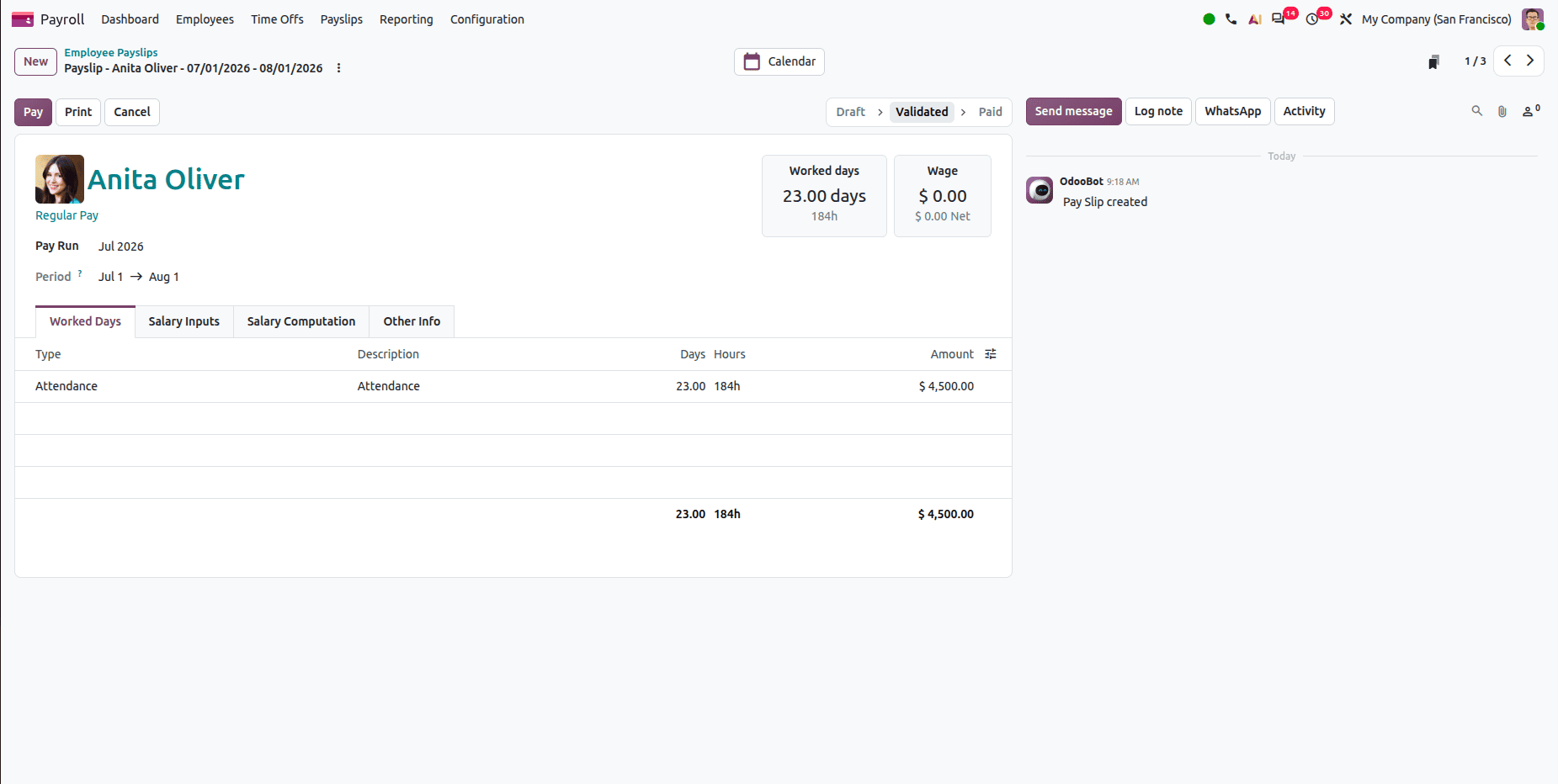
More informative payslips
Payslips now carry additional detail — workdays, basic wage breakdown, information cards, and warnings — making them easier for both payroll staff and employees to read and verify.
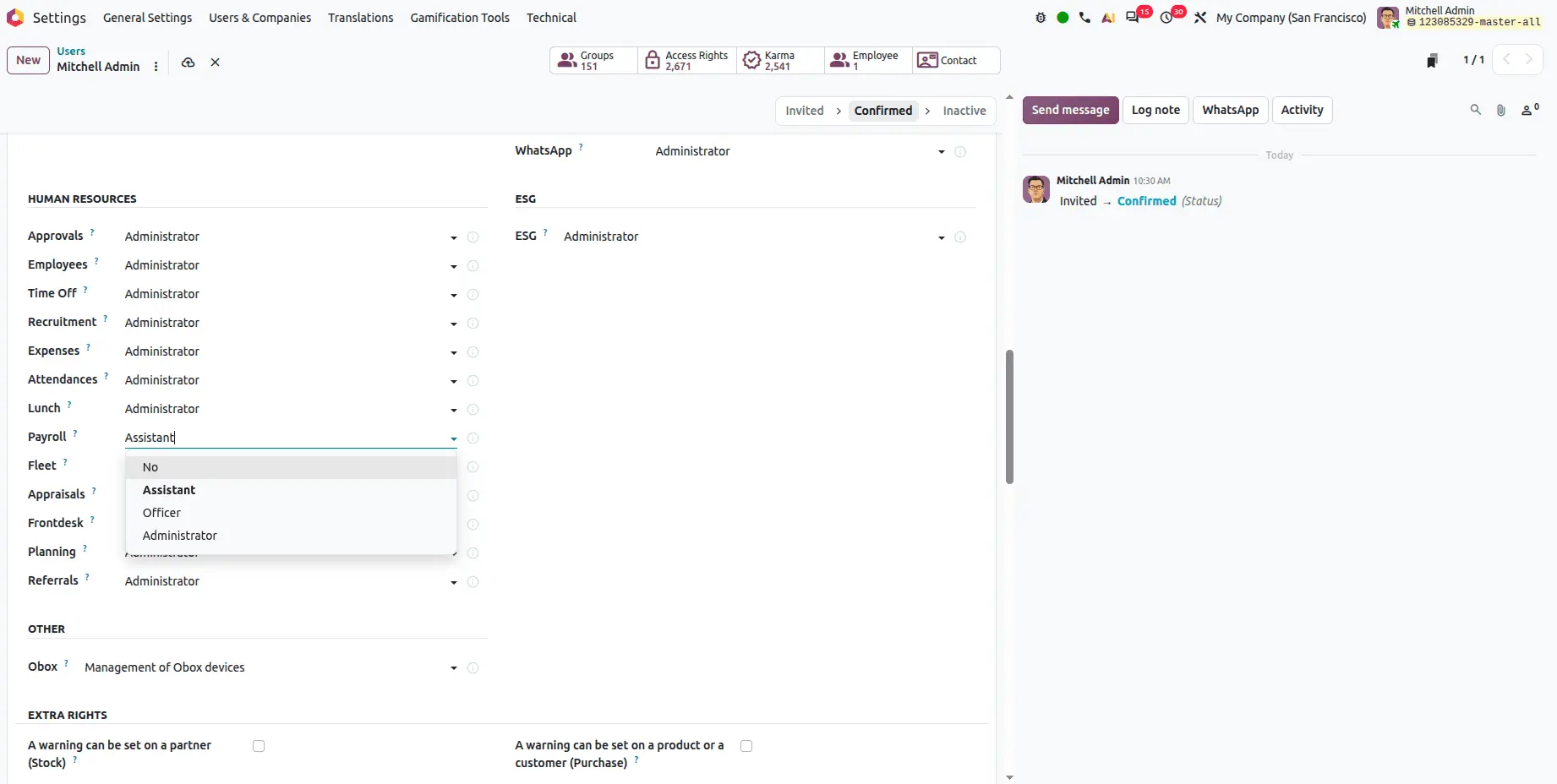
A dedicated payroll assistant role
A new assistant access group lets users manage contracts, work entries, payslips, and payroll reports with scoped permissions, so payroll work can be delegated without granting full administration rights.
Salary increases from the employee profile
HR managers can process salary increases directly from the employee profile — fill in the date and increment amount, then confirm. No navigating through multiple payroll menus.
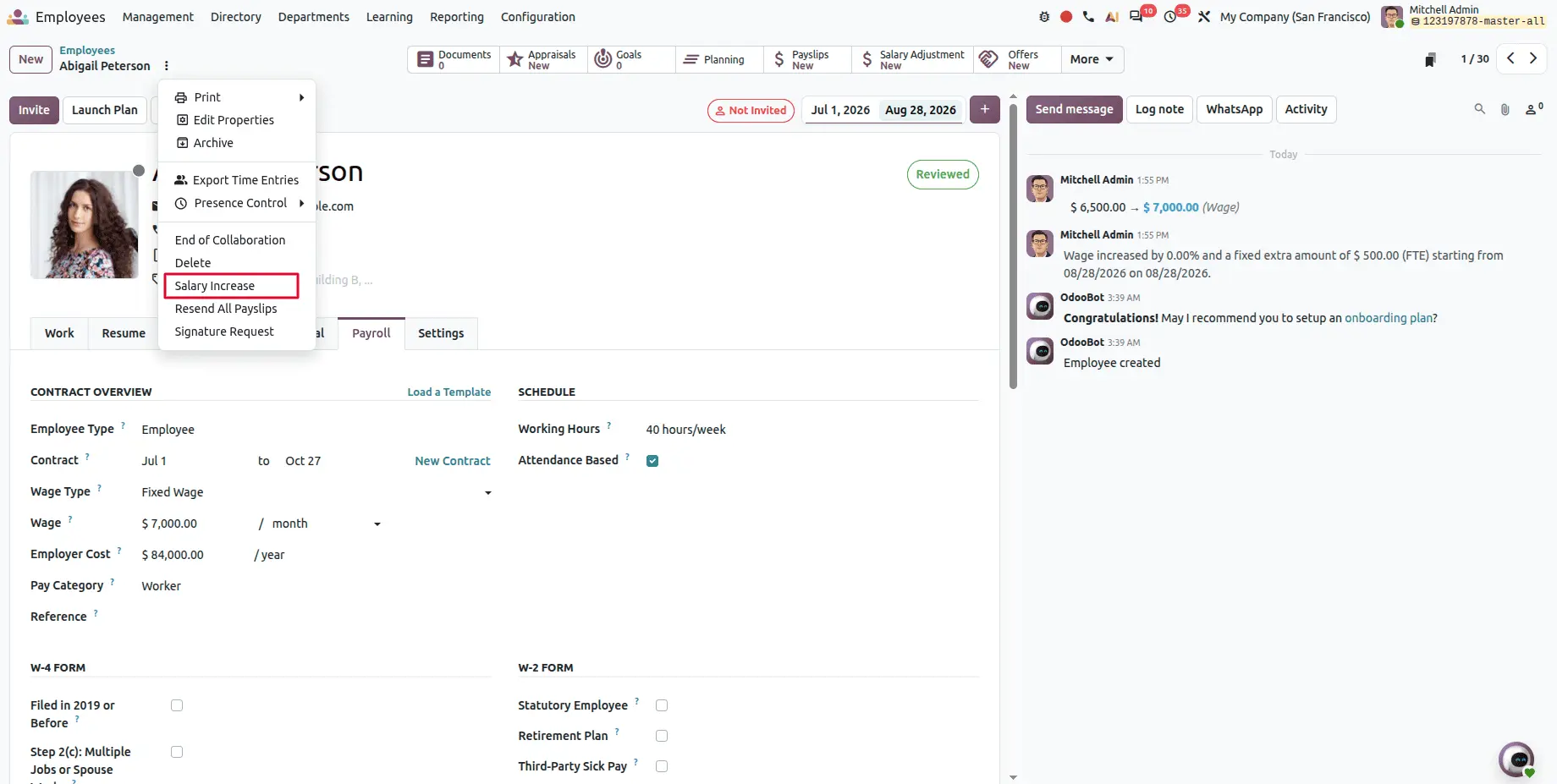
Fill in the date and salary increment amount, then click the confirm button.
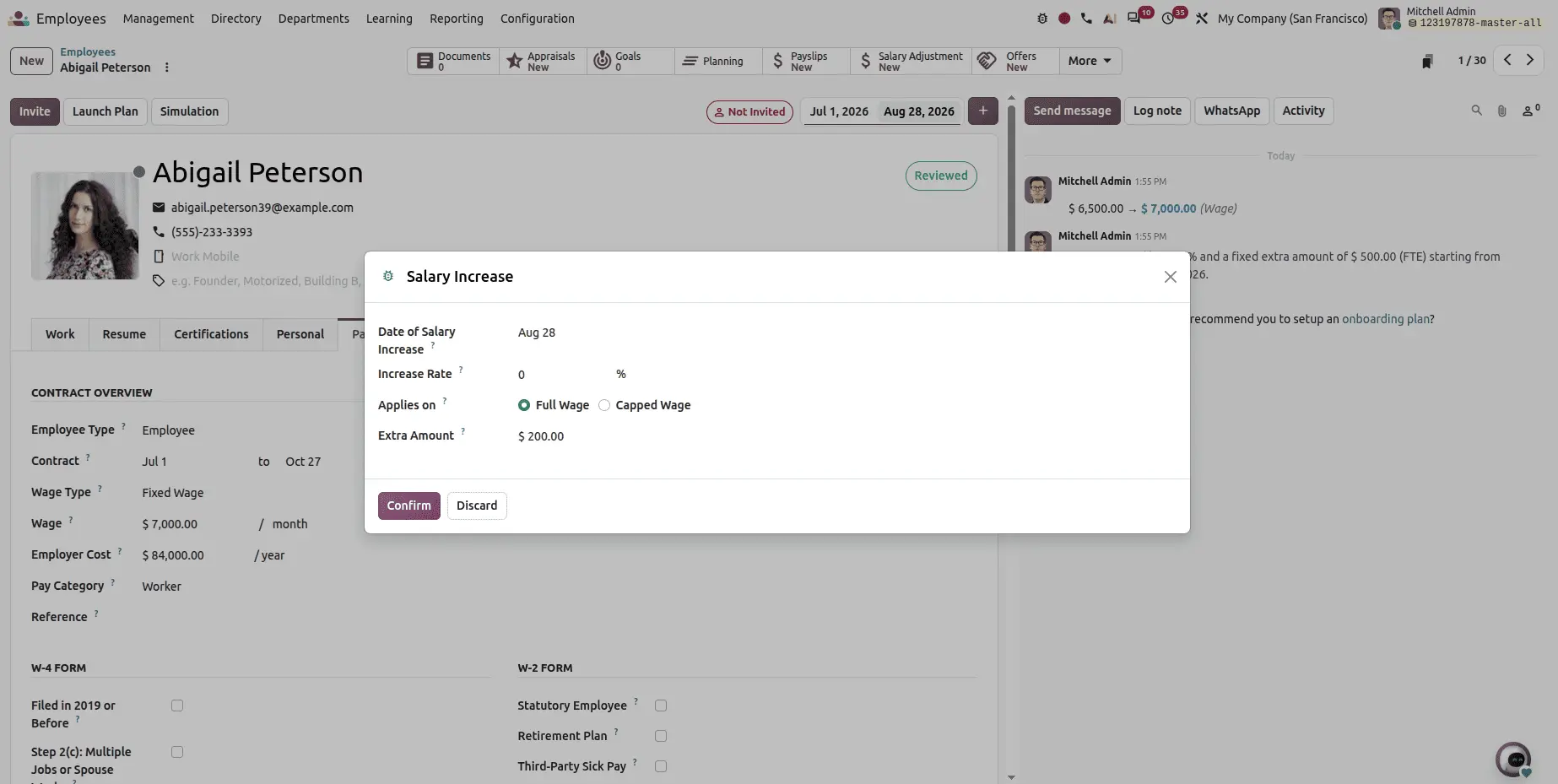
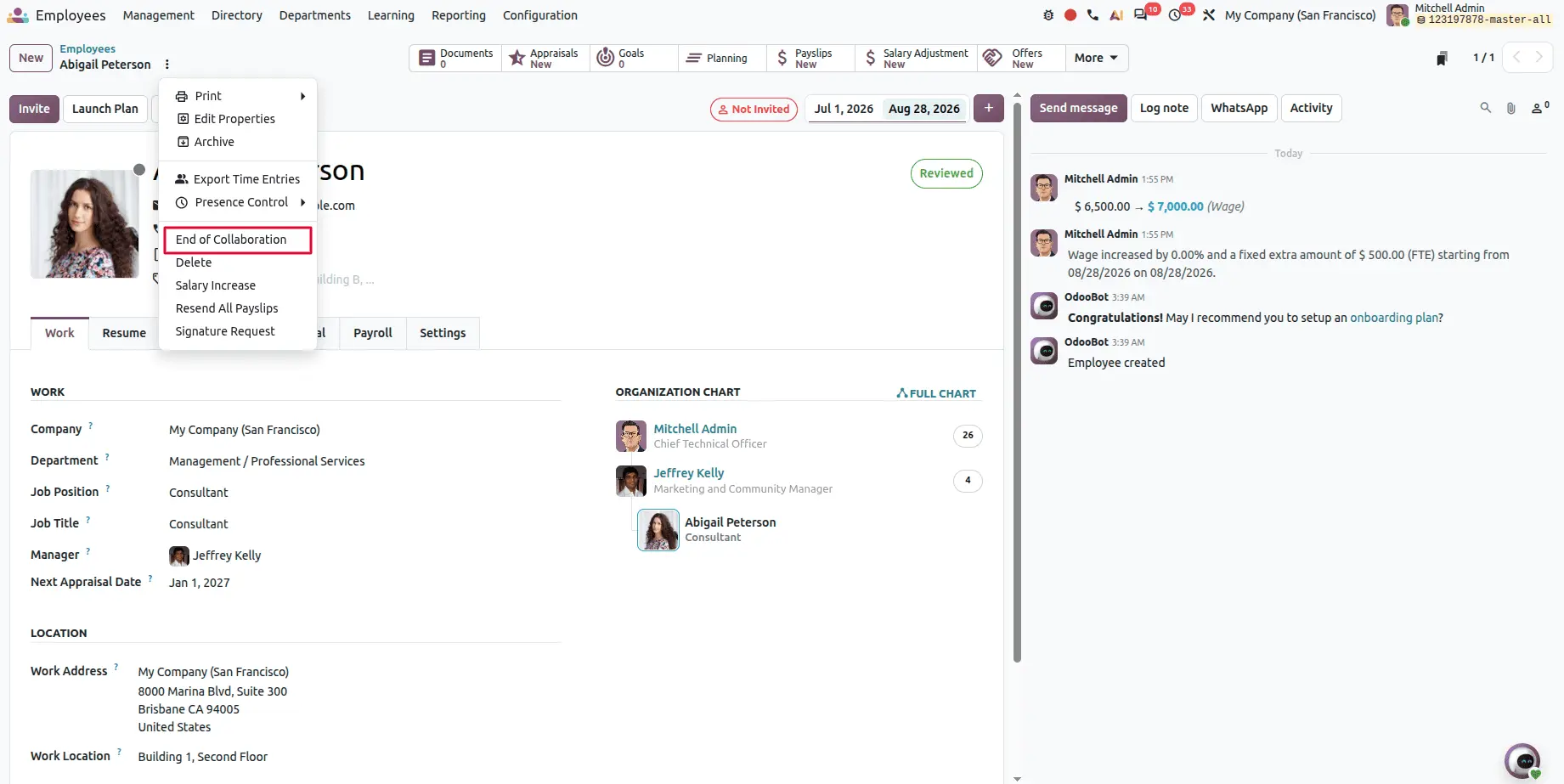
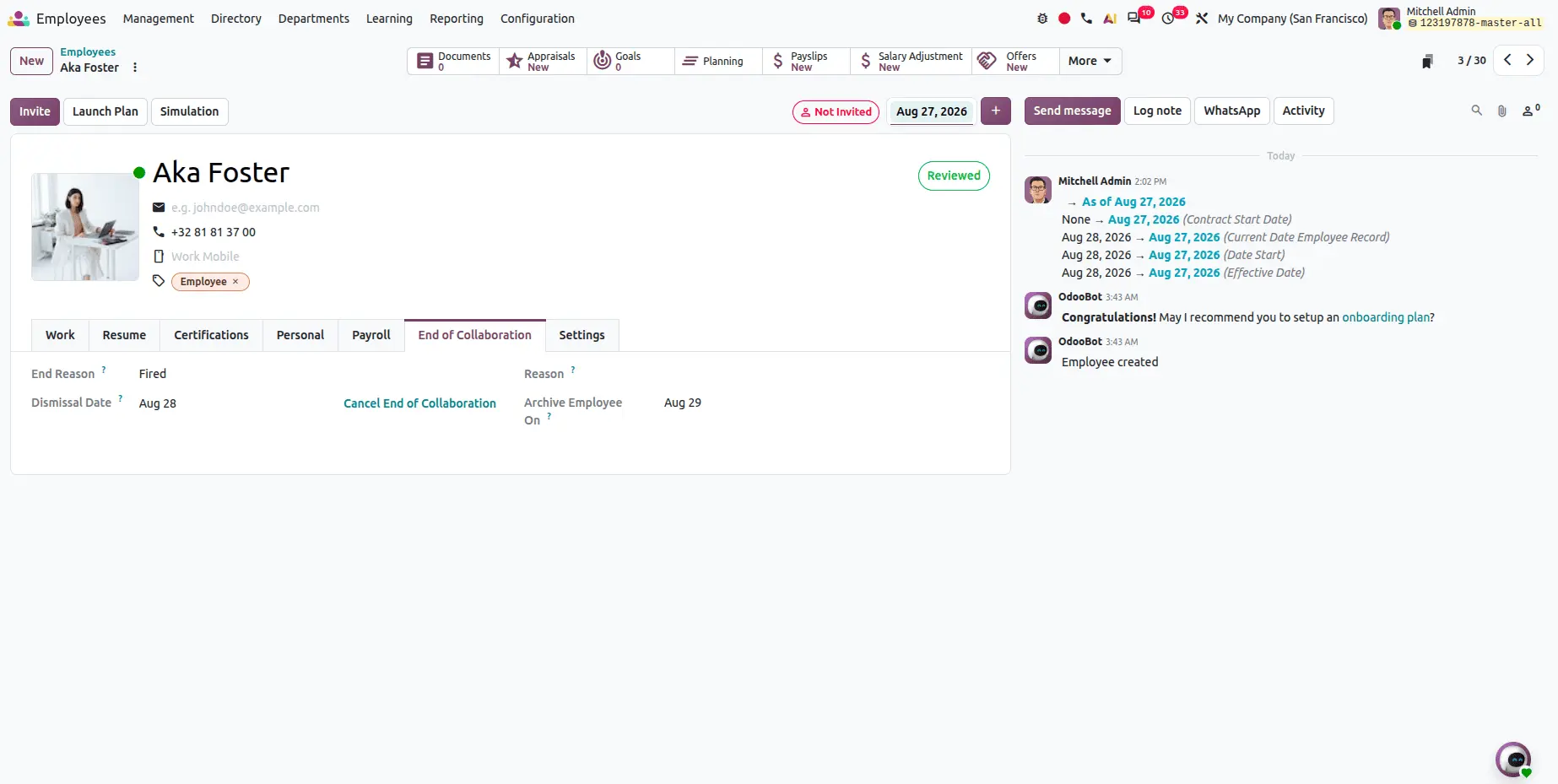
End of Collaboration
A new End of Collaboration option lets HR managers handle departures directly from the employee record: enter the reason, then click Schedule to set the end date. Offboarding becomes a defined process rather than an ad-hoc one.
Fill in the reasons for this end of collaboration.
Then click the schedule button to set the end of collaboration.
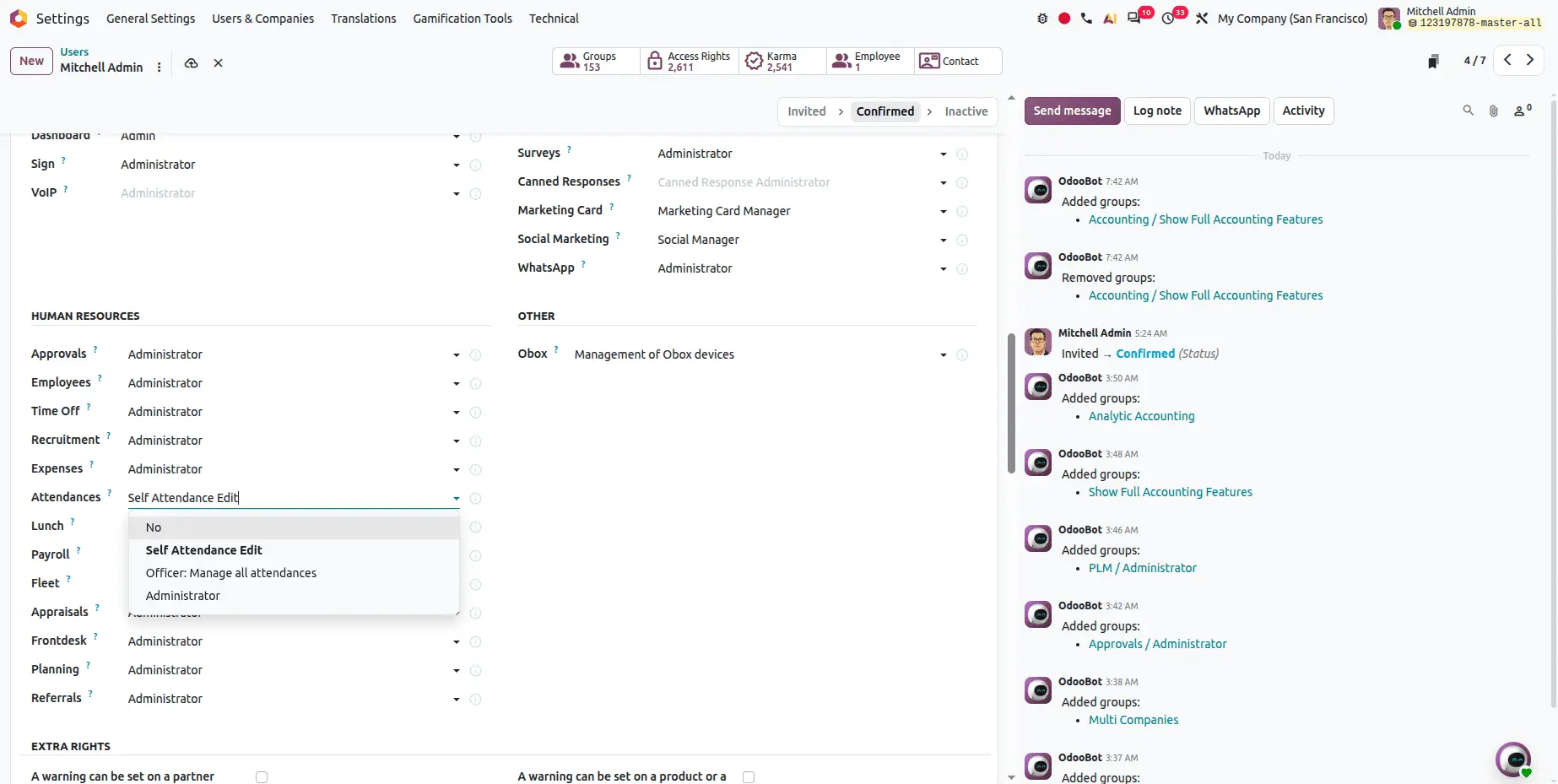
Attendance edit access rights
A new Self Attendance Edit access right controls which employees can modify their own attendance records - closing a gap that previously required either full trust or manual policing.
Timesheets
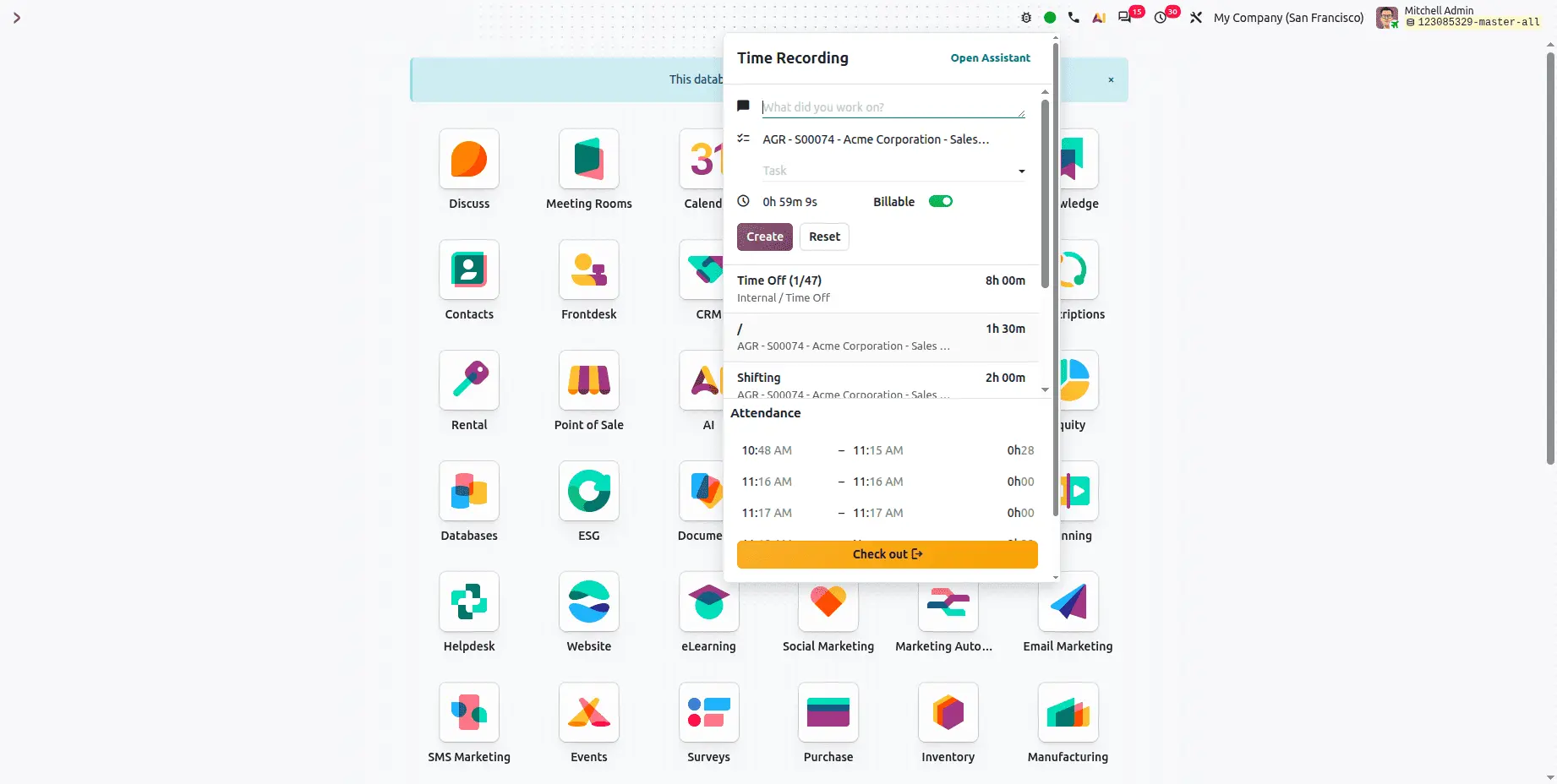
Timesheets without opening the Timesheets module
A check in button in the status bar starts a timer that tracks work directly. While it runs, users can add a description, select a project or task, and flag the time as billable without navigating to the Timesheets module at all.
Removing the friction is the point. Timesheet data is inaccurate mostly because logging it is a separate chore.
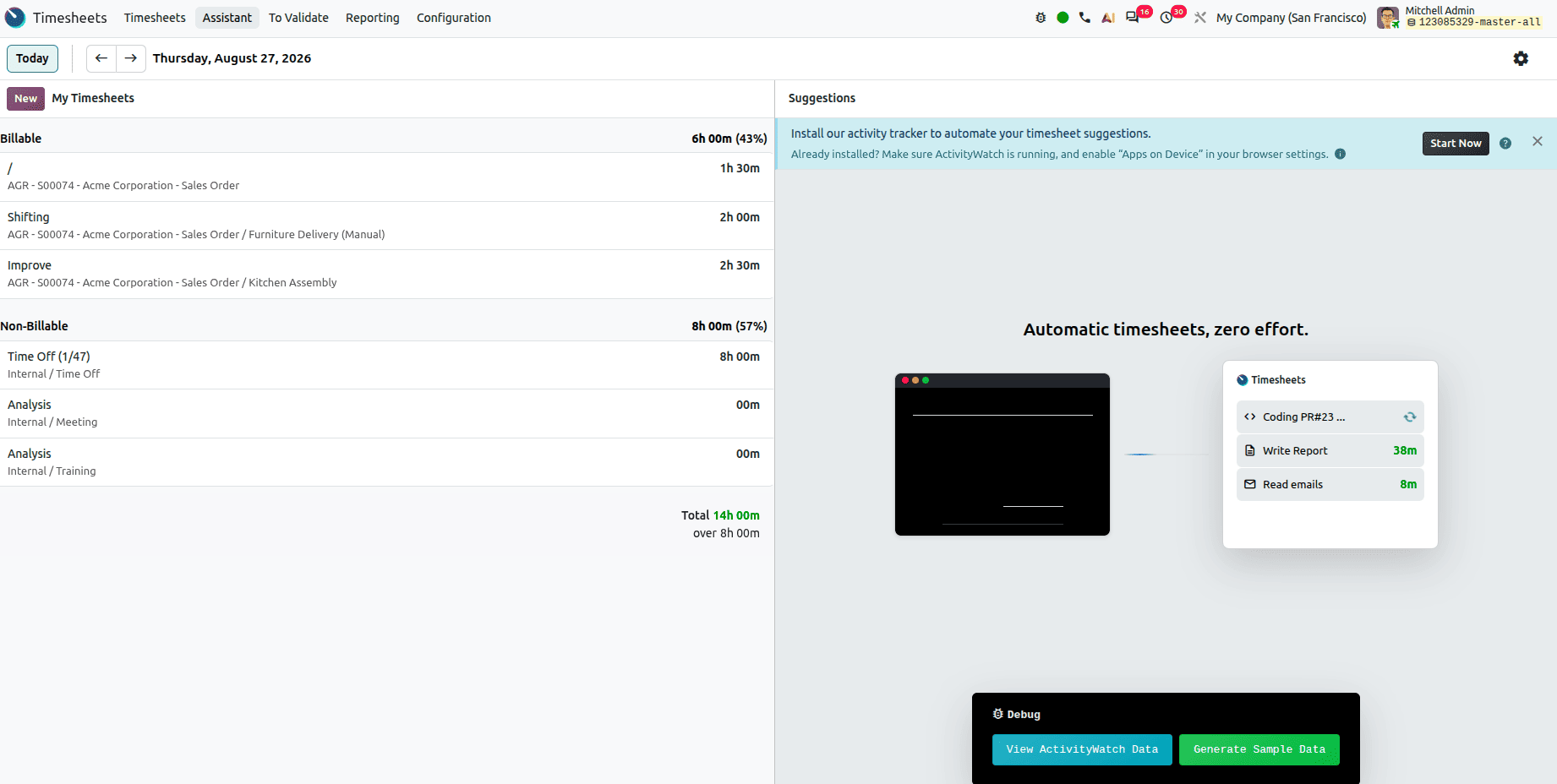
Timesheet Assistant
The Timesheet Assistant tracks your work across different Odoo tabs and suggests timesheet entries automatically. It requires the Odoo local app installed on your computer, which tracks activity and proposes entries for review.
Expenses
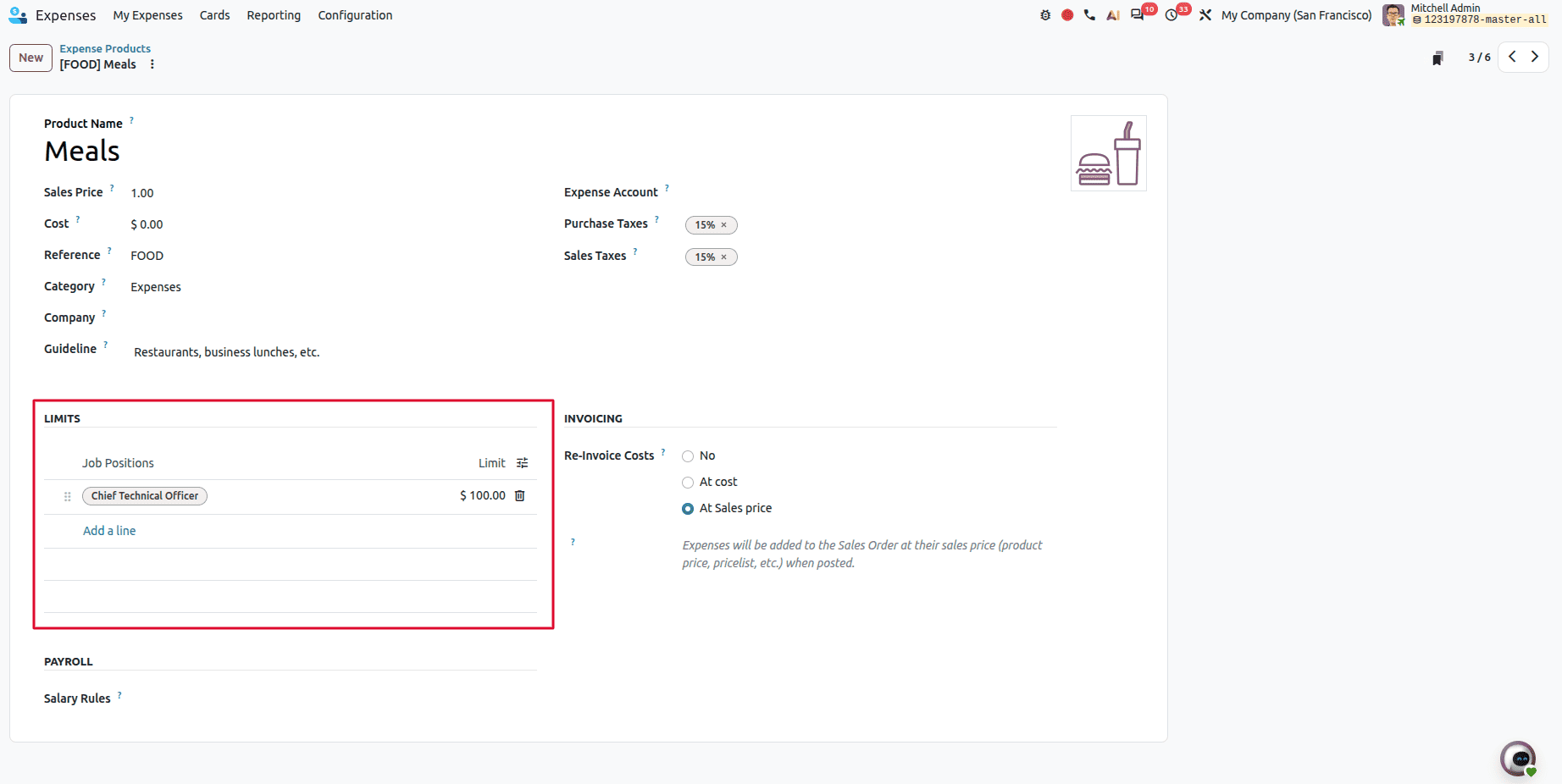
Expense limits by job position
Administrators can now set expense limits configured by an employee's job position, so different roles carry different limits in line with company policy — enforced by the system rather than by review.
Helpdesk
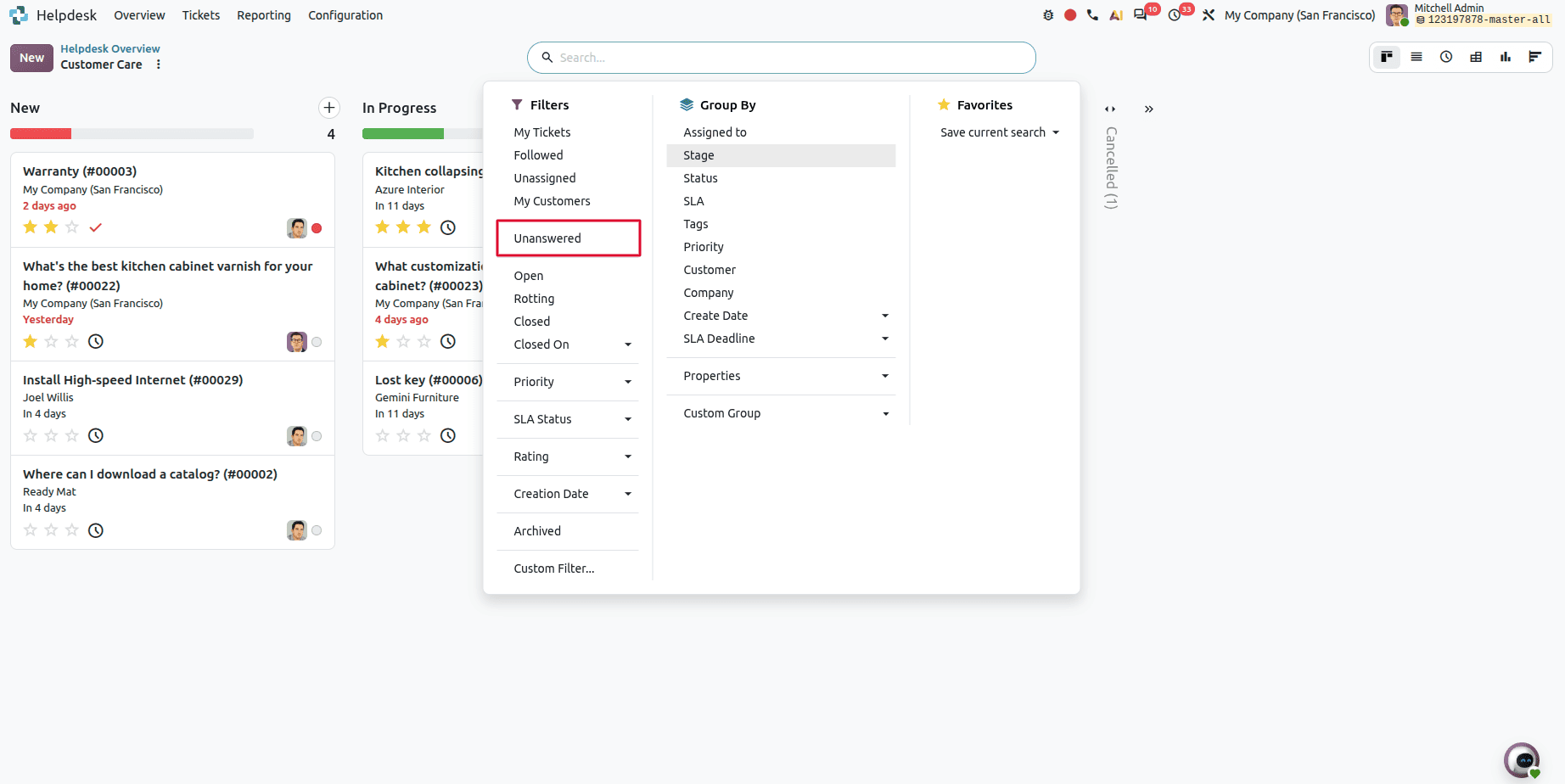
Finding unanswered tickets
Helpdesk tickets can now be filtered for Unanswered — a small addition that makes the most time-sensitive queue immediately visible.
Repair
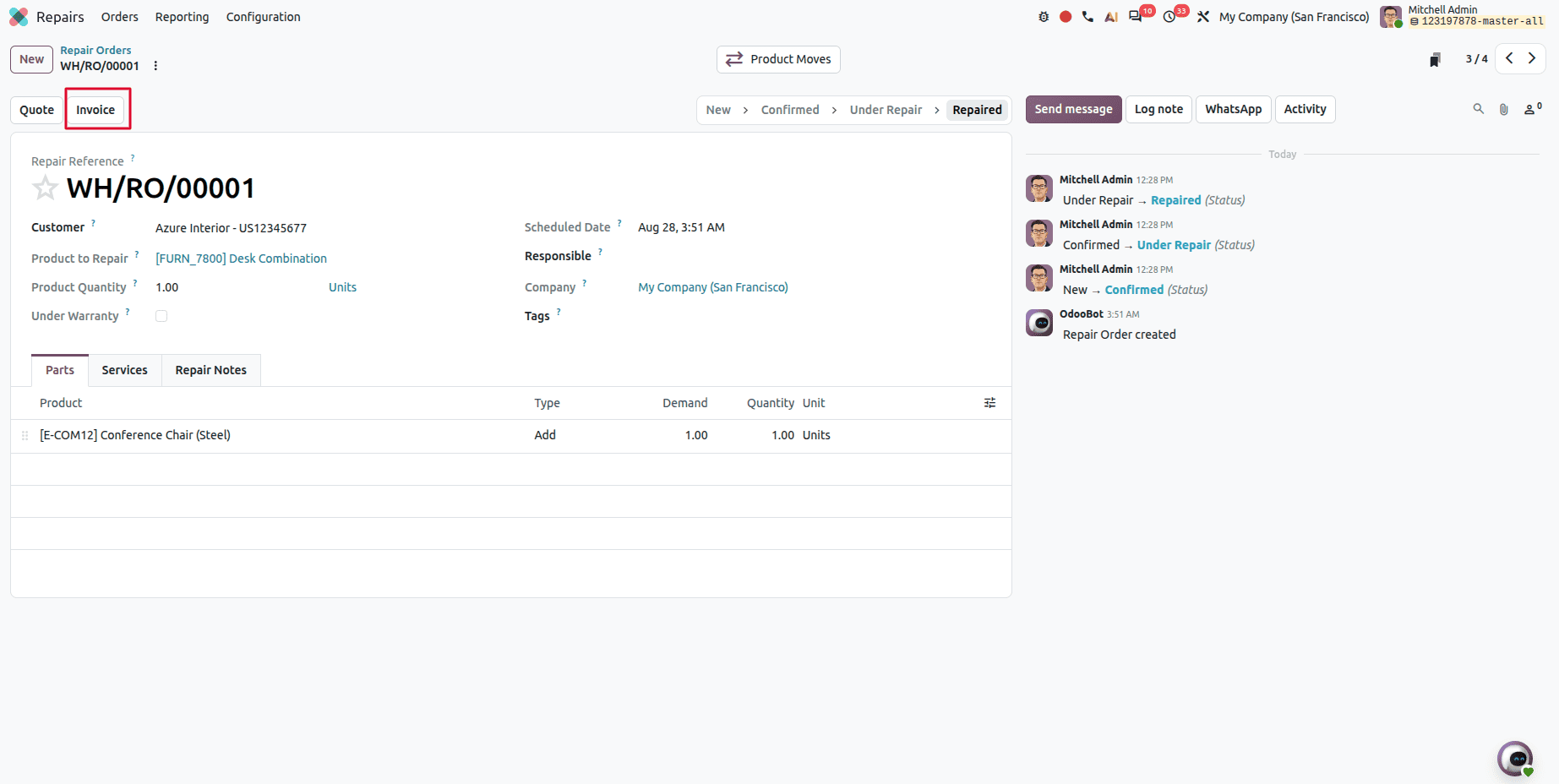
Invoicing directly from a repair order
Invoices can now be created directly from a repair order, closing the gap between completing the work and billing for it.
Contacts
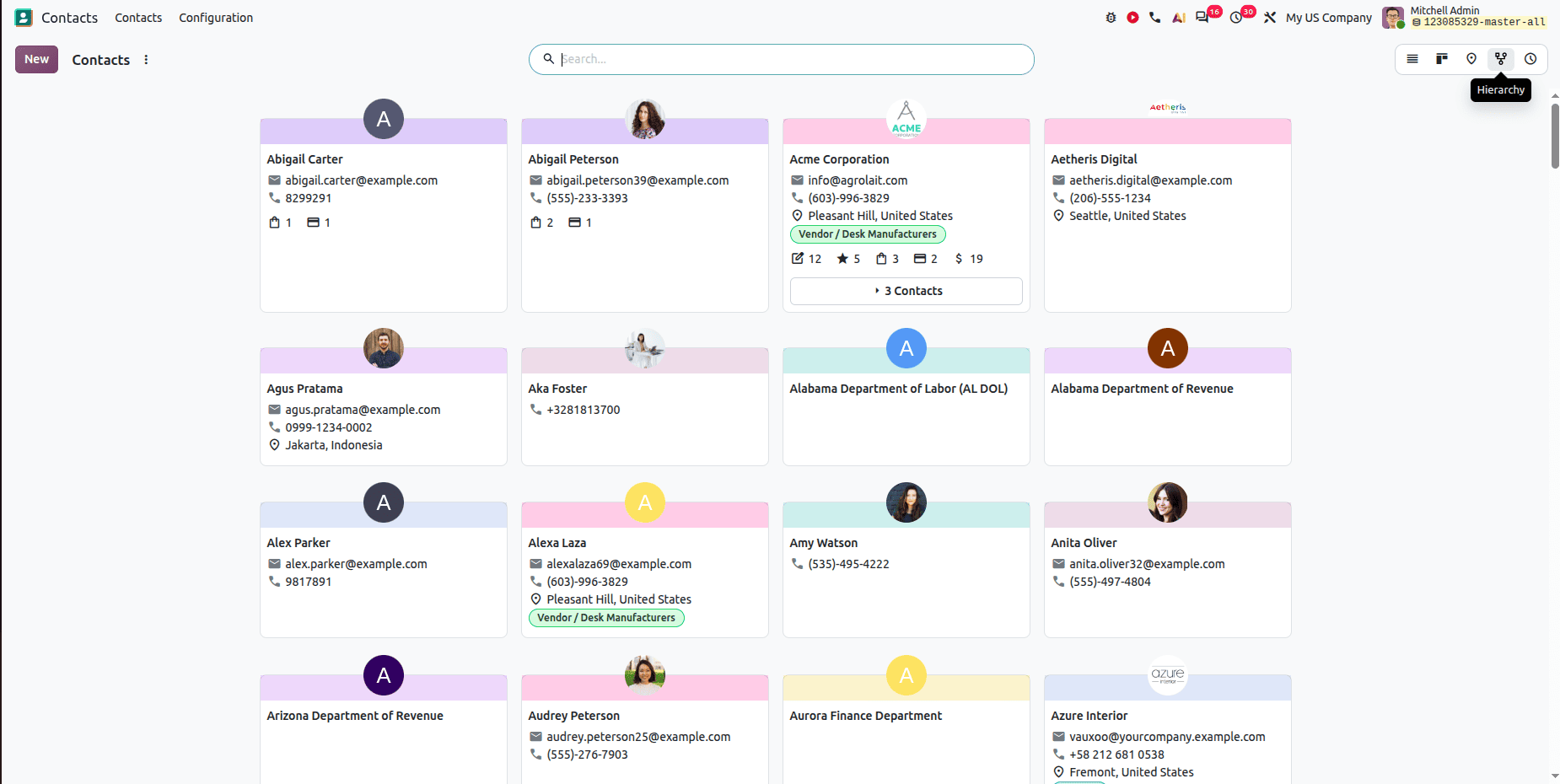
A hierarchy view
Contacts gains a hierarchy view, working the same way as the existing Employees hierarchy — useful for parent companies, subsidiaries, and multi-site customers.
Survey
A modernized interface
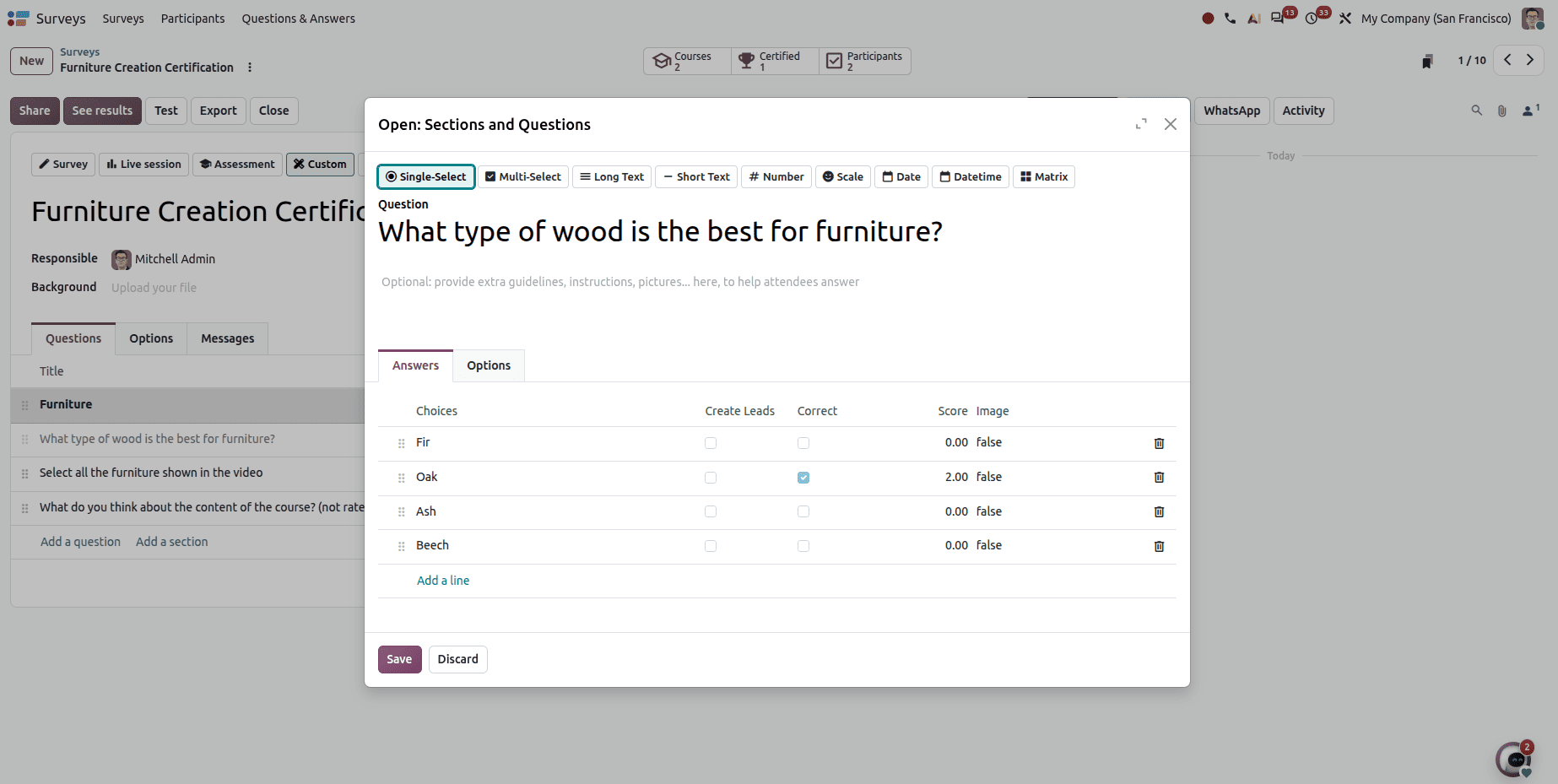
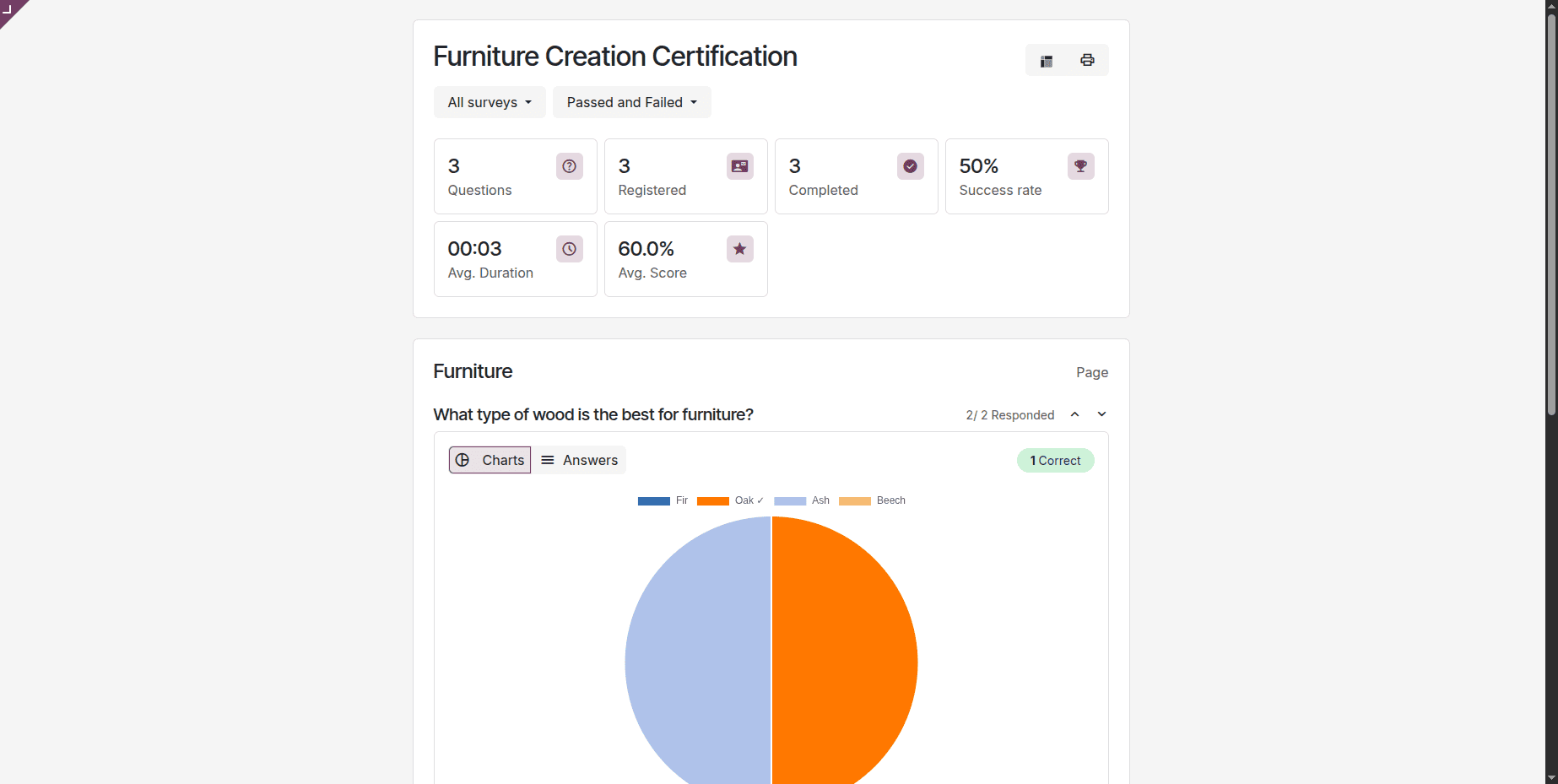
The Survey module gets a cleaner, more modern interface throughout. The question creation window has been redesigned, making it easier to add and configure different question types.
Participants get a clearer results page showing their score, pass or fail status, and remaining attempts — and can review their submitted answers after completing the survey.
Discuss
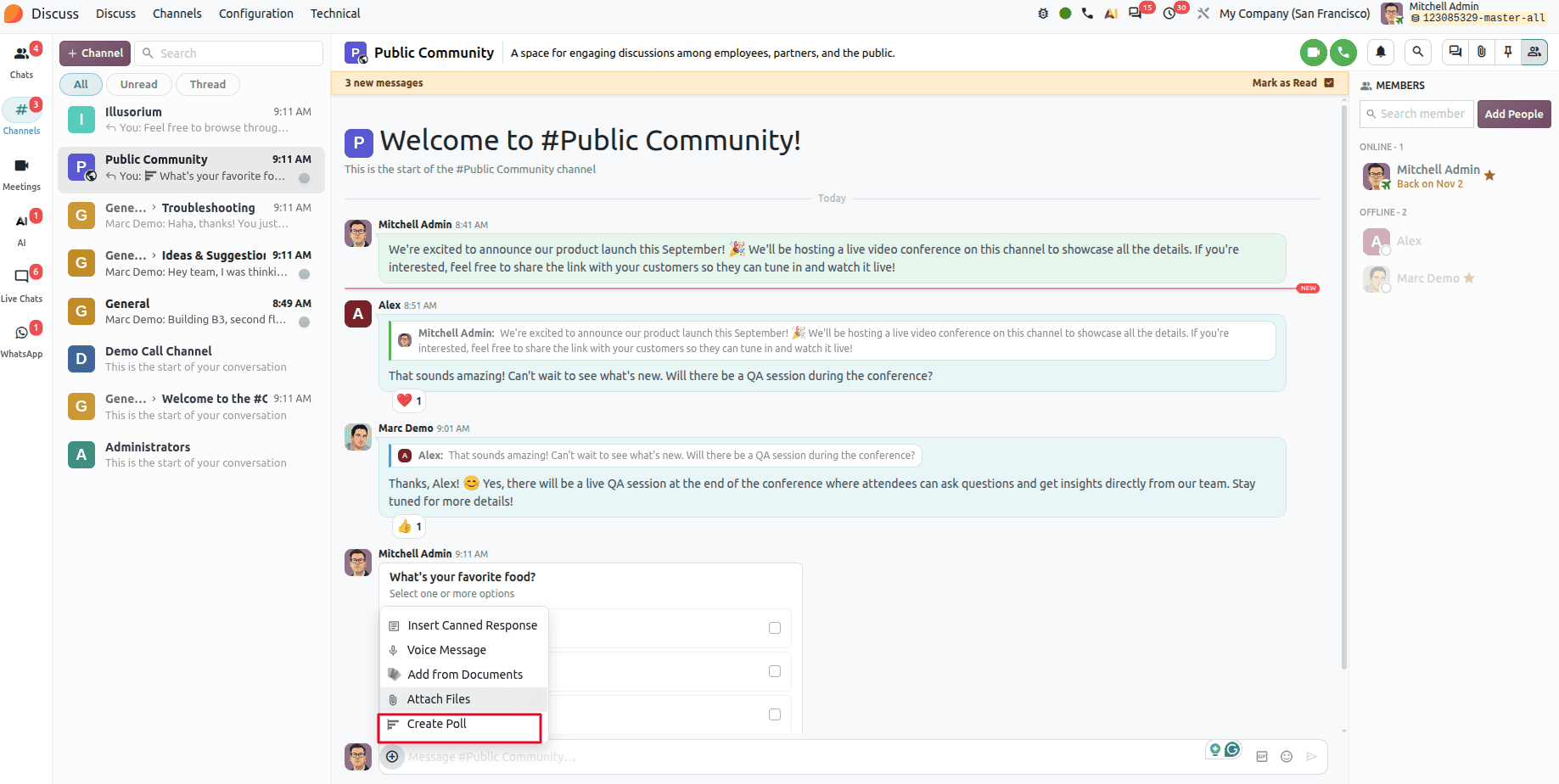
Polls in group chats
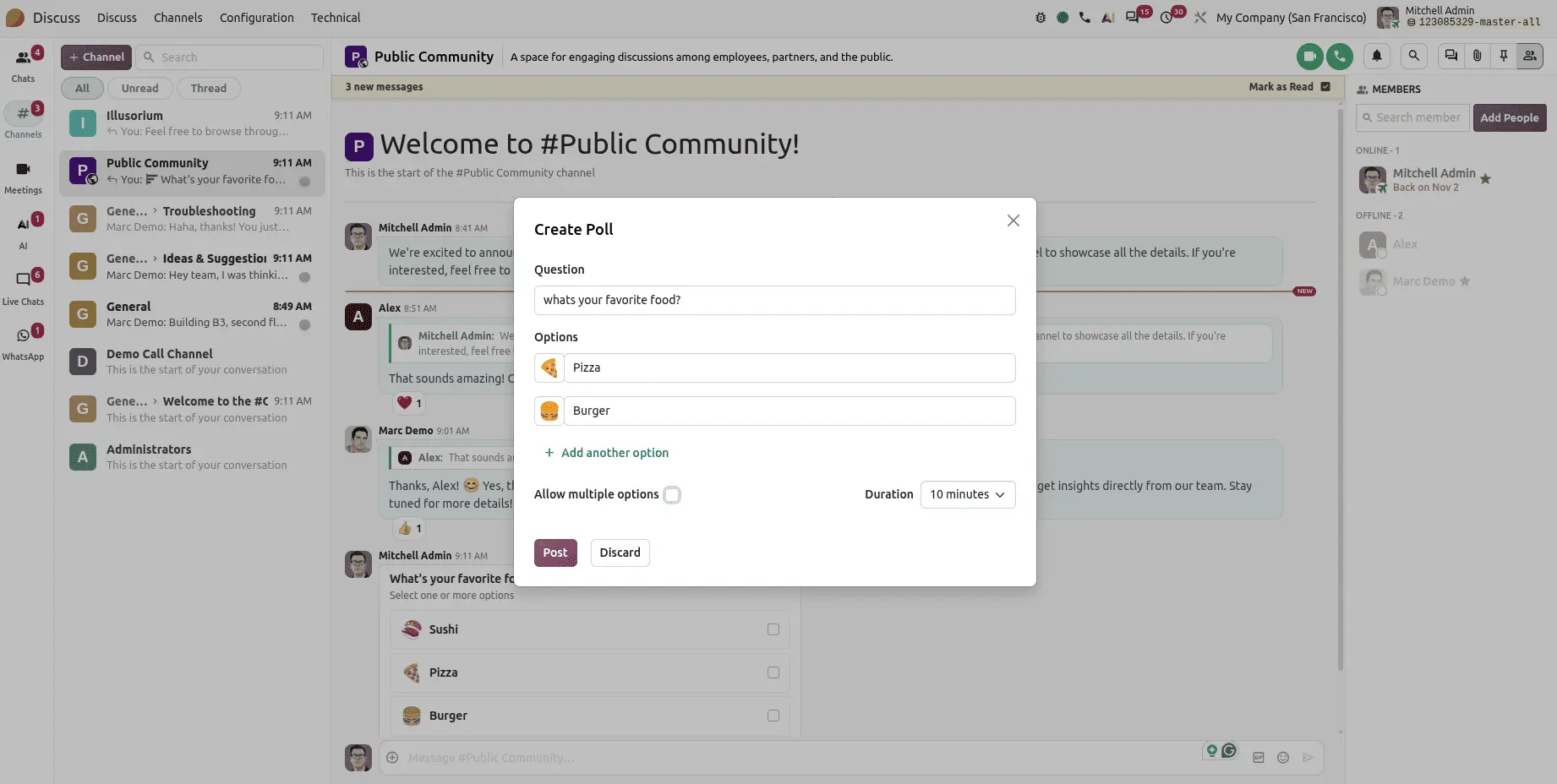
Discuss gains a polls feature for group chats. Create a poll with multiple options, set a duration (10 or 30 minutes, for example), and participants vote directly in the conversation.
Note that polls are available in group conversations only — not in individual chats.
The question nobody's answering: when should you upgrade?
Every Odoo 20 preview lists features. Far fewer say when to move, which is the decision that actually costs money if you get it wrong.
Launch day is not the upgrade date. General availability follows the conference by two to four weeks, and the first genuinely stable patch typically lands in October or November. Running a business on a release in its first weeks means finding bugs on behalf of everyone else.
A practical window is November 2026 to January 2027 — roughly four to eight weeks after that first stable patch, once early issues have surfaced and been fixed.
If you're implementing now and going live before the release, Odoo 19 is the safer choice. It's mature, well-supported, and you can schedule the move to 20 for early 2027 rather than absorbing a version change mid-implementation.
If your project starts this autumn, going straight to Odoo 20 makes sense — there's little value in implementing a version you'll migrate off within months.
The customization caveat matters most. Standard modules migrate cleanly. Custom modules and third-party apps do not migrate themselves — each needs checking for compatibility and porting where necessary. If you're carrying significant customization, that assessment is the real work of the upgrade, and it's worth starting before you pick a date.
What this means in practice
Odoo 20 is a substantial release. The AI direction is the clearest signal yet of where the platform is heading, but the more immediately useful changes are the unglamorous ones: the payroll dashboard that flags missing data, the product margin report that replaces a spreadsheet, the timesheet timer that doesn't require opening a module, the POS snooze button that saves an awkward workaround.
Still, the feature list isn't the thing to plan your upgrade around — your customization footprint is.
If you're weighing whether to upgrade, when, or whether to implement on 19 or wait for 20, that's a conversation worth having before the release rather than after. Get in touch and we'll look at your setup honestly.
Chesify Labs builds Odoo-based operational systems for logistics, freight, and fleet-heavy businesses across East and Southern Africa.