सामग्री पर जाएँ

Odoo for construction

Construction ERP for contractors in Tanzania

From tender BOQ to final account, on one Odoo system.

Construction management software for Dar es Salaam contractors and builders across Tanzania, built on Odoo. Estimates, budgets, site work, materials, labour and client billing share one record per project.

Book a free demo See how it works

  • BOQ import
  • Rate analysis
  • Budget approval
  • Change requests
  • Work orders
  • Site diary
  • Material requisitions
  • Site transfers
  • Crew timesheets
  • RA bills
  • Payment certificates
  • Retention
  • Cube tests
  • Snag lists
  • Handover

We build Odoo around the way your sites already work — your cost codes, your suppliers, your approvals — then train your team until the system runs without us.

Said Mohammed Mpinga
CEO, Chesify Labs

How it works

One job, six stages, one record

Each stage picks up the data from the one before it. Nobody types the same figures twice.

  1. Estimate

    Priced BOQ and rate analysis for the tender.

  2. Budget

    Budget built from the BOQ, then approved.

  3. Plan

    Phases, work orders and a Gantt chart.

  4. Build

    Materials, crews and the site diary.

  5. Bill

    Payment certificates from measured work.

  6. Hand over

    Snags closed, certificates issued, DLP tracked.

1 · Estimate

BOQ software that prices the tender from your own rates

Build the Bill of Quantities once. It becomes the budget, the plan and the bill.

  • BOQ per project and sub-project, so each block or building has its own bill.
  • Excel import. Bring in an existing BOQ instead of retyping it.
  • Rate analysis builds each unit rate from materials, labour, plant, overheads and profit.
  • Rates frozen on approval. Once the budget is approved, contract rates cannot drift.

2 · Budget

Construction budgeting and cost control while there is time to act

The budget comes straight from the BOQ. Every order and every hour is measured against it.

  • Approval workflow for the budget, and for every change request after it.
  • Budget tracking tree from project to sub-project, phase and BOQ item.
  • Budget vs committed vs actual, so open orders show before the invoice arrives.
  • Earned value with PV, EV, AC, CPI, SPI and EAC, drawn as an S-curve.

3 · Plan and build

Plan the work, then run the site

Phases, work orders and the daily site diary tie site activity back to the BOQ and the budget.

  • Phases (WBS) and work orders for each sub-project.
  • Gantt chart. Drag a bar to reschedule.
  • Checklists and ITP hold points on each work order, so nothing is poured before it is inspected.
  • Site diary with weather, progress and crew on site. It feeds progress and earned value history.
  • Map of sites for every active project.

4 · Materials

Every bag of cement accounted for

Each material requisition moves from request to store to slab, and every step is charged to the job.

Purchase to the site store

Order from suppliers and receive straight at site, or transfer from the head-office store.

Scrap and returns

Record damaged stock and unused material sent back, so the job cost stays honest.

5 · Labour and subcontractors

Crew time and subcontractor RA bills that add up

Every shift and every subcontract bill lands on the right job, at the right rate.

  • Crew timesheets booked by the foreman for labourers without logins.
  • Trade rates price each hour into the job cost automatically.
  • Subcontract agreements with running-account (RA) bills.
  • Retention held on each bill and released when due, with withholding tax applied.

6 · Bill the client

Interim payment certificates (IPC) without the spreadsheet

Each IPC is built from measured progress, with retention, advance recovery, VAT and WHT worked out for you.

  • IPC from the measurement book, line by line against the BOQ.
  • Retention and advance payment, with the guarantee and its recovery tracked.
  • VAT 18% and WHT on every certificate.
  • Variations, including omissions.
  • TRA VFD receipts issued through the Chesify Labs VFD integration.
  • USD or TZS contracts with multi-currency.

7 · Quality and handover

Hand over with a clean record

Inspections, tests and defects sit on the same project as the costs.

  • Material receipt inspections before stock is accepted.
  • Non-conformance reports (NCR) with corrective action.
  • Concrete cube test register with 7-day and 28-day results.
  • Snag lists and work completion certificates.
  • Handover and defects liability period (DLP) tracked to the day.

Support after handover

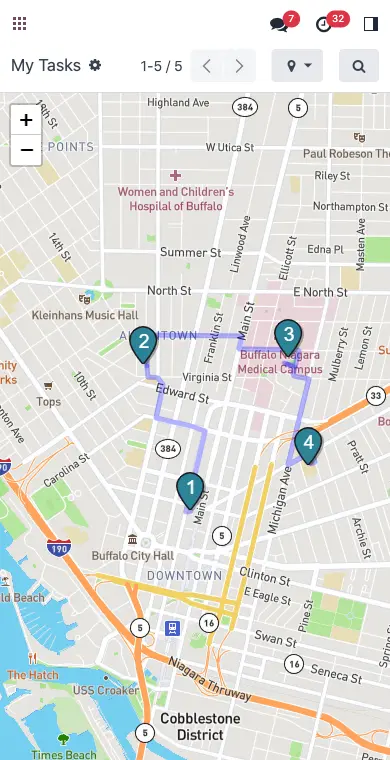
Log defects and warranty calls as tickets, send a technician with a field service task, and keep a record of every visit to every building.
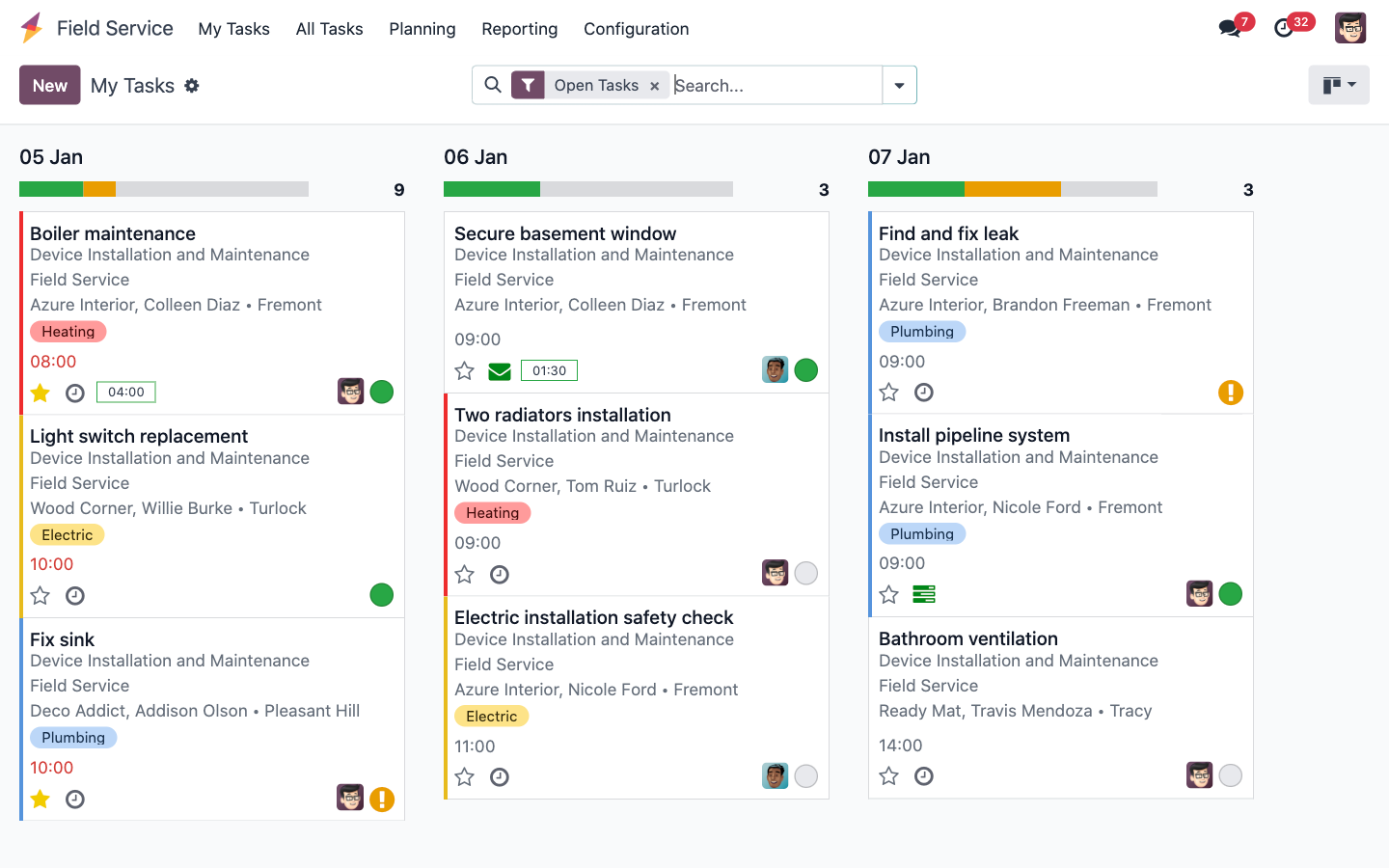
Field service tasks in Odoo for maintenance and repair visits, organised by day
Odoo Field Service on a phone showing a technician's tasks on a map

8 · Control

The right screen for every role

Each person sees what their job needs. Approvals need a second pair of eyes.

  • Directors
  • Project managers
  • Quantity surveyors
  • Site engineers
  • Storekeepers
  • Finance
  • Site engineers see only their own sites and their own budget, under My Budget.
  • Four-eyes approvals. The person who requests is not the person who approves.
  • Role-aware dashboard with KPIs, cost gauges and treemaps.
  • 14 printable reports, including the priced BOQ, rate analysis, budget, IPC, RA bill certificate and transfer note.

Odoo for construction

Real Odoo screens, set up for construction

The construction ERP runs on standard Odoo projects, purchasing, inventory and invoicing, so your team works in one familiar system.
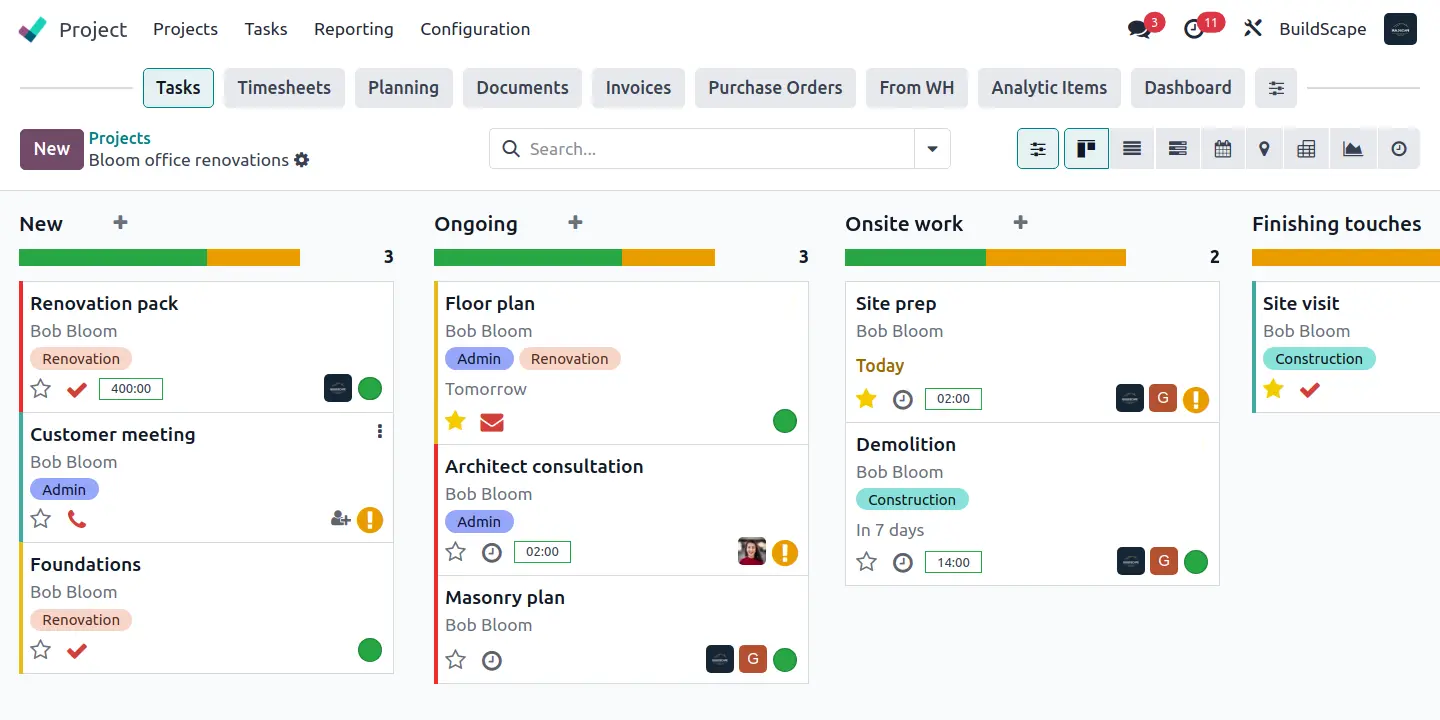
Construction project board in Odoo with tasks grouped by stage: new, ongoing, on-site work and finishing

Project board. Every site and its tasks by stage.
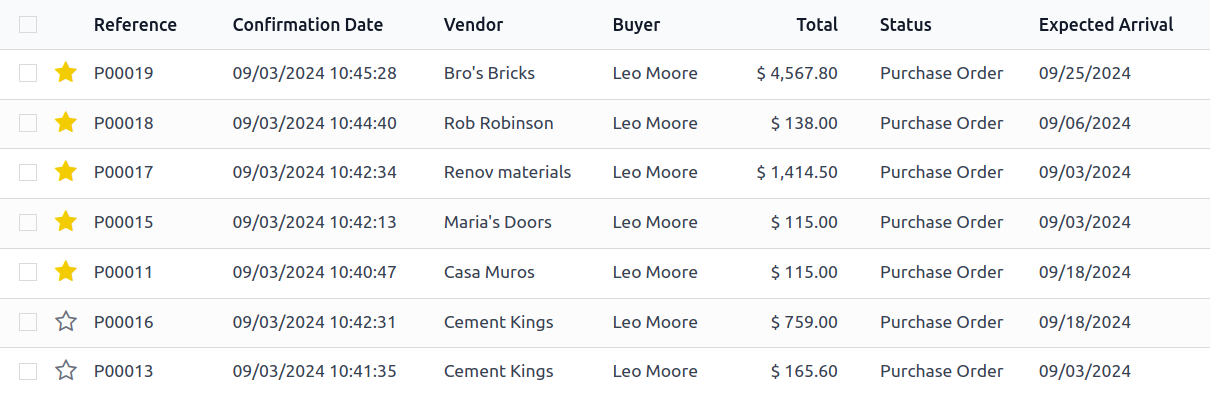
Purchase orders to building material suppliers listed in Odoo with totals and expected arrival dates

Purchase orders. Supplier orders charged to the job.
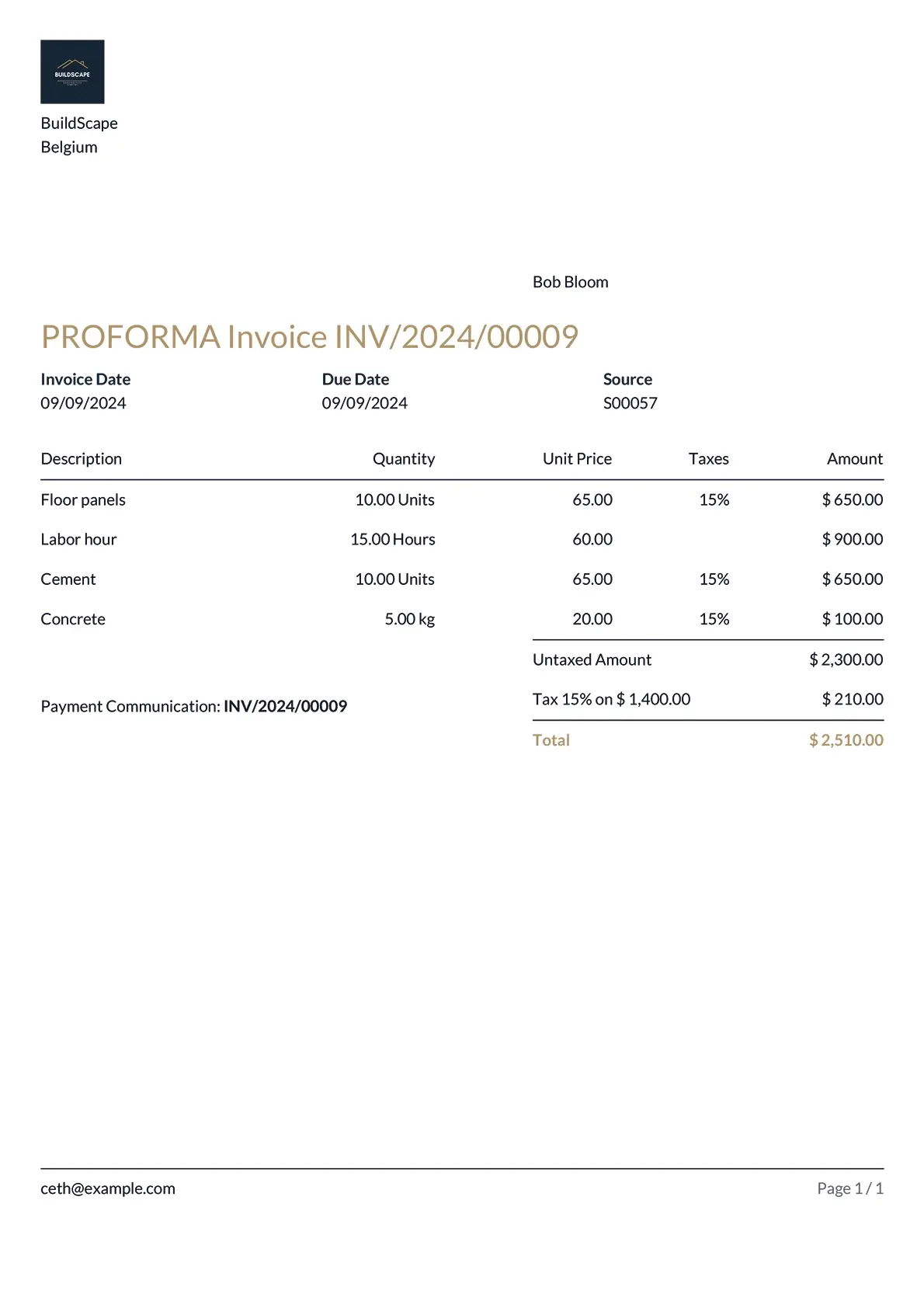
Construction pro-forma invoice in Odoo listing floor panels, labour hours, cement and concrete

Client invoice. Billed by progress, with VFD receipts.

6

stages, one record per project

14

ready-to-print reports

18%

VAT worked out on every certificate

0

spreadsheets between site and office

Local by design

Built for Tanzania

  • TRA VFD receipts
  • VAT 18%
  • Withholding tax
  • TZS and USD contracts
  • Your team can work in English or Swahili

Questions

What contractors ask us

Something else on your mind? Talk to our team.

Do we need to change our cost codes?

No. We set up the system with your existing cost codes, BOQ structure and approval steps, then train your team on it.

Can site engineers use it on a phone?

Yes. Odoo runs in the phone browser, so engineers and foremen can fill in the site diary, crew timesheets and material requisitions from site. Each engineer sees only their own sites.

Can we import our existing BOQ from Excel?

Yes. The BOQ import reads your Excel bill into the project or sub-project, so nobody retypes it.

Does it work with TRA VFD?

Yes. Client invoices issue TRA VFD receipts through the Chesify Labs VFD integration.

Run your next project on one system

Book a free demo. We will walk through a BOQ, a budget and a payment certificate with your team.

Book a free demo Contact us